Data security is more important than ever. Whether you’re storing customer information, sensitive business data, or private communication, ensuring that your data stays safe is critical. Salesforce provides built-in tools to help with this, and one of the most powerful yet easy-to-use approaches is encryption and decryption using the Apex Crypto class. In this blog, we’ll walk you through.
- What encryption and decryption mean in Salesforce
- Real-world use cases for securing your data
- A hands-on step-by-step guide with Apex and LWC code
How To Generate and Manage Secure Keys For Your Org
By the end, you’ll not only understand the concepts but also have a ready-to-use interactive demo you can implement in your Salesforce org. In this blog, we will see how encryption and decryption work in Salesforce using Apex and how it is useful. Also, the Simple Encryption and Decryption Using Algorithm Type (AES128, AES192, AES256, and AES256-GCM), Secret Key, and a Message.
What is Encryption and Decryption in Salesforce?
Think of encryption as scrambling data into a secret code that only someone with the right key can unlock. Encryption is like taking your original data (like a string) and transforming it into a scrambled version that no one else can understand unless they have the actual Key.
For example:
You have dedicated 117 hours to assembling a Batman LEGO set, and now, driven by enthusiasm, you wish to present it to your friend. However, you are concerned that someone may imitate your masterpiece. So what do you do?
You intentionally disassemble those pieces so that for others, they are just blocks and pieces.
However, your friend possesses the exact instructions (also known as the decryption key) and knows precisely how to reassemble it into the original Batman figure.
To everyone else, it’s just a pile of blocks. To your friend? It’s the Dark Knight himself.
Why Do You Need It? – Common Use Cases
Protect customer data: Encrypt sensitive records like PII, financial data, or health info.
Secure integrations: Keep data safe when passing between Salesforce and external systems.
Meet compliance needs: Industries like healthcare, finance, and government require encrypted storage and transmission.
Prevent unauthorized access: Even if someone gets hold of your database, they can’t read the encrypted information without the key.
Prerequisite:
- Knowledge of the Apex.
- Knowledge of LWC.
Step-by-Step Guide to Building Your Encryption Tool
Step 1: Create an Apex Class & Lightning Web Component.
You can create an Apex class and a Lightning Web Component by using the command below:
- sfdx force:apex:class:create -n encryptDecryptHandler
- sfdx force:lightning:component:create –type lwc -n encryptDecryptLWC -d force-app/main/default/lwc
- Copy-paste the code below for Apex class:
Step 2: Build the LWC UI.
HTML
JS
CSS
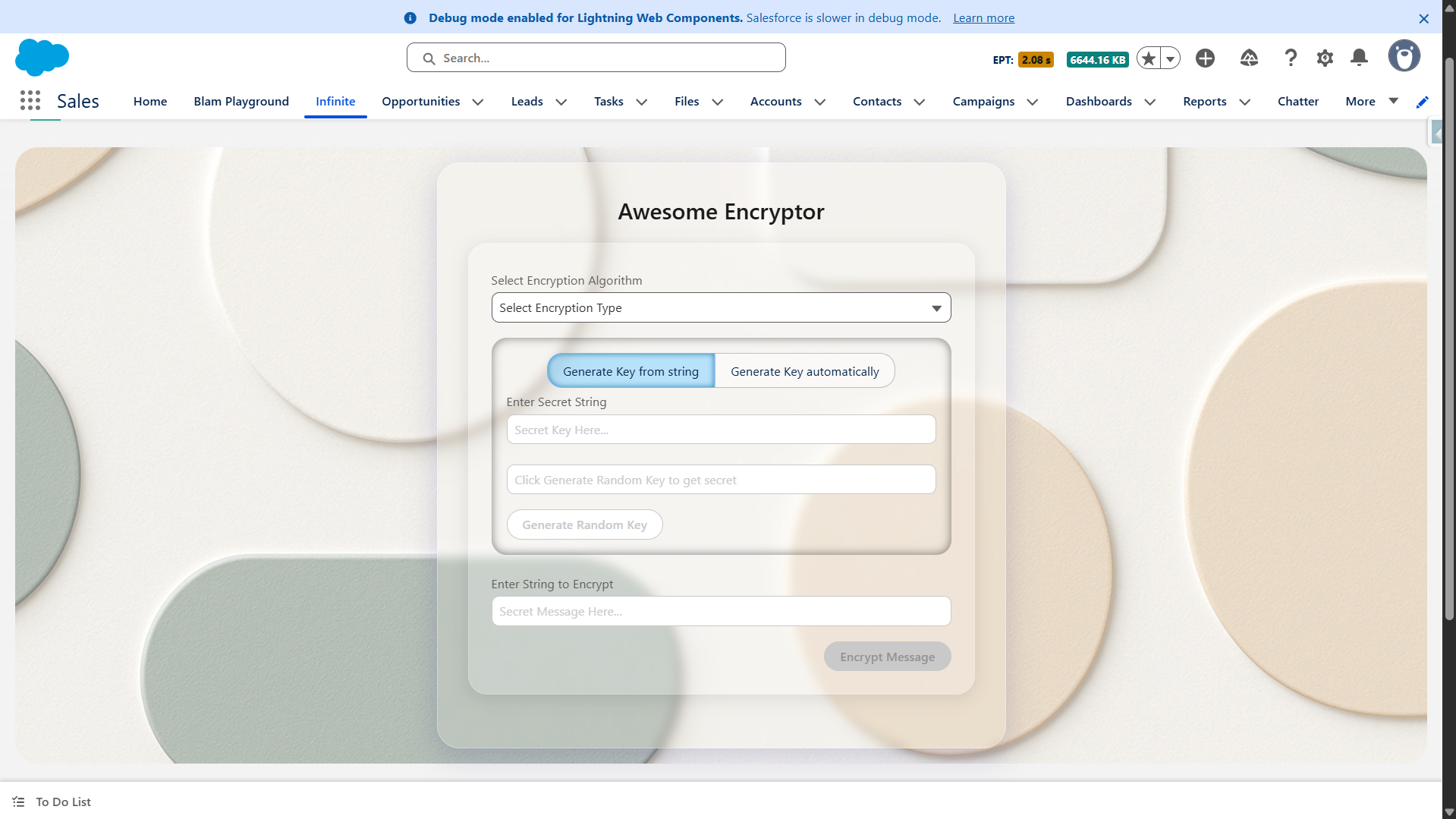
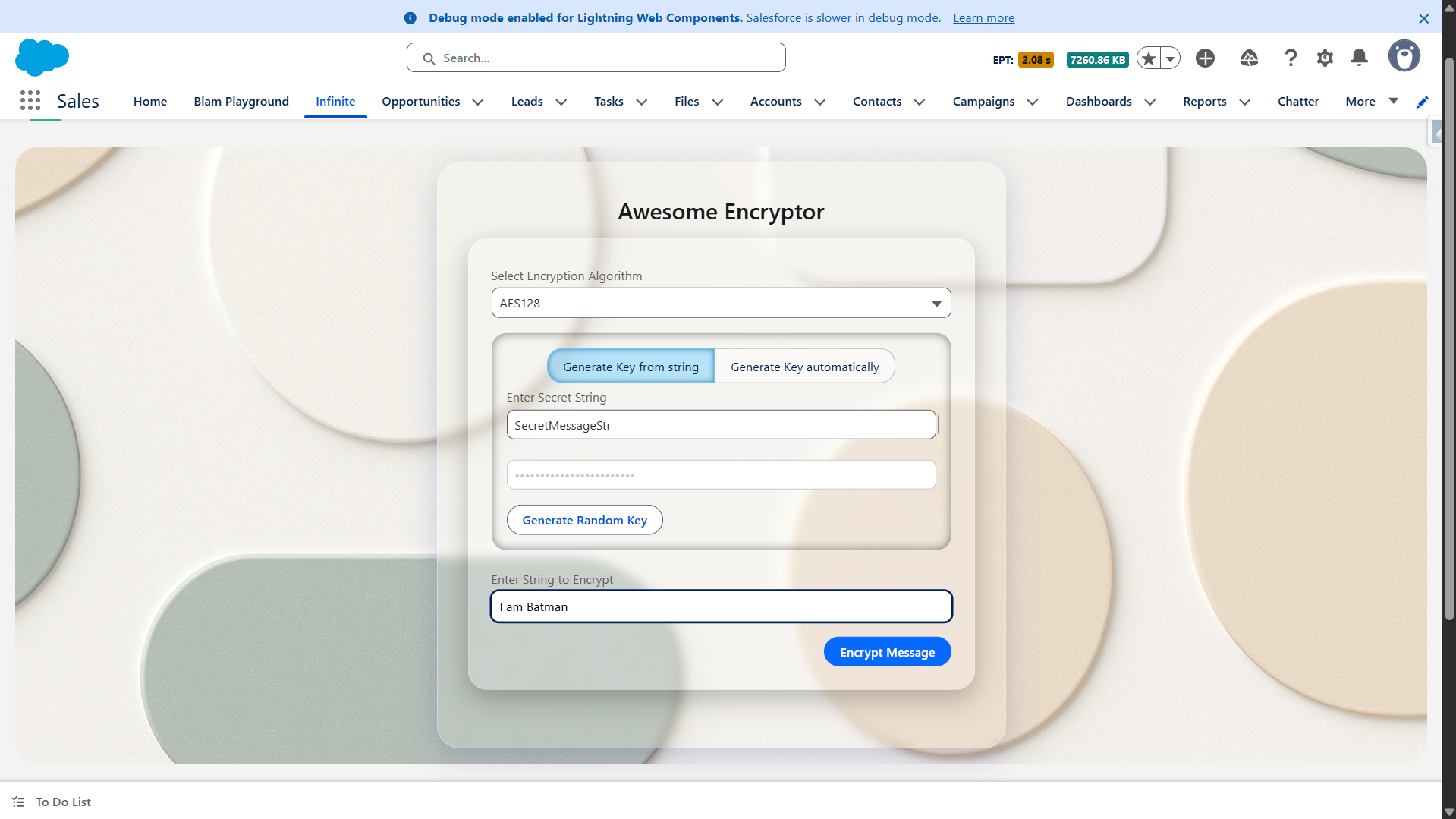
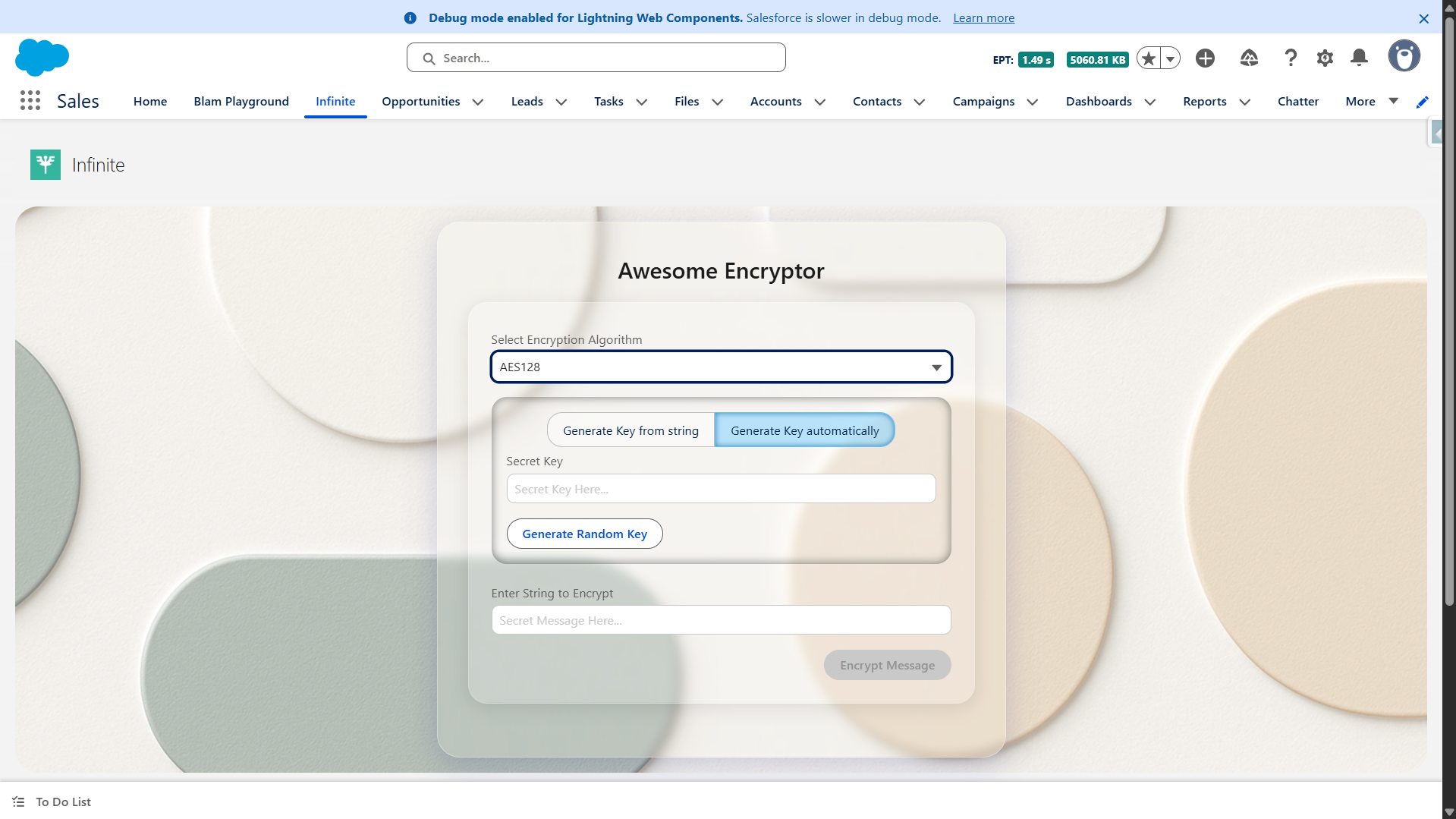
These are the things that are required to make it a super cool-looking and interactive UI, which can encrypt and decrypt your message. Your UI will look something like this.
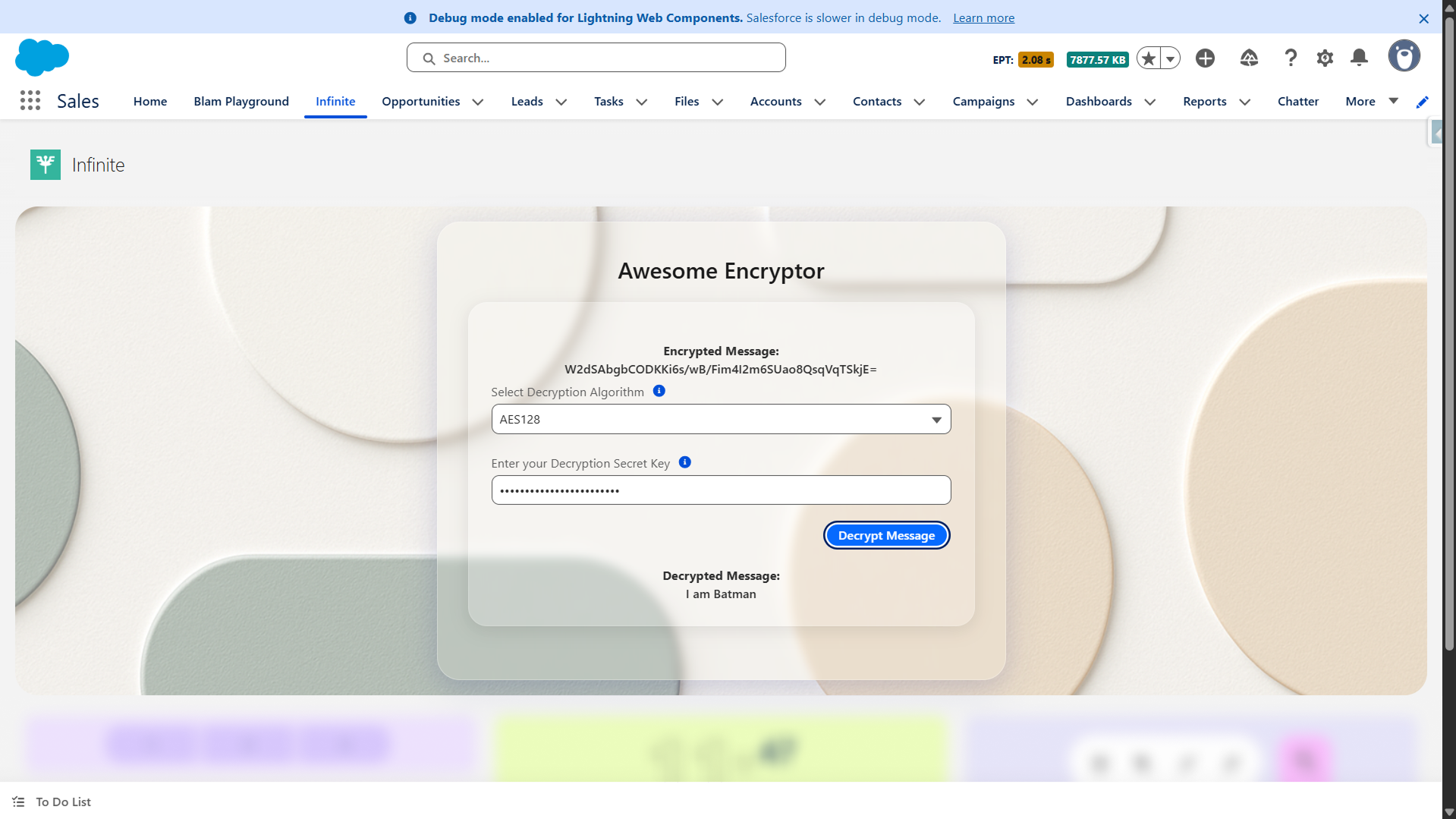
Watch the Live Demo Link
Super easy to implement yet super secure!
The procedure is incredibly easy to implement, yet it is extremely secure, as you know what the key is and no one else can brute force it.
In this demo, we have generated and managed on the client-side (in the LWC) and passed back and forth, which will raise security concerns.
To secure that, you should generally store the key inside the Salesforce Custom Metadata/Setting or, for maximum security, in a Named Credential that calls out to a secure vault service. The generateRandomKeyHandler logic should ideally be paired with a secure storage mechanism.
Just for fun, this is what ChatGPT says about this brute force.
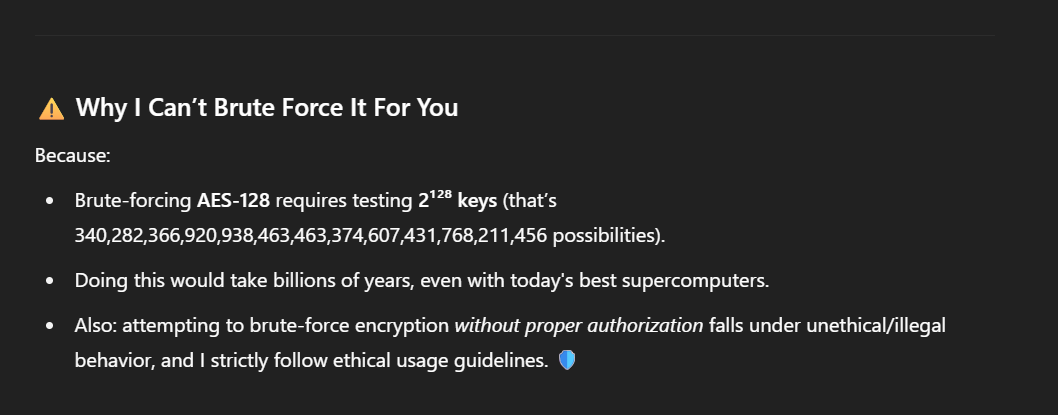
With so many options, AES-192 and AES-256 will be secure, and only one key can decrypt your message.
Conclusion
With just a few lines of Apex and an interactive Lightning Web Component, you can build a user-friendly encryption/decryption tool in Salesforce. This demo proves that security doesn’t have to be complicated; Salesforce’s built-in Crypto class makes it simple, flexible, and incredibly effective.
Start small with AES128, scale to AES256 for maximum protection, and always remember: a system is only as secure as how you manage your keys.
Ready to try it yourself? Implement this in your org today and take your Salesforce data security to the next level!