
Managing eCommerce transactions efficiently requires accurate data flow between platforms. For Shopify store owners using Salesforce, it’s crucial that every order detail, including refunds, taxes, and shipping charges, is accurately transferred. This ensures financial records remain consistent, customer service stays smooth, and reporting is always up to date.
In this guide, we’ll walk you through how to sync refunds, tax, and shipping lines from Shopify to Salesforce using Sync Made Easy and its Pro extension, so you can streamline operations and avoid manual errors.
Here’s your step-by-step guide:
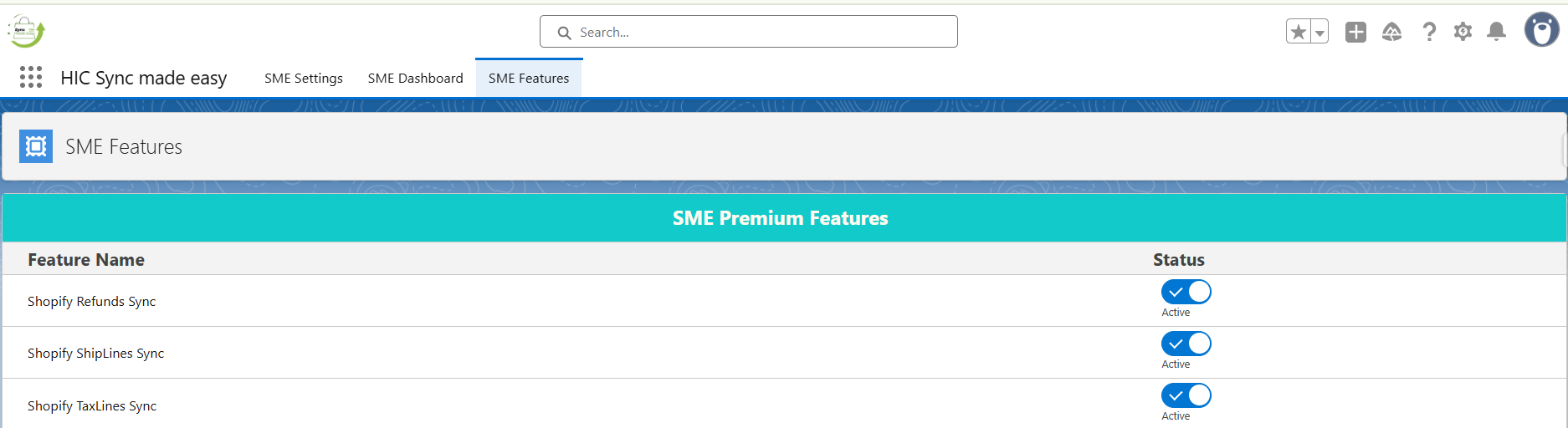
Step 1: First, make sure that ‘Sync Made Easy’ is installed and configured. If not, please follow this user guide. After that, install and configure the extension app ‘Sync Made Easy Pro’ from AppExchange Ensure that the three toggle buttons listed below are enabled on the SME Features page:
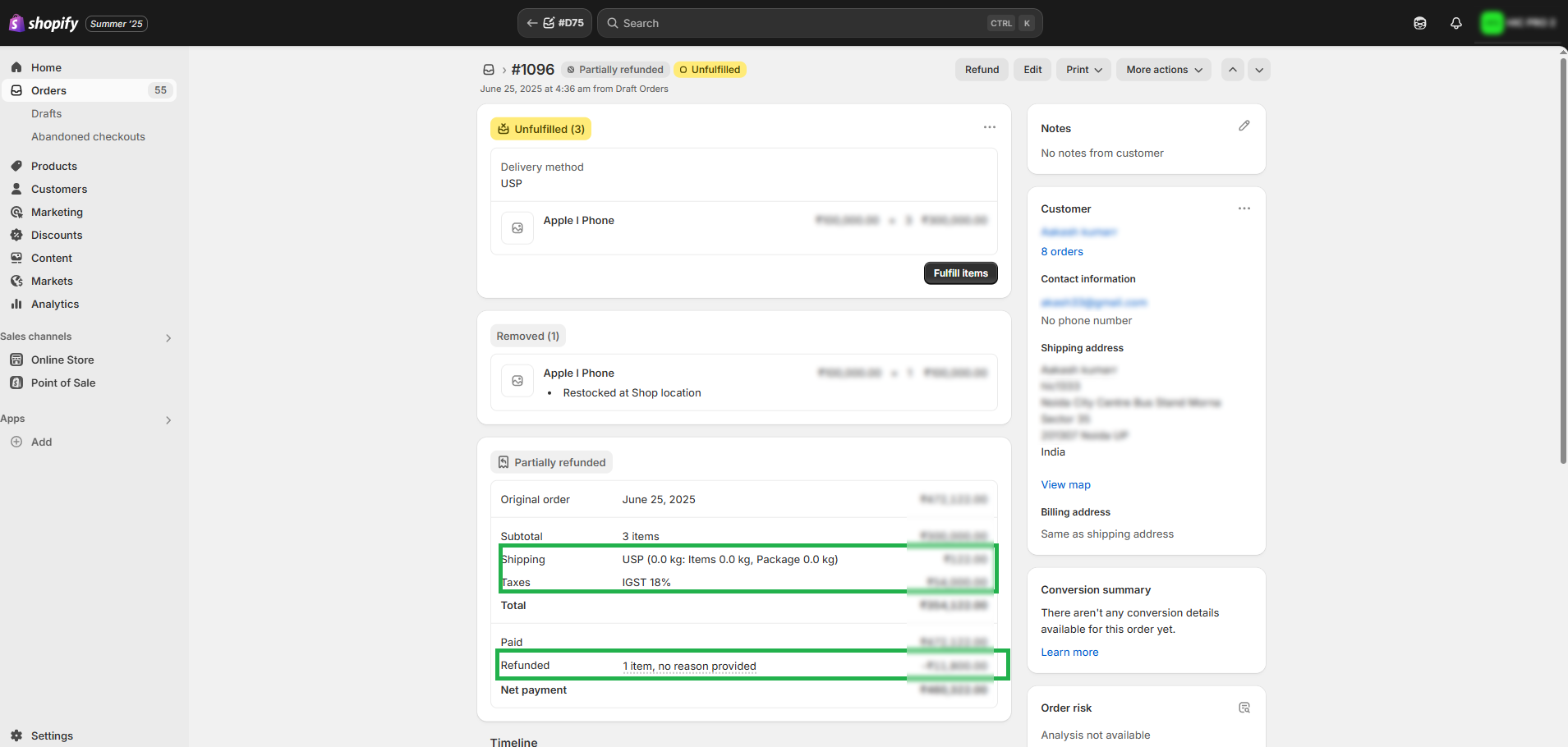
Step 2: Create an order in Shopify that includes shipping and tax, and proceed to create a refund.
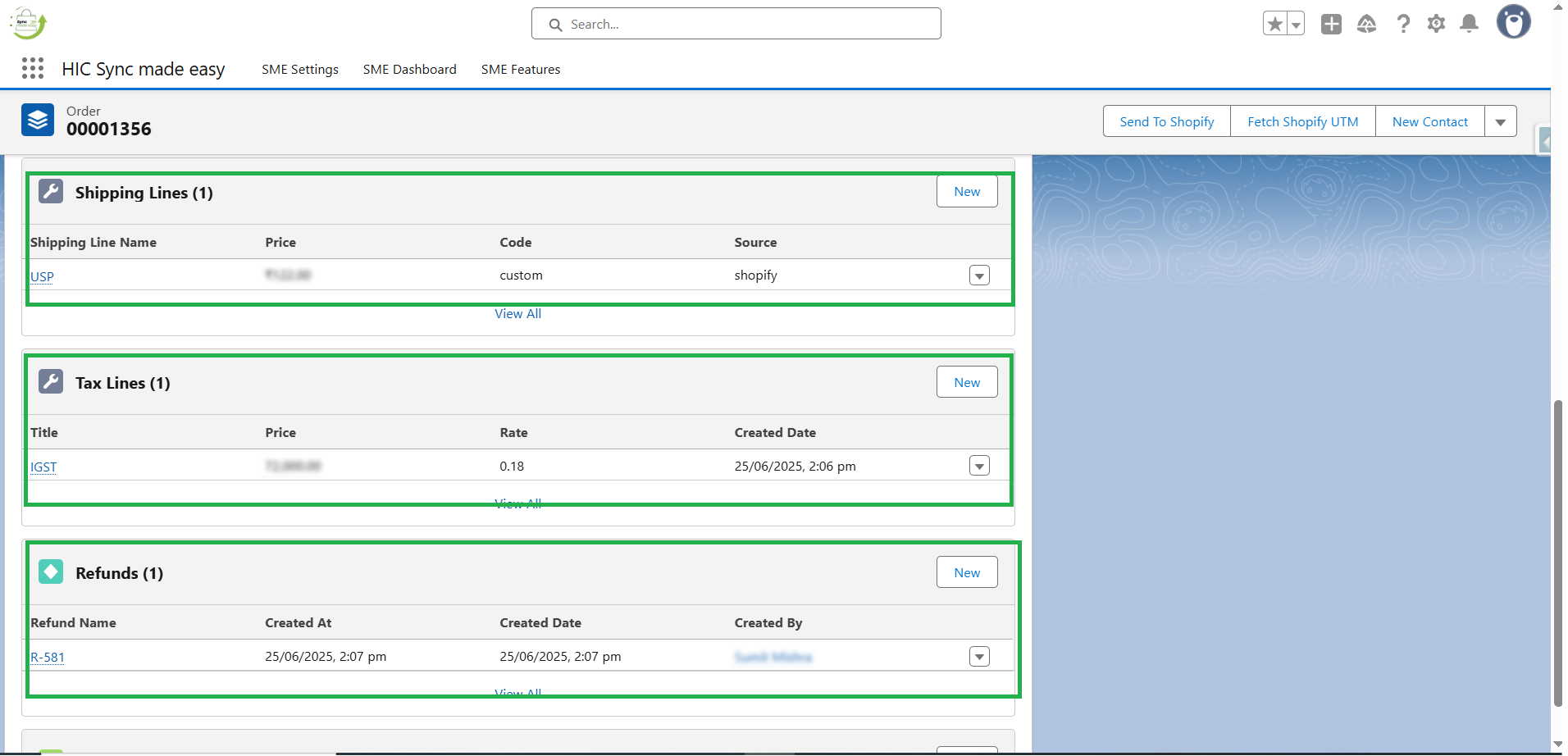
Step 3: Check the order in Salesforce and verify whether the Refunds, Tax Lines, and Shipping lines are synced in Salesforce.
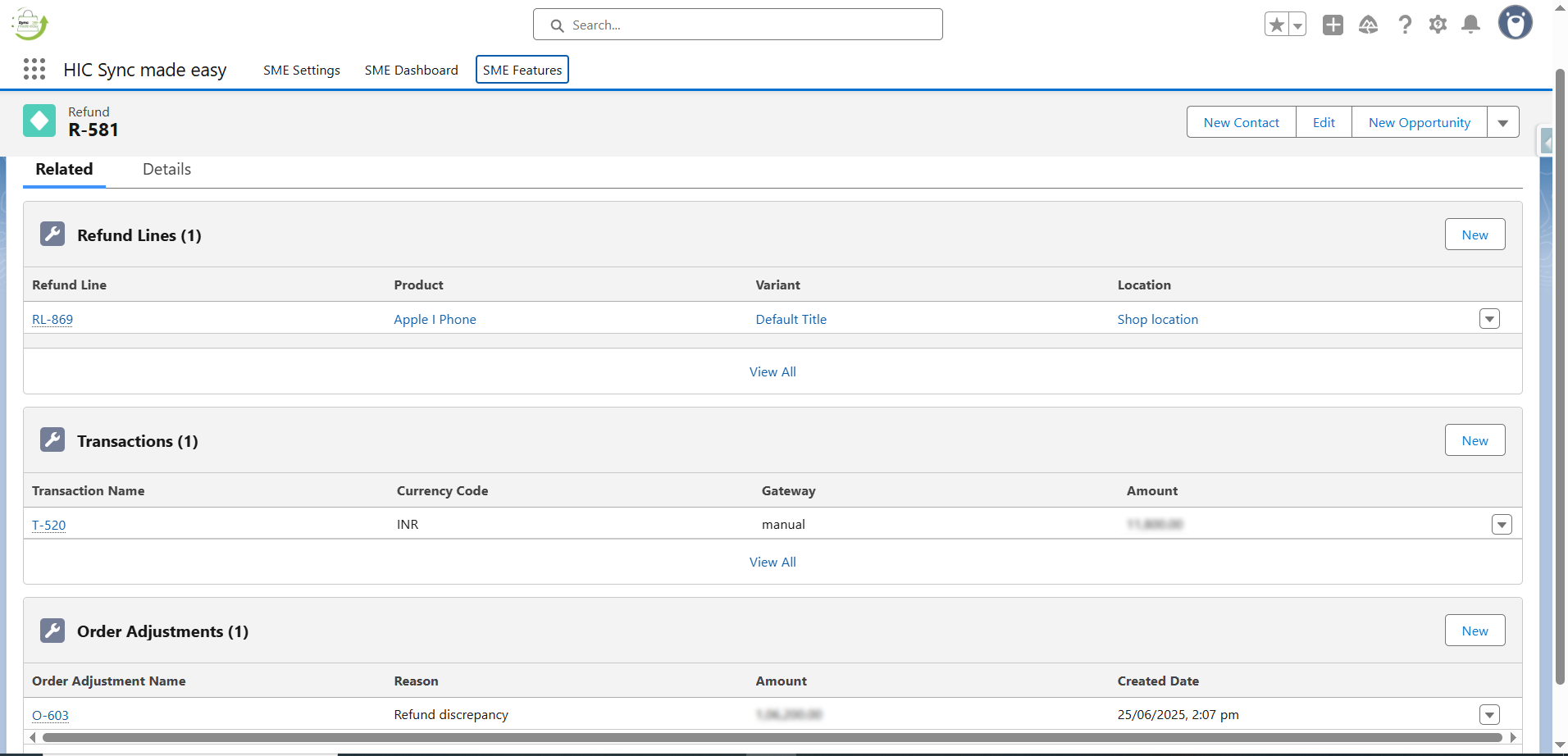
Step 4: Click on Refunds and check the refund details, and you are done.
Watch the Demo Video
https://www.youtube.com/embed/OfjVeJBk5Nw?si=9dQNGeGsIMpLuwlj
Conclusion
By following these steps, you can seamlessly sync refunds, tax, and shipping lines from Shopify to Salesforce, ensuring that your sales data is always complete and reliable.
With Sync Made Easy and its Pro extension handling the process, you’ll save time, reduce manual work, and maintain accurate records across both platforms.
This streamlined integration not only improves operational efficiency but also supports better decision-making based on precise, up-to-date information.
Frequently Asked Questions
Why is it important to sync refunds, tax, and shipping lines from Shopify to Salesforce?
Syncing these details ensures that your financial records, customer data, and inventory stay accurate across both platforms. It helps reduce manual errors, improves reporting, and provides a 360-degree view of customer transactions in Salesforce.
Can Shopify refunds automatically update in Salesforce?
Yes, with the right Salesforce integration or connector, refunds processed in Shopify can automatically reflect in Salesforce. This eliminates the need for manual data entry and ensures real-time visibility of customer transactions and financial adjustments.
How does syncing tax information benefit my business in Salesforce?
By syncing tax data from Shopify, businesses can streamline compliance, simplify reporting for audits, and track accurate order-level financials within Salesforce. This ensures that every transaction is properly documented with the correct tax details.
What happens if shipping charges are not synced to Salesforce?
If shipping charges are not synced, Salesforce reports and revenue tracking may show discrepancies. Syncing ensures complete order information—including product price, tax, discounts, and shipping—is captured for better profitability and logistics analysis.
Do I need coding knowledge to set up Shopify–Salesforce sync for refunds, tax, and shipping lines?
Not necessarily. Many pre-built connectors and integration apps allow you to set up the sync without coding. However, for advanced customization (like handling complex tax rules or refund workflows), developer assistance or a Salesforce integration partner may be needed.