Sticky notes aren’t just for your desk anymore! In this tutorial, we’ll create a Lightning Web Component (LWC) in Salesforce that allows you to pin notes on your app page or record page. With a clean, interactive UI, these digital sticky notes ensure you never forget important tasks or details.
What Will You Learn?
By the end of this guide, you’ll understand how to:
-
- Use Custom Metadata in Salesforce
- Retrieve metadata records dynamically
| Time | Venue | Session Overview | Speaker(s) |
|---|---|---|---|
| 8:00 AM – 12:00 PM | Boundary Waters & Great Lakes Promenade | Sponsor setup and Expo Hall preparation before the conference officially begins. | Sponsors |
| 12:00 PM – 6:00 PM | Great Lakes Promenade | Registration desk open for attendee check-in. | Event Team |
| 12:00 PM – 6:00 PM | Boundary Waters & Great Lakes Promenade | Expo Hall opens, giving attendees the opportunity to meet sponsors and explore Salesforce solutions. | Event Sponsors |
| 1:00 PM – 1:45 PM | Lake Superior A | An Afternoon with Gemini – Learn how AI is transforming the Salesforce platform and explore practical use cases. | Michelle Wolfe |
| 1:00 PM – 2:45 PM | Boundary Waters C | Security in Action: Data & Access – Hands-on workshop covering Salesforce security, access management, and protecting your org in the AI era. | Joshua Birk, Jennifer Lee |
| 1:00 PM – 1:45 PM | Lake Superior B | Accelerating Salesforce Delivery Using Agentforce Vibes – Discover how AI can reduce delivery time for Salesforce projects. | Suseel Kumar Nandikotkur |
| 1:00 PM – 1:45 PM | Great Lakes Ballroom | Fault Paths: I Avoided Them, Now I Report On Them – Learn how Flow fault paths improve reporting and automation monitoring. | Aaron Crear |
| 1:00 PM – 2:45 PM | Boundary Waters D | From Idea to Build in One Session with AI – Interactive workshop demonstrating how AI can turn requirements into working Salesforce solutions. | Shane Smyth |
| 2:00 PM – 2:45 PM | Lake Superior A | Minimalist Approach to Agentforce Nonprofit – Practical guidance for implementing Agentforce Nonprofit without unnecessary complexity. | Shari Carlson |
| 2:00 PM – 2:45 PM | Lake Superior B | Vibe Coding Without Agentforce Vibes – Explore alternative approaches to agentic development beyond standard toolchains. | Thaddaeus Dahlberg |
| 2:00 PM – 2:45 PM | Great Lakes Ballroom | The Consultant’s Guide to Discovery – Learn better discovery techniques that lead to more successful Salesforce implementations. | Jennie Kennedy, Justin Williams |
| 3:00 PM – 3:45 PM | Lake Superior B | Main Character Energy – Career development session focused on personal branding and professional growth. | Nikki Kaminski |
| 3:00 PM – 3:45 PM | Lake Superior A | Agent Script: The Hybrid Reasoning Revolution – Introduction to Agent Script and flexible AI-powered workflows. | Adam Erstelle |
| 3:00 PM – 4:45 PM | Boundary Waters C | Admins Guide to Using CumulusCI to Manage Test Data – Hands-on training for improving sandbox management and test data handling. | Michael Kolodner |
| 3:00 PM – 3:45 PM | Great Lakes Ballroom | Teaser Trailers: How to T-Shirt Size Your Product Demos – Learn how to tailor Salesforce product demonstrations for different audiences. | Session Speaker |
| 3:00 PM – 4:45 PM | Boundary Waters D | Unleashing Visual Insights – Hands-on workshop on embedding Salesforce reports and dashboards for better analytics. | Aaron Crear |
| 4:00 PM – 4:45 PM | Great Lakes Ballroom | AI Uncensored: An Honest and Overdue Conversation – Panel discussion exploring the real opportunities and challenges of AI in Salesforce. | Brandon Mead |
| 4:00 PM – 4:45 PM | Lake Superior B | Build an Agentic Development Pipeline for Salesforce Development – Learn modern AI-assisted development practices using Salesforce DX and Agentforce. | Mohith Shrivastava |
| 4:00 PM – 4:45 PM | Lake Superior A | One Flow, Infinite Forms – Discover scalable methods for collecting and managing nonprofit data in Salesforce. | Stephanie King |
| 5:00 PM – 6:00 PM | Great Lakes Ballroom | Opening Keynote: Roadmaps & Real Talk: Platform, Apps & Community – Product leaders discuss upcoming innovations, platform roadmaps, and answer audience questions. | Gloria Ramchandani, Meredith Brown, Jay Hurst, Adam White, David Nava |
| 6:00 PM – 7:00 PM | Boundary Waters & Great Lakes Promenade | Welcome Reception – Networking reception with attendees, speakers, sponsors, refreshments, and light appetizers. | All Attendees & Sponsors |
- Build a dynamic and interactive UI with LWC
- Move UI components on-screen using JavaScript and CSS
Prerequisite
- Knowledge of the metadata
- Knowledge of LWC
- Knowledge of JavaScript events
Let’s Create the Metadata first
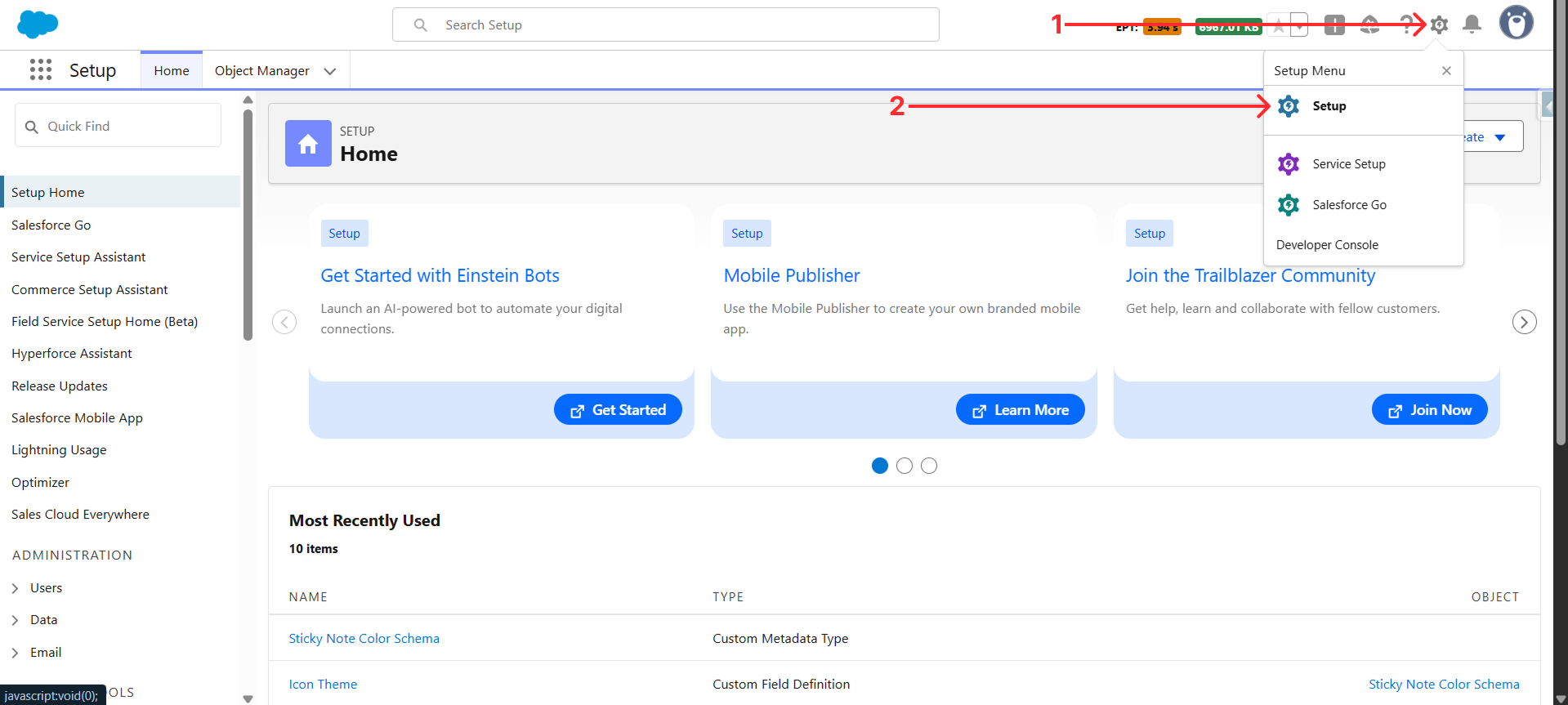
Step 1: To create the Metadata, first click on the gear icon that is on the top right, and then click on setup.
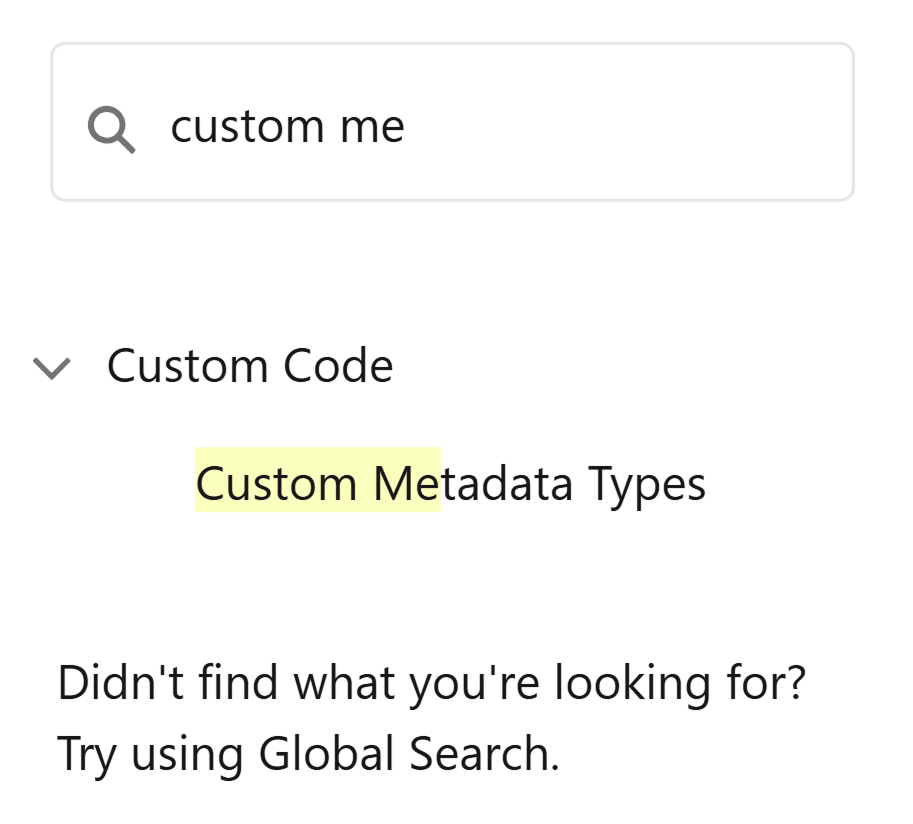
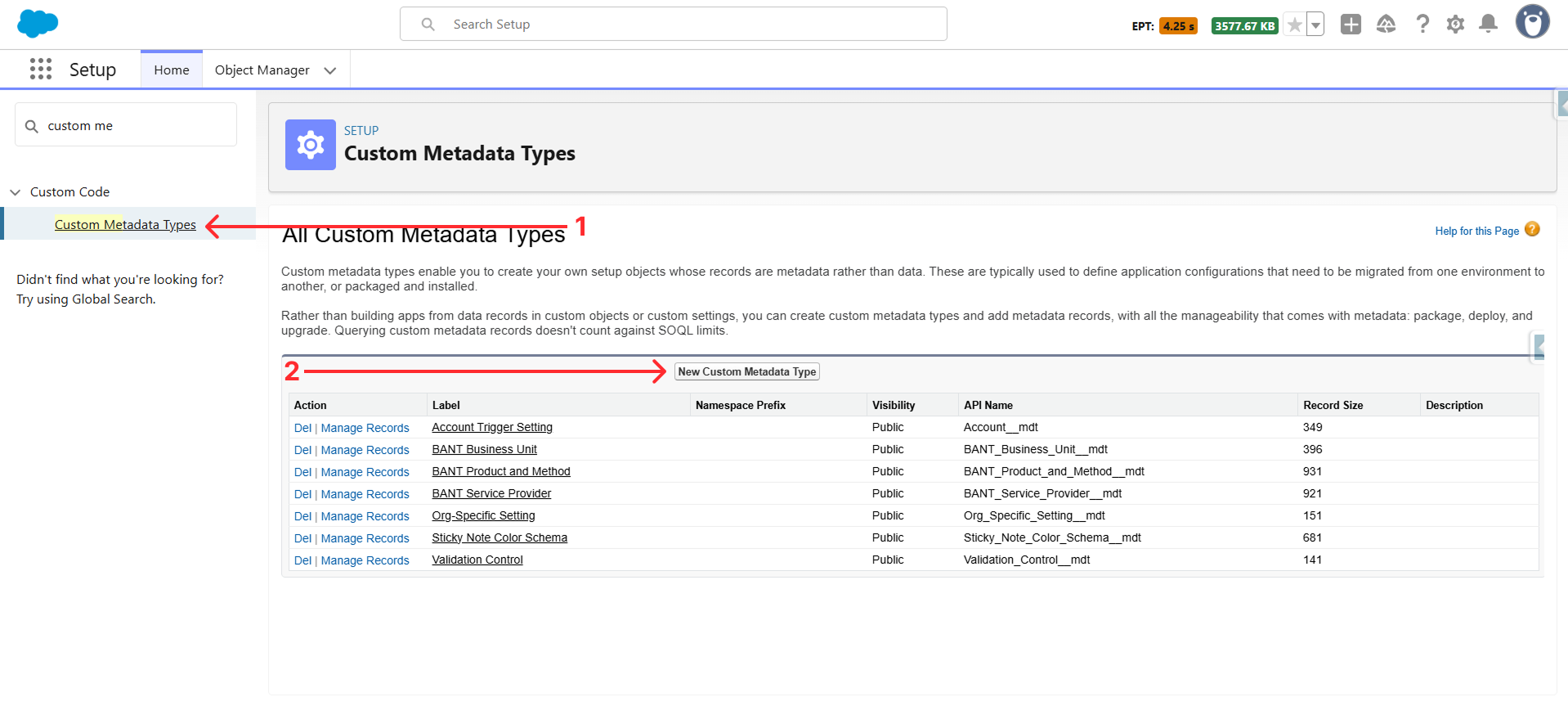
Step 2: Now, in the Quick find, search for custom metadata and then click on it; then click on the “New Custom Metadata Types” button.
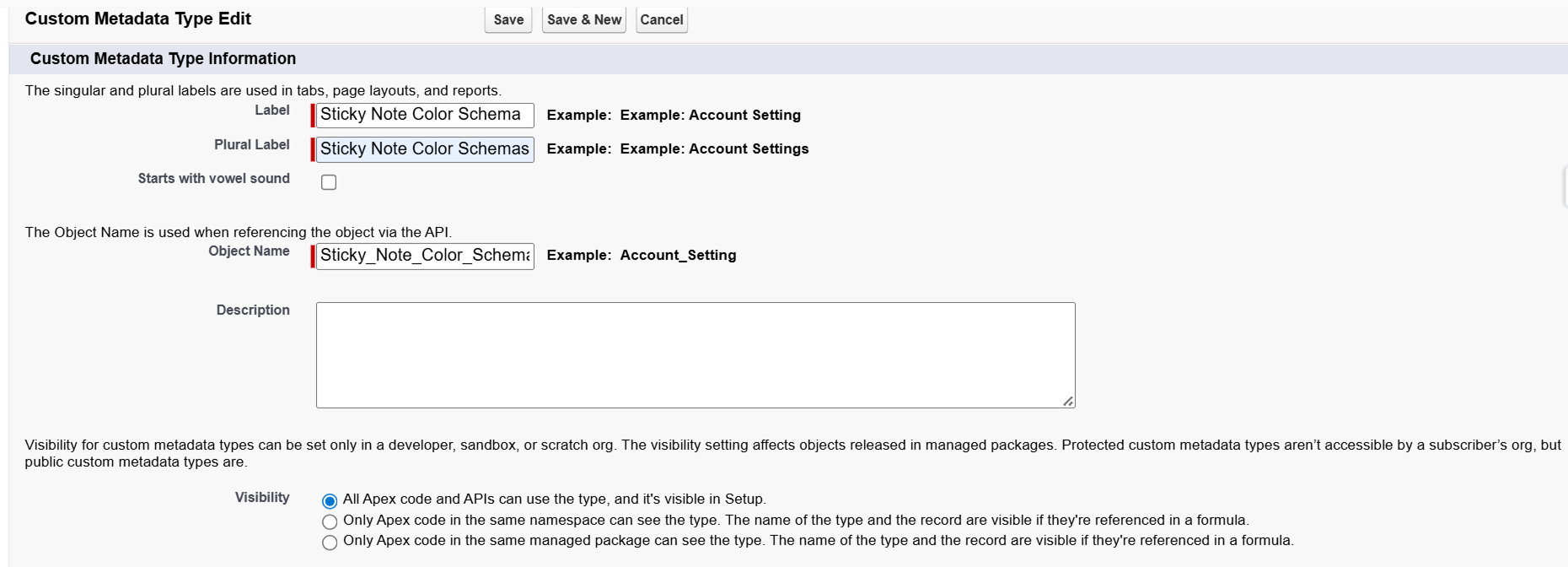
Step 3: For this example, you can set the Label as “Sticky Note Color Schema” and click on save.
Step 4: Create these fields once the metadata is created.

Now, we can move forward to the Apex class and Lightning Web Components.
Let’s Create the Apex Class
Step 1: To create an Apex Class, use the below line in the terminal.
- sfdx force:apex:class:create -n stickyNoteHandler
Copy and paste the below code.
- getNotes will fetch all the notes that can be shown on the record/app page.
- saveNote will save the current note if all the parameters are found.
- fetchNotesColor will get all the information from the custom metadata.
- deleteSelectedNote will delete the selected note and close it.
Now that we have Metadata and an Apex class, we can create a Lightning Web Component.
Let’s Create the Lightning Web Component
Step 1: To create the LWC, you can put the below command in the terminal.
- sfdx force:lightning:component:create –type lwc -n stickyNotePanel -d force-app/main/default/lwc
- sfdx force:lightning:component:create –type lwc -n stickyNotes -d force-app/main/default/lwc
Step 2: You can change the component names according to your preference; for example, we are using the stickyNotePanel and stickyNotes.
You can copy and paste the code provided below.
stickyNotePanel
HTML
JavaScript
CSS
stickyNotes
HTML
JavaScript
CSS
That’s it for creating and displaying the notes on the page. Now, let us show you a glimpse of how it will look in your Salesforce org.
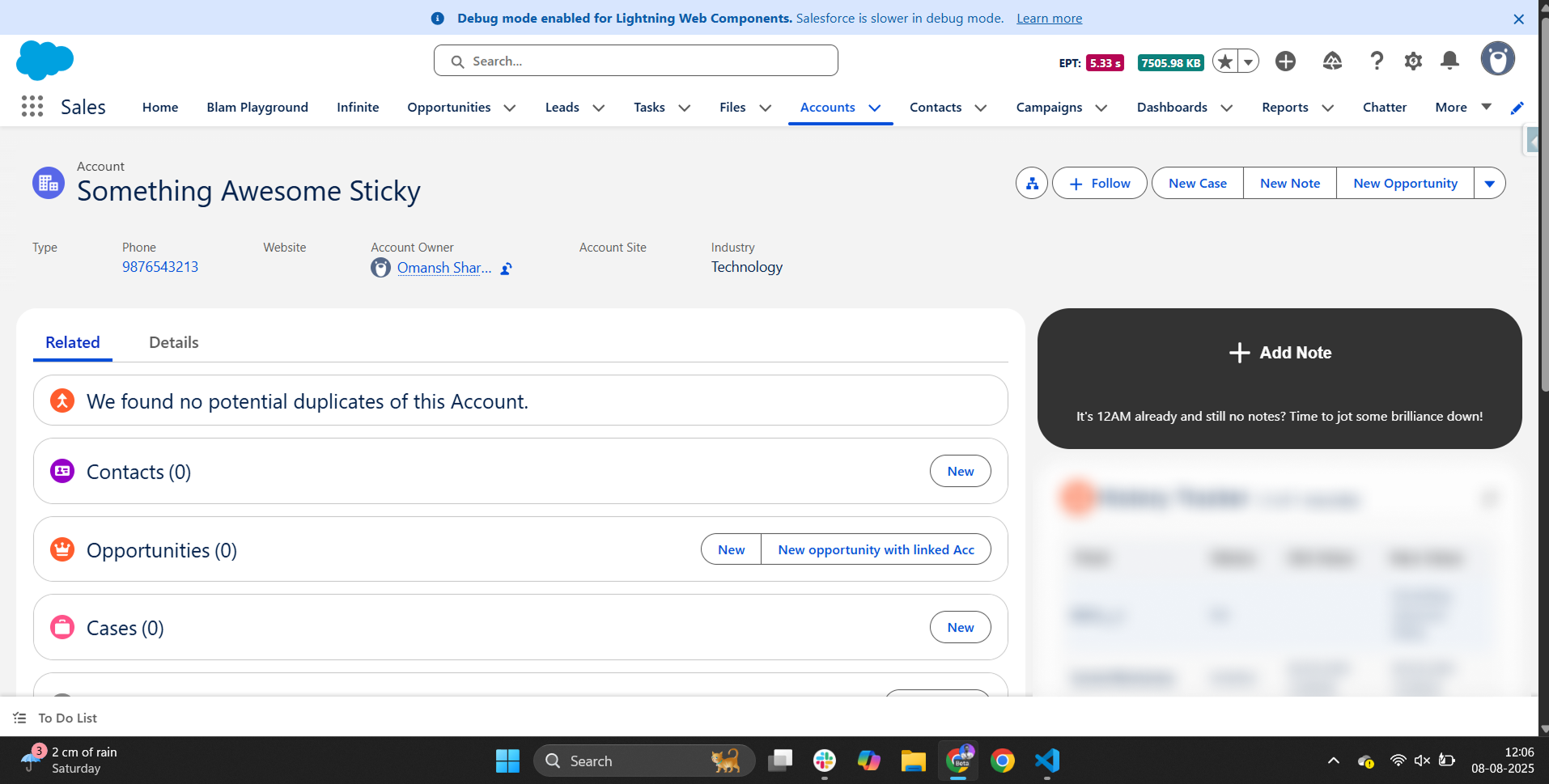
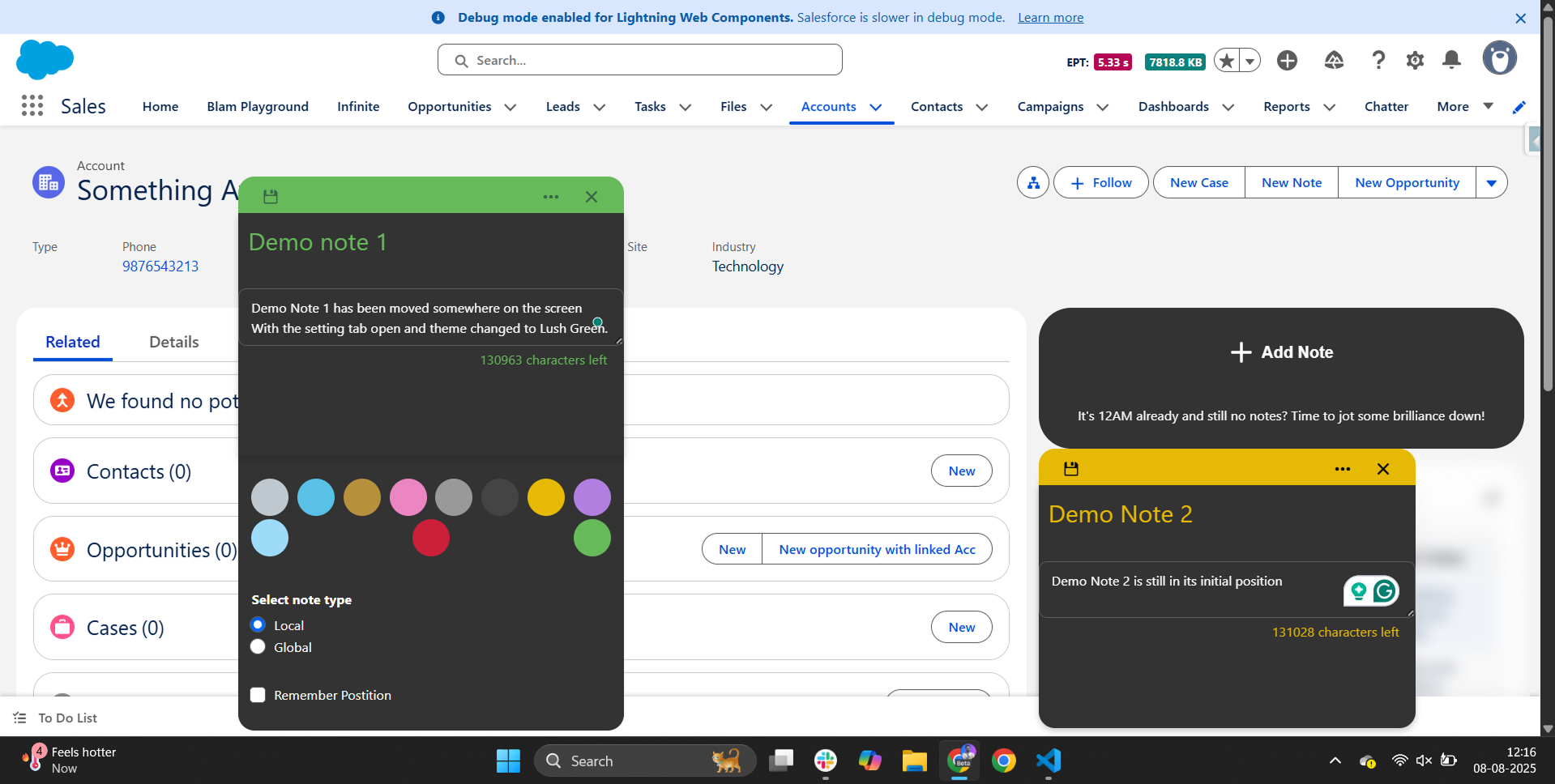
Watch Live Demo
Here’s How the Moving of Sticky Notes Works
Mousedown
- Think of mousedown as grabbing something. In this case, we make it so that we now tell the js that we are holding it.
- isDragging = true – tells your component, “Okay, the user is moving me now.”
- Offsets – figure out where inside the note you clicked, so the note moves smoothly without “jumping” to put the cursor at the corner.
Mousemove
- This mentions what happens when the mouse is moving.
- ClientX, ClientY – Tracks current mouse position.
By combining these two, you can obtain the current mouse position and, based on that, set the top and left CSS properties of the Sticky note.
Here you can see the live demo with the link below: Click Here