Loading...

Create Connected Digital Experiences With Experience Cloud

Create branded digital experiences that connect customers, partners, employees, and your CRM data in one place. HIC Global Solutions helps you bring Experience Cloud, Experience Builder, AI, and automation together to build portals and self-service experiences that are easier to manage and better to use.

Book a 15 Min. Call
Trusted by Businesses Creating Better Digital Experiences

Logo 1
Logo 2
Logo 3
Logo 4
Logo 5
Logo 6
Logo 7
Logo 8
Logo 9
Logo 10
Logo 12
Logo 13
Logo 14
Logo 15
Logo 16
Logo 16

Turn Every Digital Touchpoint Into a Connected Experience

Experience Cloud helps businesses create branded portals, websites, forums, and self-service experiences while keeping important CRM data connected behind the scenes.

01

Connected Customer Journeys

Give customers easy access to the information, services, and support they need.

02

Partner Collaboration

Create dedicated spaces where partners can access resources, records, updates, and business information.

03

Smarter Self-Service

Help users find answers, manage requests, and complete everyday tasks without always needing direct support.

Bring Your Brand, CRM Data, and AI Into One Experience

Salesforce Experience Cloud brings digital experiences closer to the Salesforce platform, allowing businesses to connect CRM data, content, personalization, and AI across customer and partner journeys.

1,200+

Salesforce Projects Delivered

100+

Experience Cloud Implementations

7

Salesforce Native Apps

100%

Focus on Client Success

>Certified expertise

Create Digital Experiences That Work the Way Your Users Do

Build portals and digital experiences around the people using them. From self-service and partner portals to personalized content and AI-powered assistance, Experience Cloud gives teams the flexibility to create experiences without making everything a custom development project.

Drag-and-Drop Experience Building

Create and customize pages using components, templates, branding, and layouts without starting everything from scratch. Experience Builder makes it easier for teams to shape digital experiences while still giving developers room to extend the experience when custom functionality is required.

Prebuilt Templates

Start with templates designed for common experiences such as customer service, partner portals, and other digital journeys. Teams can customize the structure, content, branding, and components to create an experience that fits their audience instead of building every page from zero.

Connected CRM Experiences

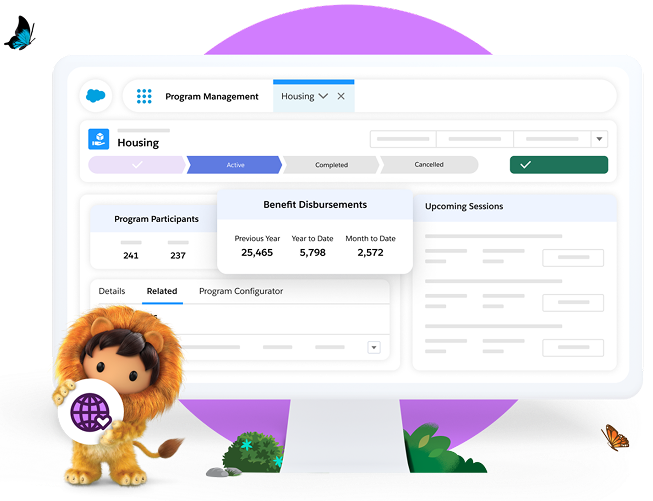
Bring relevant Salesforce CRM information directly into your digital experiences so customers and partners can interact with the data and processes they need. Experience Cloud can help users access information, submit requests, and complete actions without leaving the experience.

Salesforce CMS

Manage articles, media, banners, and other content from a shared content environment and use it across digital experiences. Salesforce CMS can help teams maintain more consistent content without recreating the same information for every site or application.

Audience-Based Experiences

Show different content, pages, and experiences based on who the user is and what they need. Experience Cloud supports audience criteria and expression-based visibility, helping businesses create more relevant journeys for customers, partners, and other audiences.

Secure Data Access

Control what external users can see and do through Salesforce permissions, sharing settings, site configuration, and other security controls. This helps businesses expose useful information while keeping sensitive CRM data protected.

Agentforce-Powered Experiences

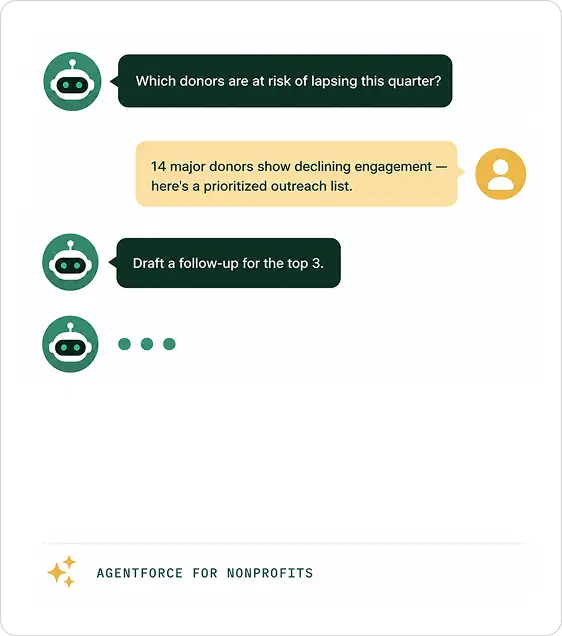
Bring AI-powered assistance into digital experiences so customers can get support and information through conversational interactions. Agents can be deployed to an Experience Cloud site and connected with chat and routing workflows.

AI-Assisted Experience Building

Experience Builder Agent can help users draft and refine content for enhanced LWR sites through natural-language prompts. Teams can ask for changes, adjust the wording, and apply the content directly to supported text components.

From Planning to Growth: Your Experience Cloud Implementation Journey

A practical journey to understand your users, design the right experience, connect your Salesforce environment, and keep improving your digital presence as your business grows.

STAGE 01 Discover & Assess STAGE 02 Configure & Customize STAGE 03 Migrate & Integrate STAGE 04 Integrate Your Team STAGE 05 Support & Optimize
Stage 01
Discover
Stage 02
Configure
Stage 03
Migrate
Stage 04
Integrate
Stage 05
Support
01 Stage 01

Understand Your Audience

We identify your customers, partners, employees, journeys, business goals, existing systems, and the type of experience you need before implementation begins.

02 Stage 02

Shape the Right Experience

We configure templates, pages, navigation, components, branding, permissions, content, and user journeys around your actual business requirements.

03 Stage 03

Bring Your Content & Data Across

We help organise and move the required content, customer information, partner data, and other assets while keeping the new experience structured and ready to use.

04 Stage 04

Connect the Ecosystem

Connect CRM, CMS, service tools, business applications, authentication, analytics, and other systems so users can access the right information without jumping between disconnected platforms.

05 Stage 05

Keep Your Experience Moving Forward

We support optimisation, troubleshooting, new pages, integrations, content changes, personalization, and ongoing improvements as your users and business requirements evolve.

Put Agentforce to Work Across Your Digital Experience

Build an Agentforce Service Agent and add it to your Experience Cloud site to create a more helpful and interactive portal. Users can get support, find information, and complete common requests without waiting for a service representative.

Get instant answers to common questions and service requests.

Find relevant information and knowledge without searching through multiple pages.

Resolve routine requests faster and connect with a human agent when needed.

Real Businesses. Real Digital Experiences.

Bring Your Digital Experience Stack Into One Connected Environment

Connect the systems behind your portals, content, customer support, CRM data, analytics, and AI experiences so everything works together instead of living in separate places.

Frequently Asked Questions
What can businesses build with Experience Cloud?
Experience Cloud can be used to create customer portals, partner portals, self-service sites, forums, marketing experiences, and other CRM-powered digital spaces. The right structure depends on your audience, data requirements, and the actions users need to complete.
Can Salesforce Experience Cloud connect with our existing Salesforce data?
Yes. Salesforce Experience Cloud can expose relevant CRM data and processes through digital experiences, allowing customers and partners to interact with information from your Salesforce environment. The exact data available depends on your configuration, permissions, and security model.
Can we add AI or Agentforce to an Experience Cloud site?
Yes. Agentforce can be deployed to an Experience Cloud site and connected with Enhanced Chat and routing workflows. This can help create self-service experiences where users can interact with an AI agent while still connecting conversations to the appropriate service processes.

How much does Salesforce Experience Cloud pricing depend on the type of portal we need?
Salesforce Experience Cloud pricing can vary based on the edition, users, site requirements, features, authentication needs, and additional Salesforce products or services involved. It is better to evaluate the complete portal requirement instead of looking only at a base licence price.
Is SF Experience Cloud suitable for partner portals as well as customer portals?
Yes. Businesses can create separate digital experiences for customers, partners, employees, and other audiences. With the right configuration, each audience can receive relevant content, navigation, CRM information, and access based on their role and requirements.