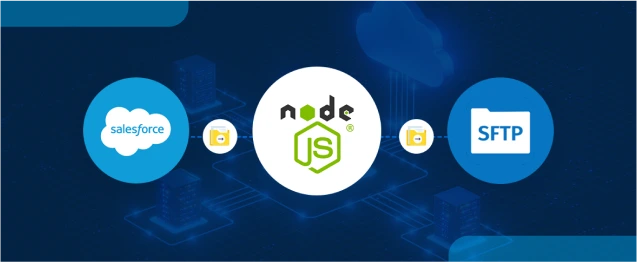
Secure file transfer between Salesforce and external systems like SFTP servers can be tricky without native support. But with a lightweight Node.js middleware, you can easily bridge that gap. In this blog, we’ll walk you through how to upload files from Salesforce to an SFTP server using Node.js, Apex, and the ssh2-sftp-client library.
This tutorial provides a production-ready way to perform smooth file migration from the Salesforce ecosystem, whether you’re moving contracts, reports, or large attachments.
Prerequisites
Before we begin, make sure you have:
- Salesforce Org with access to Apex
- Node.js (v14+)
- Access to an SFTP server (host, username, private key or password)
- ngrok or any tunnelling service (for development)
- Basic knowledge of Apex and Node.js
Below is the step-by-step guide for Uploading Files from Salesforce to SFTP using Node.js Middleware.
Step 1: Set Up Node.js Middleware
1.1 Initialize Node Project
1.2 Create index.js
Create a file called index.js and paste the following:
Step 2: Run the Node.js Server
Run your middleware locally:
node index.js
Output:
Server is running on http://localhost:3000
Now your local server is ready to accept requests.
Step 3: Expose Server with ngrok
In another terminal:
ngrok http 3000
Copy the HTTPS URL (e.g., https://42ab-49-3.ngrok-free.app) — you’ll use this in Apex as the endpoint.
Step 4: Salesforce Configuration
4.1 Create Custom Labels
Create the following Custom Labels in Salesforce:
| Label Name | Example Value |
|---|---|
| sftpHost | your.sftp.server.com |
| sftpUsername | yourSFTPUser |
| sftpPassword | yourPassword |
| sftpPort | yourPort |
| LocationToUploadFile | /upload/path |
4.2 Add Remote Site Setting
Go to Setup → Remote Site Settings in Salesforce and add:
- Remote Site Name: SFTPMiddleware
- Remote Site URL: https://42ab-49-3.ngrok-free.app (replace with your ngrok URL)
Step 5: Apex Code to Upload File
5.1 Apex Class: UploadReportOnSFTPServer
Step 6: Test in Anonymous Window
Paste this in Developer Console → Execute Anonymous:
apex CopyEdit
Note: Check the SFTP server for the uploaded file.
Check out the demo video:
https://www.youtube.com/watch?v=6JbfSV-Pmww&feature=youtu.be
Security Recommendations
- Use private key authentication instead of passwords.
- Add token-based validation to the middleware.
- Secure middleware with HTTPS and CORS settings.
- Add file type & size validation in both Node.js and Apex.
Optional Enhancements
To take this even further, consider adding:
- Add logging via winston or pino
- Support multiple file uploads
- Add retry logic and error notifications
- Dockerize the Node.js app
Conclusion
You can now safely transfer files from Salesforce to any SFTP server using this middleware technique. This approach transfers heavy file handling to Node.js while maintaining the clarity of your Salesforce logic. It is adaptable, scalable, and designed to be production-ready.
Also, you can check the blog on how to perform Salesforce CRUD operations in Node.js with jsForce and Composite API.