



What Are Salesforce Managed Services And Why You Need It
It’s a familiar premise.
You’re staring at a Standard Page Layout, and you need something more dynamic for your project. Maybe more fields for your Picklists. Maybe an entirely new Picklist. But you can’t always turn to VisualForce Pages to switchout Standard ones.
For this week’s issue, we cover a common way to get around this – to create and update Picklist values in a Trigger or Batch job through the Salesforce Metadata API(, an API that dynamically extends and maintains elements such as Field, Objects, Pages, and in our case, Picklists).
To start with, the Lead’sDevelopments__cField has only Type as value…
We’ve laid out sample code here to show Picklist values retrieved by a Trigger. The Lead’s multi-Picklist Field, ‘Developments__c’, is updated with ‘Development Name’ every time a Record is created or updated.

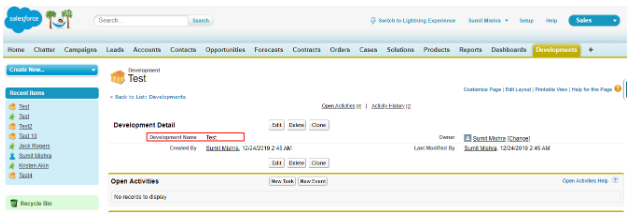
We create a new ‘Development’ Record Test, which then populates within the ‘Developments__c’ field for the Lead Object
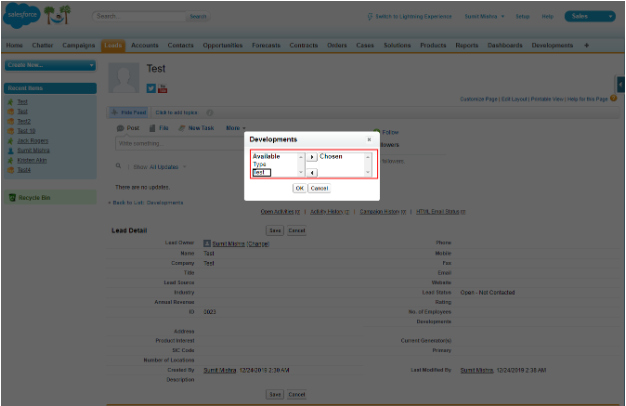
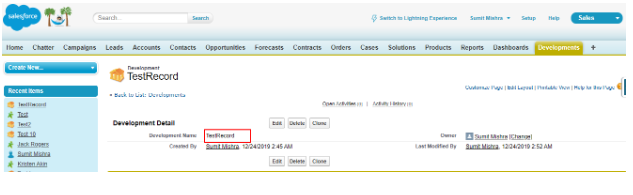
Next, change the ‘Development Name’ from Test to Test Record, for it to populate the Developments__c Field as illustrated here.

Step1: Create Trigger : triggerOnDevelopment
Step2: Create Trigger Handler class: triggerOnDevelopmentHandler
Step3: Create Class: MetadataService
Conclusion
The above codebase lets you update and add new Picklist Fields without the need for VisualForce Page Layouts. We hope this encourages you to use the Metadata API for your own dynamic manipulations. For further assistance with Trigger handling and Customizations, do reach out to us at sales@hicglobalsolutions.com.





