




There’s this saying, “Data is the new oil for any industry.” This is absolutely correct as data has actually become the most important asset for any business of which data sharing is an integral part.
This blog will help you understand one of many ways that Salesforce empowers you to communicate without writing a single line of code.
Yup! That’s correct! We can do it with workflow automation (outbound message).
Salesforce outbound message allows you to send data to a designated endpoint. For instance, you can initiate a salary credit by triggering an outbound API message to an external HR system.
Whenever a record is updated or added, or some other internal event occurs, a Salesforce workflow triggers an outbound message to another app. It maps the record type and other information with the app and processes it for storage.
Here are the easy 5 steps you can follow to get the work done:
- Create a workflow on any Object (in our case we have created on Account)
Note: you can give any starting criteria according to your business logic
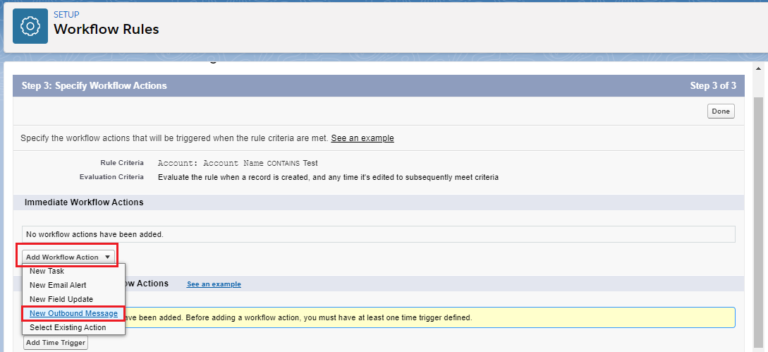
2. Create a WorkFlow action “New Outbound Message”
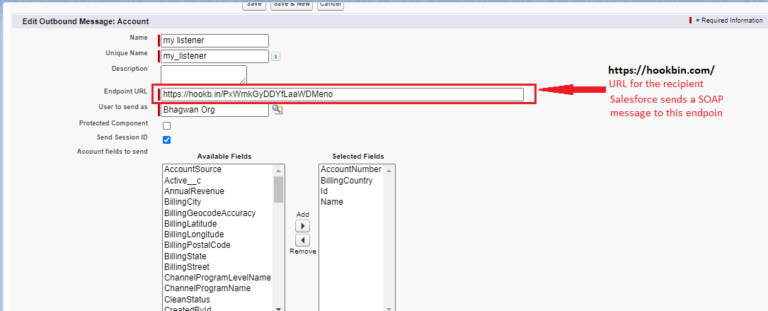
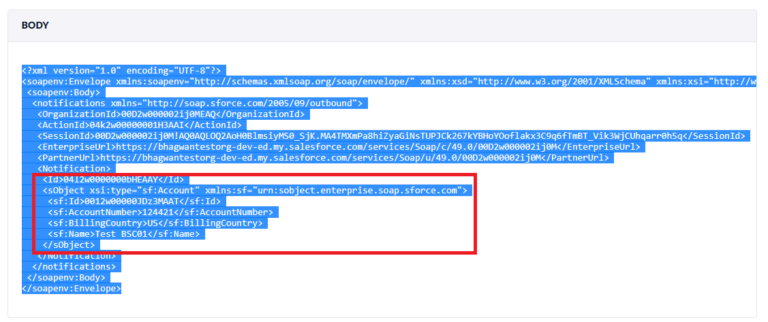
In the selected field choose the field wanted to share with the application. In our case, we have selected (AccountNumber, Billing Country, Id, Name)
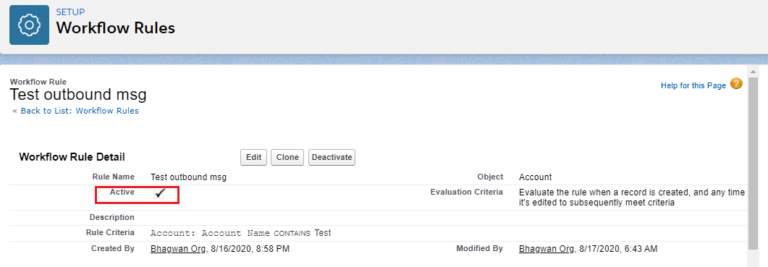
3. Save and Activate workflow
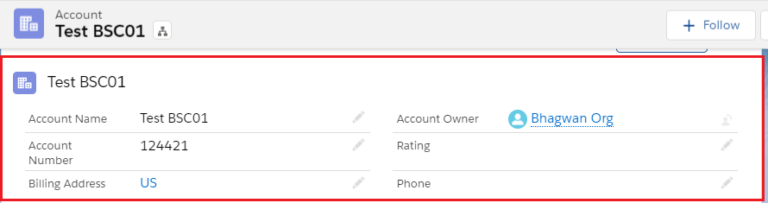
4. Create an Account record as per workflow entry criteria.
5. Check endpoint specified with outbound workflow message
Conclusion:
Similarly, you can create workflows to share your Salesforce record date to your external system. I hope it helps you out. Do reach out to us if you have any queries.
Happy learning! 🙂





