

Connecting Stripe with Salesforce usually means dealing with a lot of coding, handling APIs, and fixing tricky errors. But what if you didn’t have to write a single line of code? In this blog, we’ll show you how to easily set up a secure and real-time integration between Stripe and Salesforce using a simple tool called MultiSync Made Easy.
What You’ll Need Before We Start
- Access to a Salesforce org.
- A Stripe account to connect and test the integration
Step-by-Step Guide: Set Up Secure, Real-Time Stripe-Salesforce Integration with MultiSync Made Easy
Step 1: Install the MultiSync Made Easy app.
First things first, head over to the Salesforce AppExchange and search for MultiSync Made Easy. Then, click on “Get It Now”.
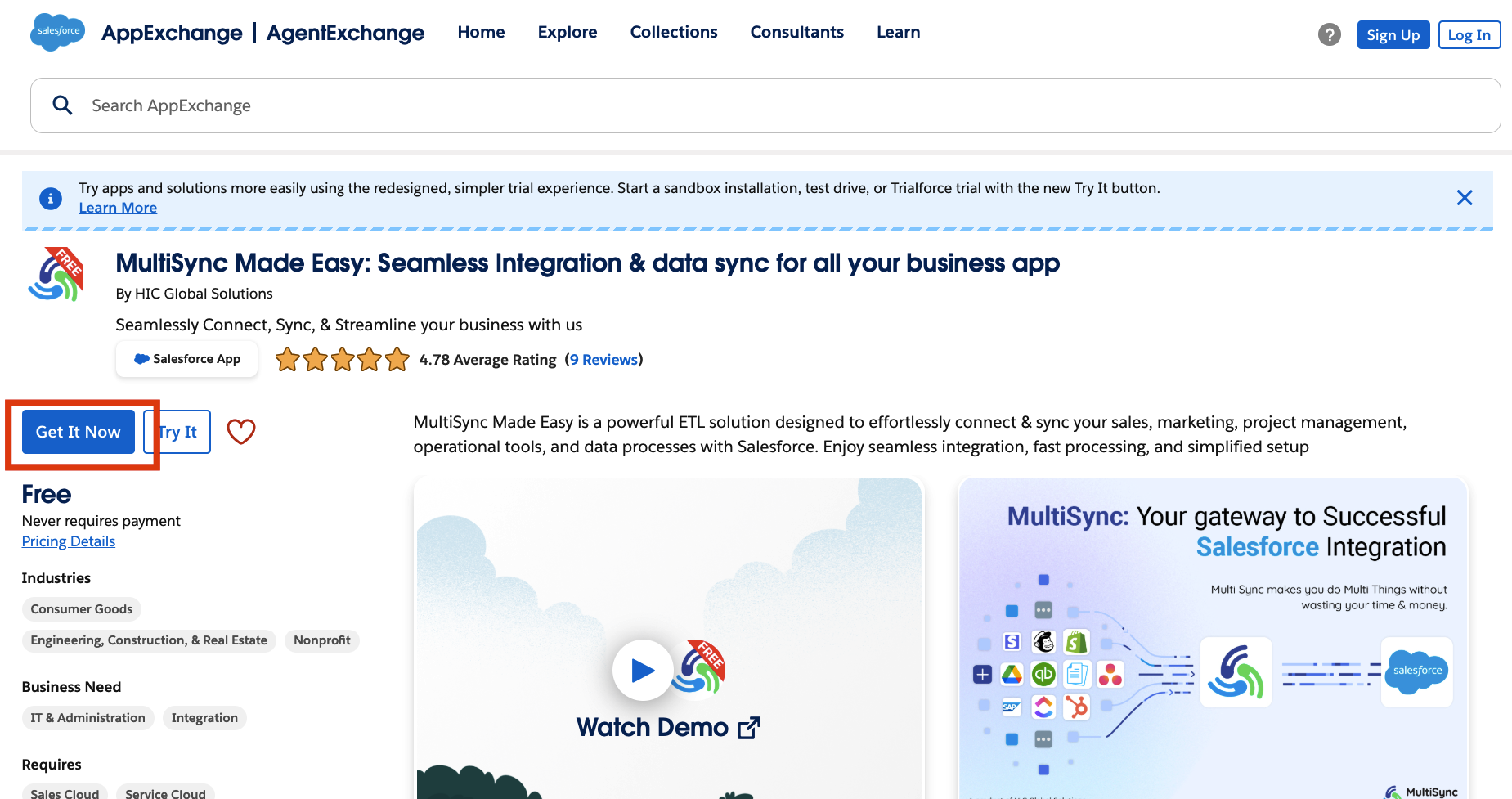
Step 2: Follow the steps to install the app into your Salesforce org. After installation, open the App Launcher (that grid icon in the top left) and search for “MultiSync Made Easy” to access the app.
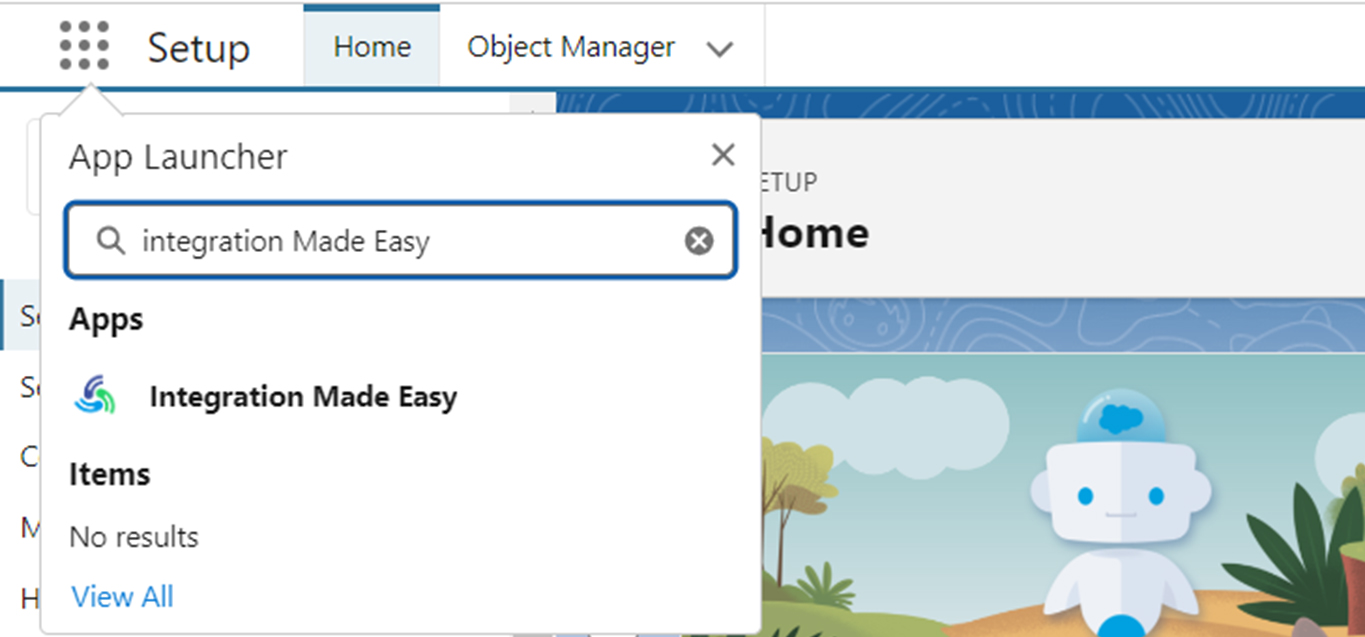
Step 3: Connect Stripe with MultiSync Made Easy.
Go to your Stripe account, and on the bottom left, you will find a button labelled ‘Developer Settings’.
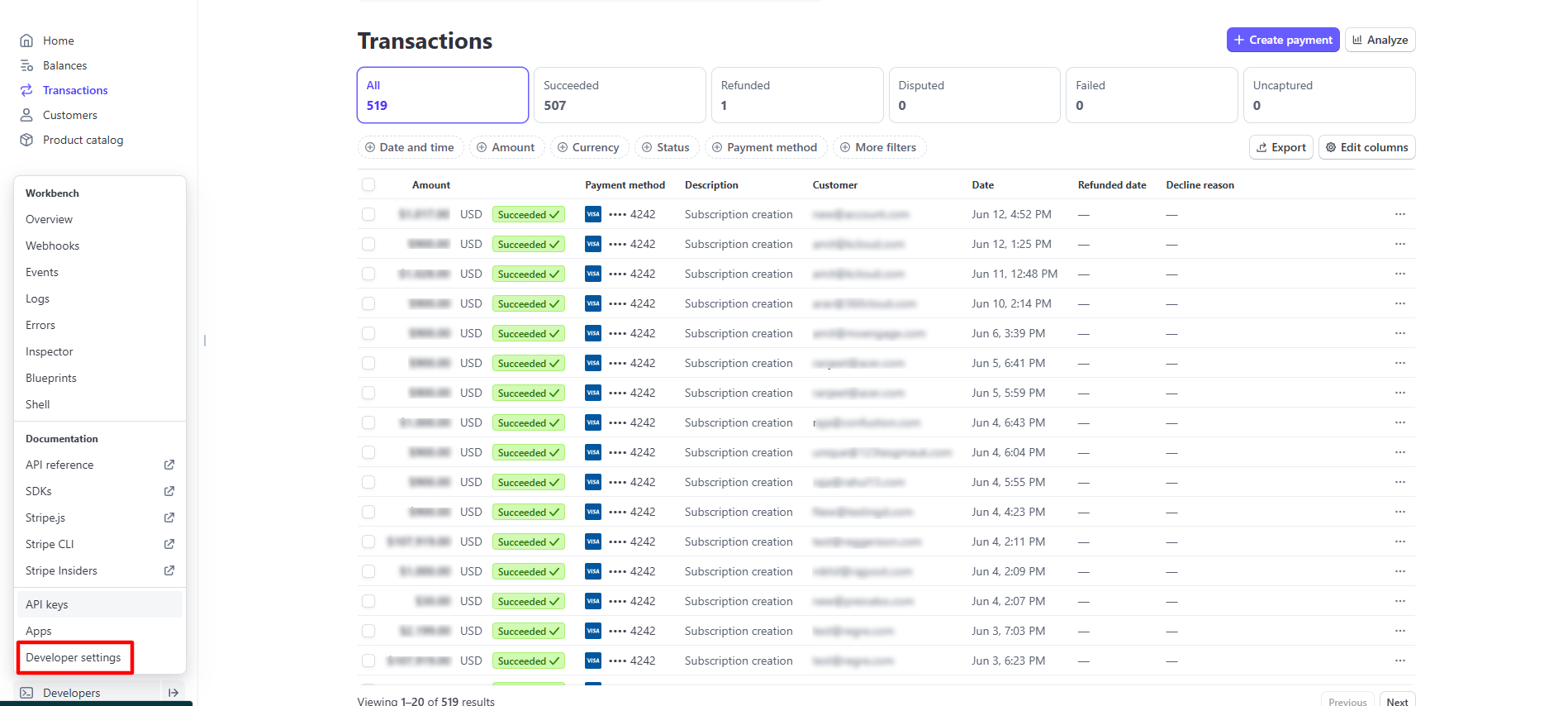
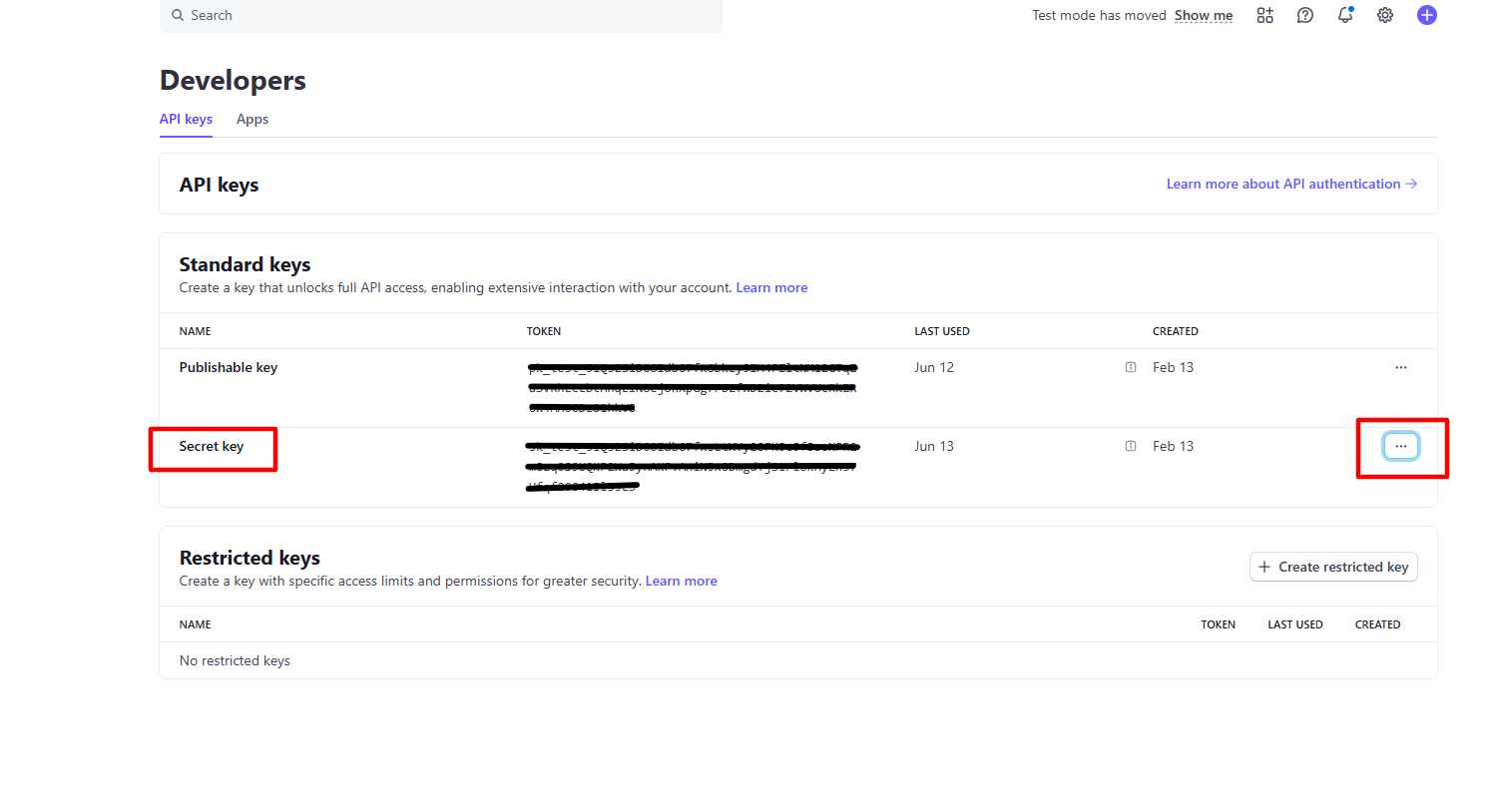
Step 4: After clicking the button, you will see the “Api Keys” button in the dropdown. Click on the API keys and copy the ‘Secret Key’.
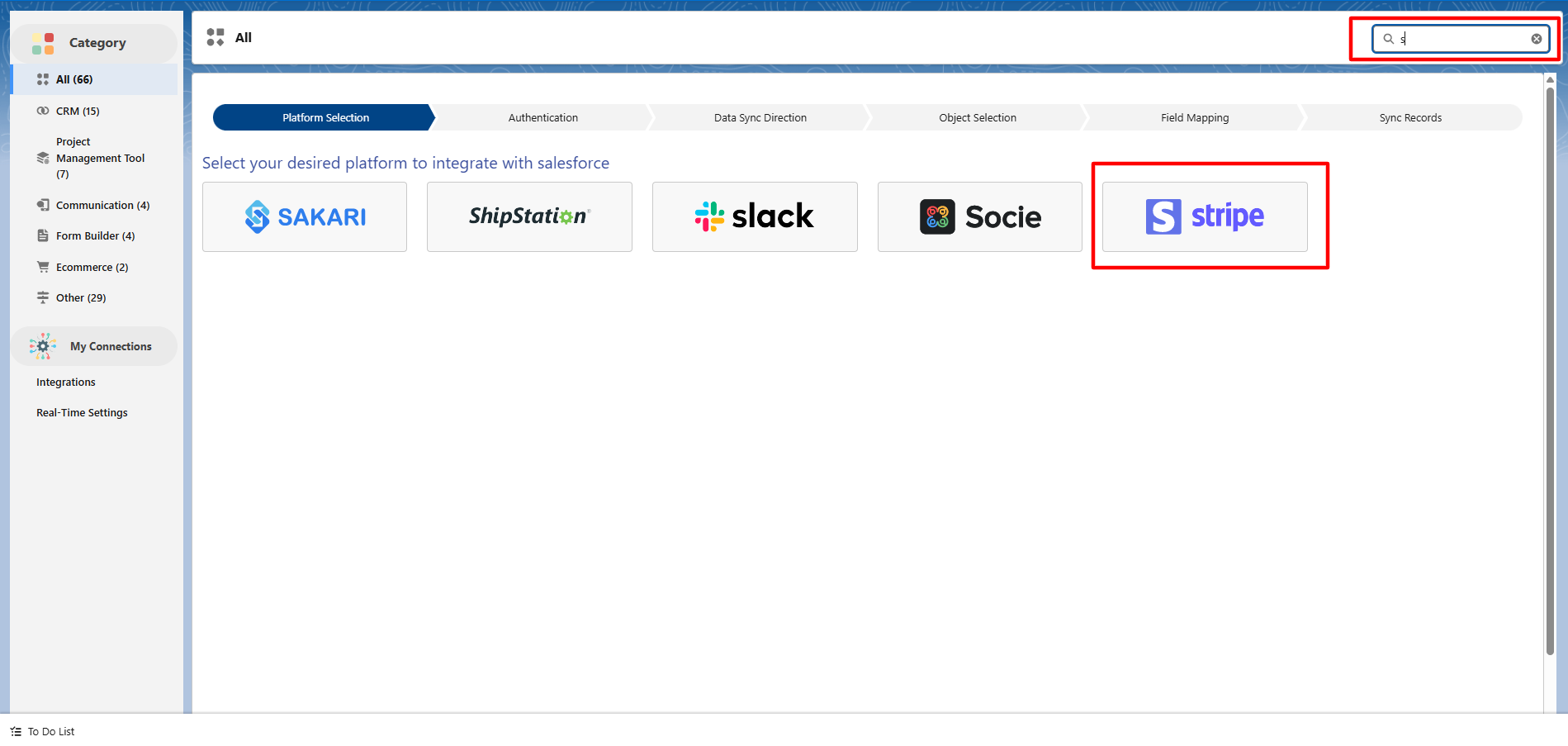
Step 5: Go to the MultiSync Home Page, click on ‘All’, then search for ‘Stripe’ in the ‘Platform Selection’ section.
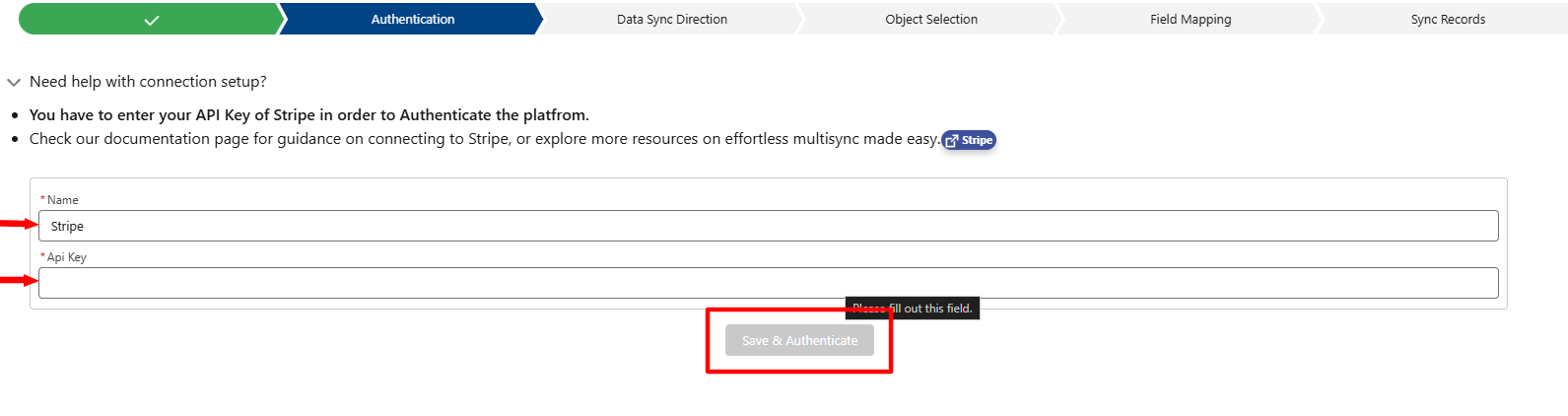
Step 6: Now, paste your ‘Api’ key and name your integration, and then click on the ‘Save and Authenticate’ button.
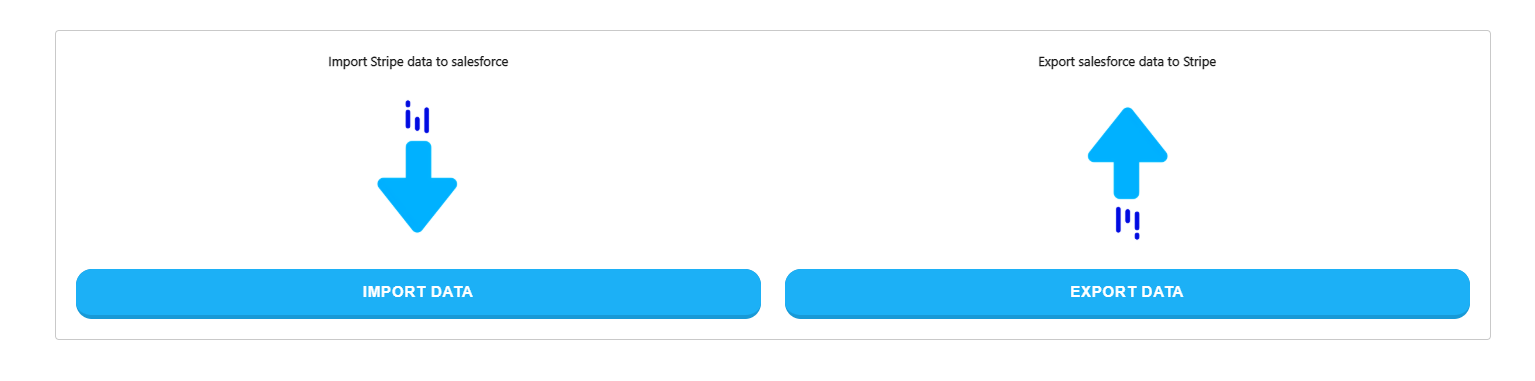
Step 7: Map Salesforce Objects with Stripe.
Then, choose whether you want to import data or export data.
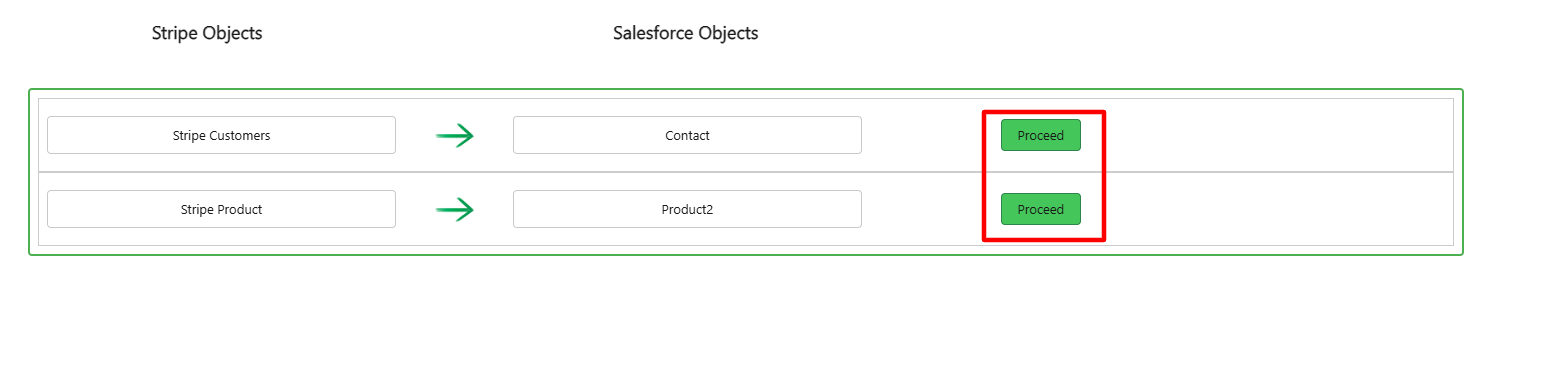
Step 8: After that, select the object you want to import.
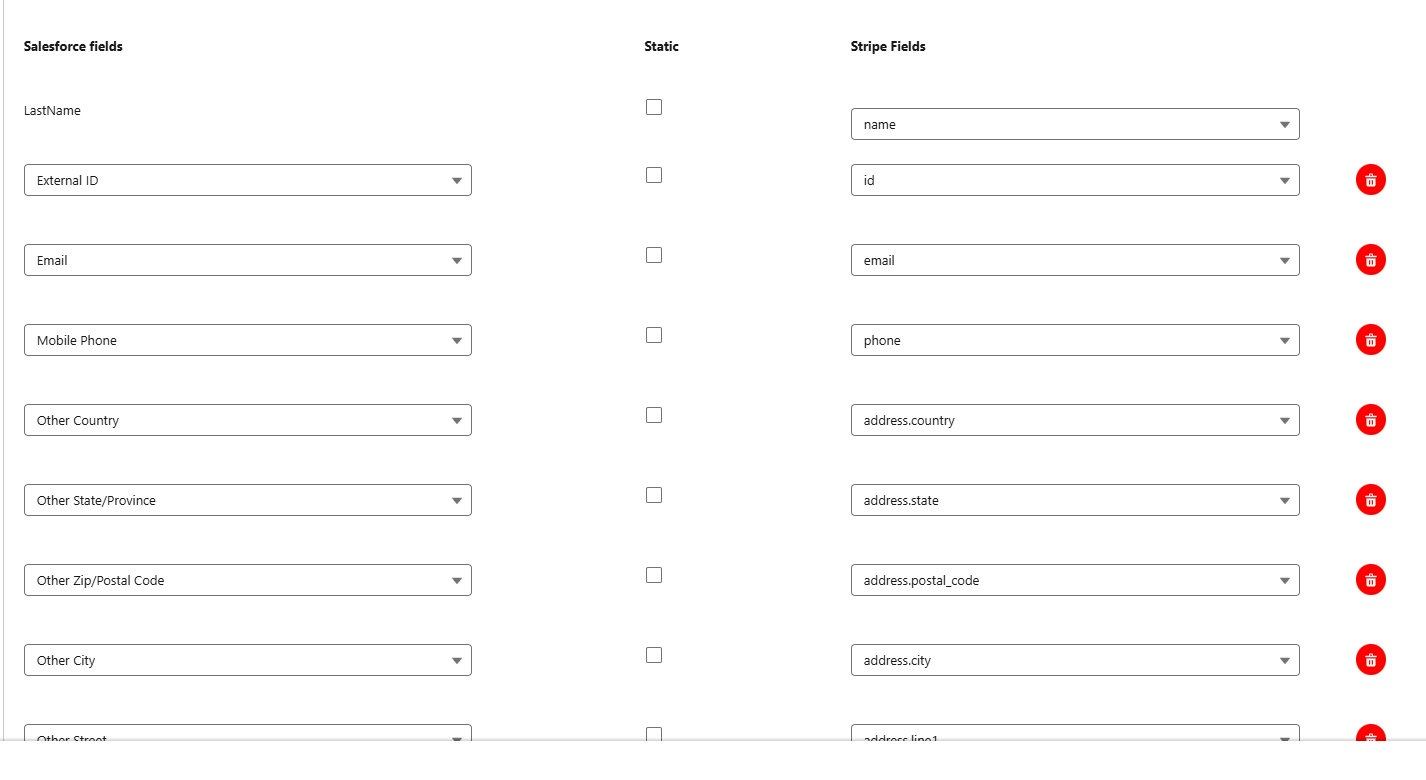
Step 9: You can change the field mapping or go with the default one.
Step 10: Sync Data.
We can ‘Schedule Data Sync’ for a specific time, or we can sync it instantly with the help of ‘Sync Data’ button.

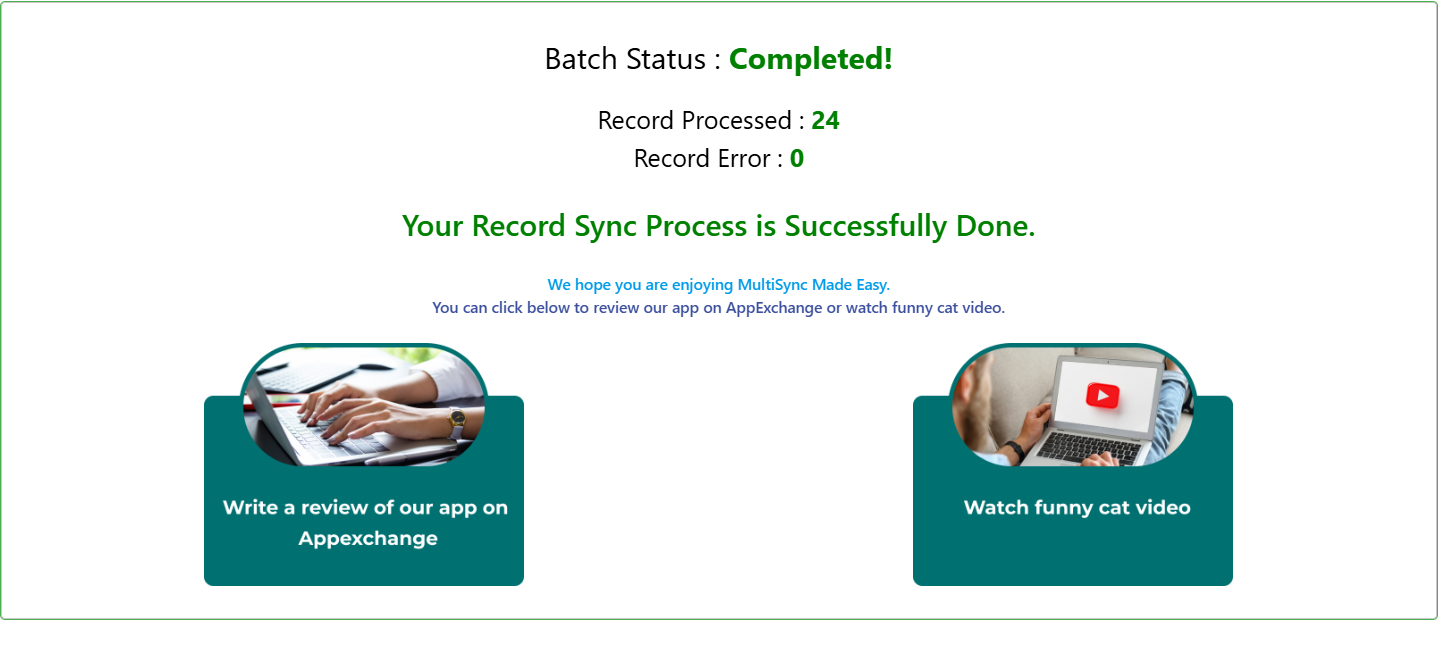
After that, all the data with the selected object is inserted into Salesforce, and you can monitor it with real-time progress.
Live Demo
https://www.youtube.com/embed/G2sqrIIxnHg?si=gxQK1CLIYbAk0ikq
Conclusion
Connecting Stripe with Salesforce doesn’t have to be complicated, and with MultiSync Made Easy, it isn’t. You can sync data between different objects, send info to Stripe, and even keep things up to date in real time using webhooks, all without writing a single line of code.
If you’re looking for a simple, no-stress way to integrate Stripe with Salesforce, this tool is worth checking out.

Frequently Asked Questions
What is no-code Stripe to Salesforce integration?
It’s a way to connect your Stripe payment data directly with Salesforce without writing any code, using automation tools like MultiSync.
Why should I integrate Stripe with Salesforce?
To streamline your workflows, sync customer/payment data in real-time, and gain better insights for sales, finance, and support teams.
Do I need a developer to set this up?
No! With no-code tools like MultiSync, you can set it up using a user-friendly interface — no technical skills required.
Is the integration secure?
Yes. Platforms like MultiSync follow industry-standard security protocols to ensure your Stripe and Salesforce data stays safe.
Can I customize what data is synced?
Absolutely Yes. You can choose which data fields (like payments, customer info, invoices) to sync based on your business needs.





