

LeanData is a fantastic tool with great features that help maintain good data hygiene and ensure data quality in Salesforce for the success of any organization. It is highly recommended for both small and large companies, regardless of their use case.
The visual interface of LeanData is user-friendly, allowing users to easily see how their company’s lead rules are set up. It also provides flexibility in building flow charts for Leads, Accounts, Contacts, Opportunities, Cases, and Custom Objects, making it a versatile solution.
Key features and benefits of LeanData
- Automated lead routing and intelligent matching capabilities, streamline operations and save time and effort. This tool addresses common issues such as inaccurate lead assignments, lack of visibility, and troubleshooting problems.
- Lead-to-account (L2A) matching capabilities, which contribute to accurate lead assignments. The drag-and-drop functionality within the graph builder simplifies the process of creating and managing lead rules.
- LeanData provides useful analytics overlaid on the graphs, allowing users to monitor the routing of leads and identify any errors that may occur.
LeanData Matching & Tagging
Leandata offers a feature called “Matching & Tagging,” which helps in accurately matching leads to accounts and automatically tagging them based on certain criteria. This process ensures that leads are appropriately associated with the correct accounts, which is crucial for effective lead management.
LeanData Matching:
Here is the related context without LeanData

with LeanData:
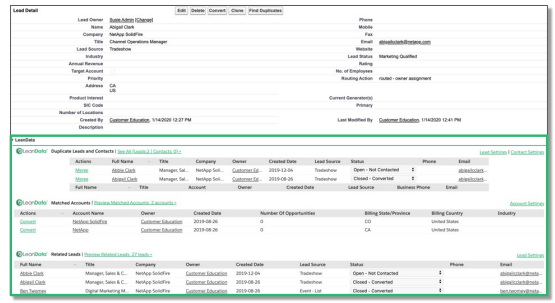
By default, Leandata considers the following fields for matching: 1. Company name 2. Account name 3. Email 4. Website 5. phone number 6. Address.
Tagging
The LeanData Tagging feature is designed to associate and update leads with matched accounts. It creates the lookup link with matched accounts and updates Leads. Filters and Tiebreakers are two terms used in tagging. Tiebreakers are used after filters have been applied. Tiebreakers are used after the filter. It automatically tags the leads with relevant and corresponding account information. This tagging Updates
- Reporting Matched Account
- Matched Account Owner
- Matched Account Type
- Matched Account Industry
- Matched Account Status
- Matched Account Opps
- Matched Account Segment
Routing
The “Routing” feature in Leandata allows businesses to automate the distribution of leads among their sales representatives or teams. It ensures that the right leads are assigned to the most suitable salesperson based on predefined rules or criteria, enabling faster response times and better lead conversion rates.
Salesforce Assignment Rules vs. LeanData Routing Complex:
Salesforce Assignment Rules are
- Difficult to comprehend/maintain
- Low visibility
- difficult to validate & troubleshoot
- Limited to criteria found on the routed record Complex
Whereas, LeanData Routing Complex is-
- Easier to see and comprehend
- Real-time visibility into distribution
- Quick adjustments and troubleshooting
While LeanData is known for its lead management and routing capabilities, it can be used to route more than just leads. LeanData routing functionality can be applied to Contacts, Opportunities, Accounts, and Cases.
Nodes:
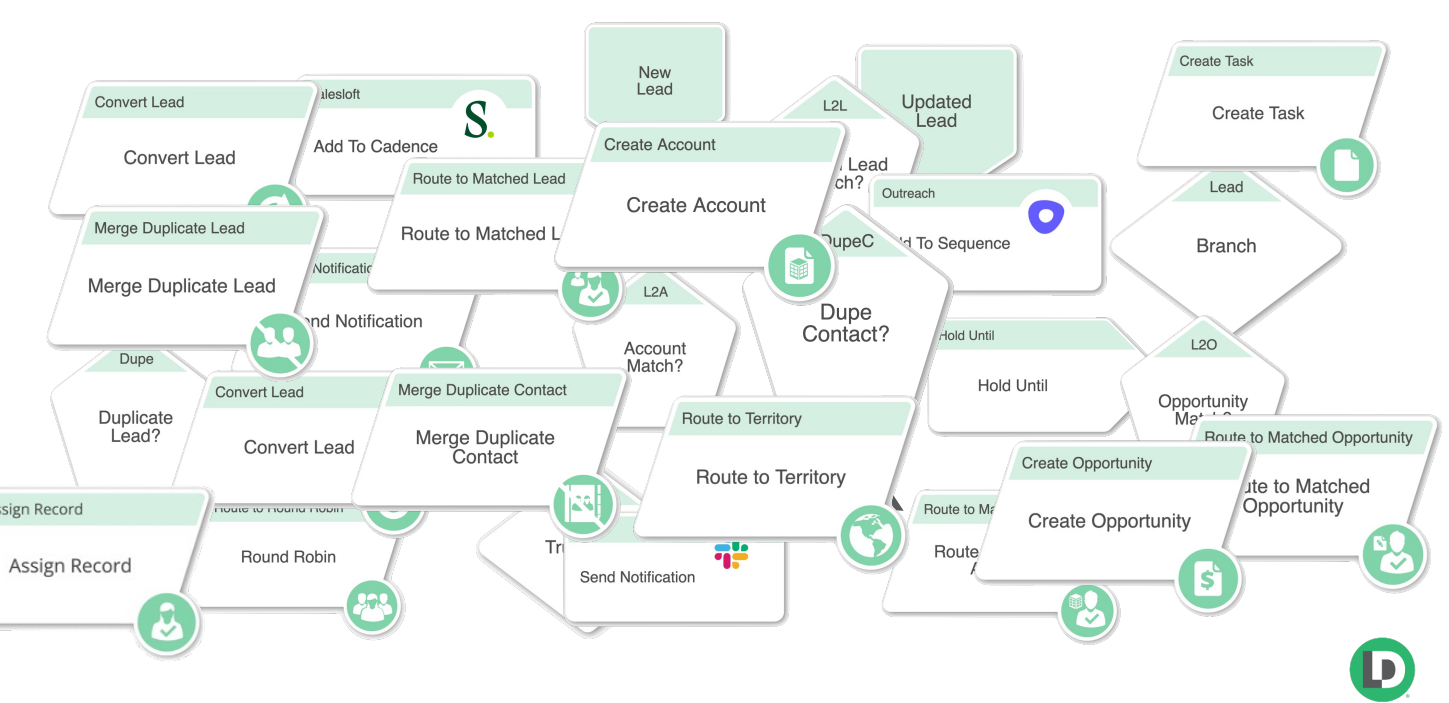
Nodes – The Building Blocks of LeanData Router have different Node Types:
- Entry Nodes • Decision Nodes • Match Nodes • Action Nodes
Territories Management
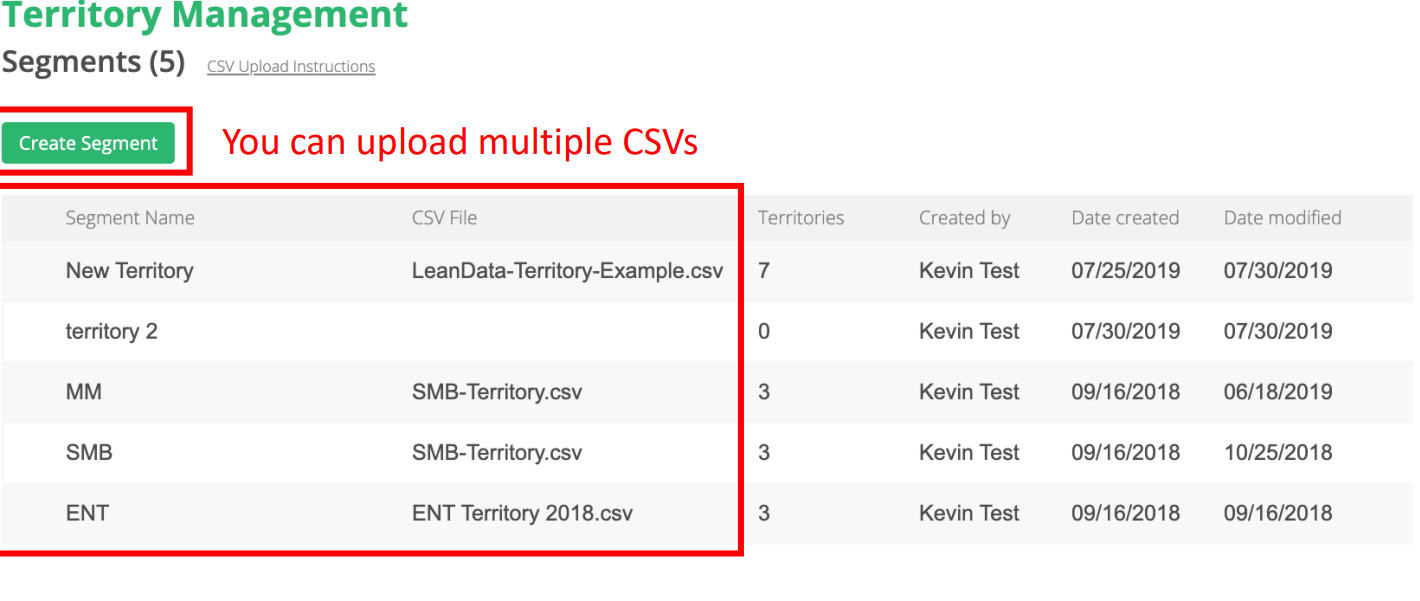
Territory Management is a critical aspect of sales operations, especially for companies with regional or geographic sales structures. Leandata’s “Territories Management” feature helps in defining, organizing, and managing sales territories, ensuring a balanced distribution of leads and opportunities among sales representatives.
Notification Features:
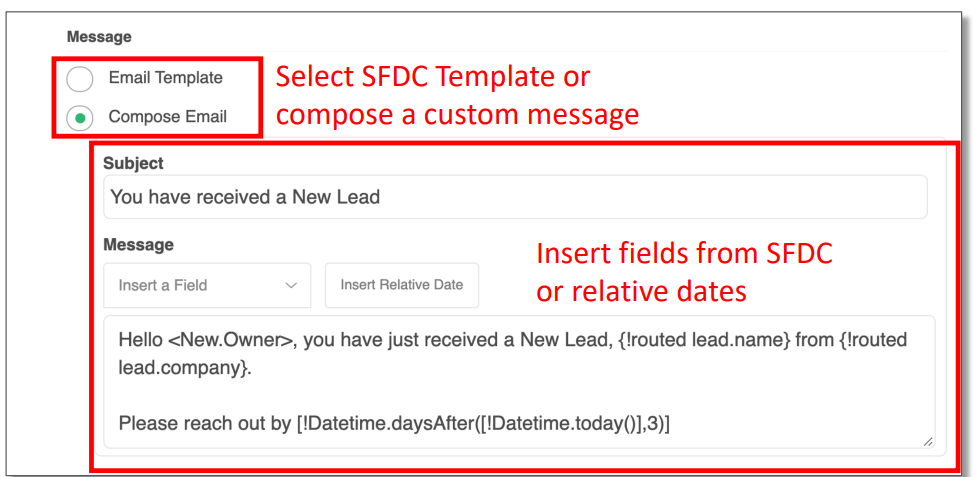
Leandata offers various notification features to keep sales teams informed and engaged. These notifications can include real-time alerts about new leads, important lead updates, or task reminders to ensure timely follow-ups and actions.
Send Notification Node:
This standalone Send Notification Node allows you to send a notification without having to first act on a record.
Routing Insights & Audit Log:
The “Routing Insights & Audit Log” feature in Leandata provides valuable insights and data visualizations related to lead management and sales performance. These insights help sales leaders make data-driven decisions and optimize their processes for better outcomes.
- Routing Insights: Inefficiencies and gaps in routing are identified by Routing Insights. Outcomes are identified using Routing Insights. 1. Successfully Actioned Records 2. Stopping Records 3. Error Occurring During Action
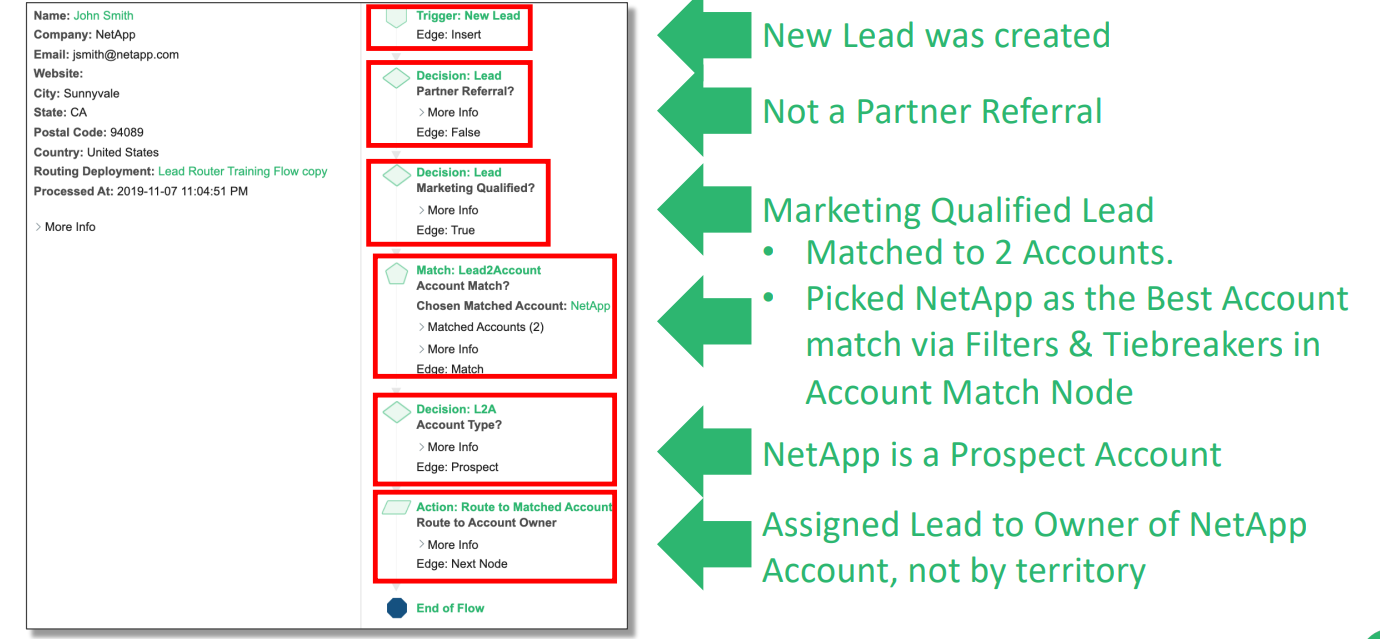
- Audit Log: Audit Logs Trace Individual Records for Troubleshooting Audit Logs – Troubleshooting Example:
Conclusion:
LeanData is a powerful tool that addresses data hygiene issues and data quality concerns in Salesforce, making it an invaluable asset for organizations aiming for success.
We hope this blog helps you get started with Lean Data and explore the platform more. HIC Global Solutions is a proud partner of Leandata helping businesses get the most out of their data. Feel free to reach out to us if you need help using Lean Data in Salesforce.
And for more insightful blogs from us, stay tuned!





