With the Mailchimp and Salesforce integration, you can begin using the leads and contacts in your Salesforce CRM to create email campaigns.
The integration makes it relatively simple to construct list segmentations in Mailchimp using synchronized contact and lead details from Salesforce. Among other things, this integration lets you manage subscribers, view campaign reports, and make custom queries.
Core Objectives
Data Sharing: Users can exchange data and expedite correspondence between Mailchimp and Salesforce thanks to the interface.
Create Campaigns: Using contacts and leads in Salesforce CRM, users may construct email campaigns.
Manage Subscribers: Salesforce allows users to monitor campaign reports and manage subscribers.
Create Segments: Using synchronized Salesforce lead and contact details, users may create segments in their Mailchimp list.
What Is MailChimp?
Mailchimp is a marketing automation and email platform designed for expanding companies. With top-notch marketing tools, acclaimed customer service, and motivational content, we enable millions of clients worldwide to launch and expand their businesses.
Using data-backed suggestions at the core of your marketing, Mailchimp enables you to automatically and AI-powderily identify and engage customers through email, social media, landing pages, and advertising.
Top Use Cases of MailChimp
1. Email Campaigns:
Newsletters: Consistent updates to alert subscribers of content, news, and updates.
Promotional Emails: Notifications about new products, sales, or exclusive deals.
Event Invitations: Notifying people about forthcoming events and sending out invitations.
2. Analytics and Reporting:
Performance Tracking: Keeping an eye on indicators like click-through rates and open rates to determine how effective a campaign is.
3. E-commerce Integration:
Product Recommendations: Delivering tailored product recommendations based on previous purchases.
Order Notifications: Sending transactional emails, order confirmations, and shipping updates automatically.
4. Surveys and Feedback:
Customer Surveys: Obtaining subscribers’ opinions to enhance goods or services.
Step to Integrate Salesforce with MailChimp
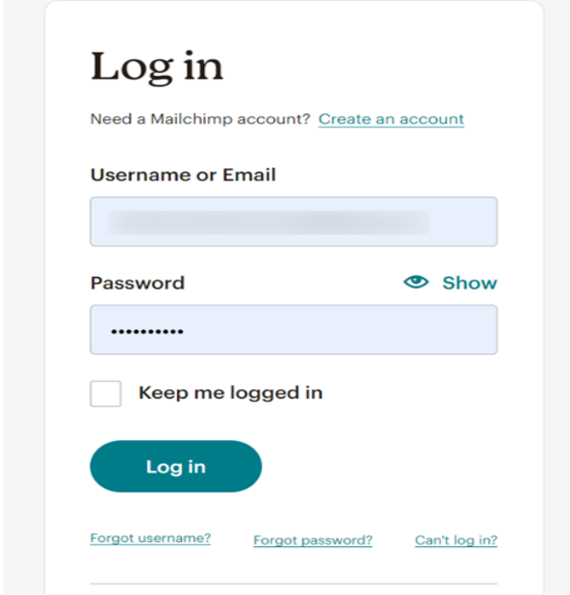
1. Login to your Mailchimp Account.
2. Click on Audience Dashboard in your Mailchimp Account
3. Now click on Manage Audience.
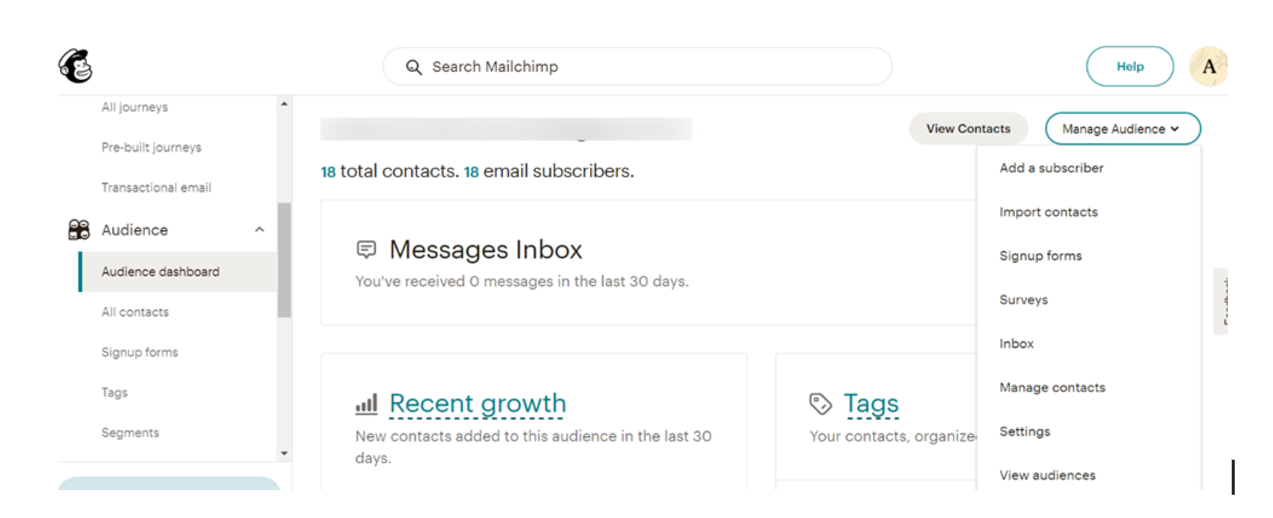
4. Click on Settings and Scroll down to get an Audience ID.
5. Copy the Audience ID where you want your contacts to be inserted.
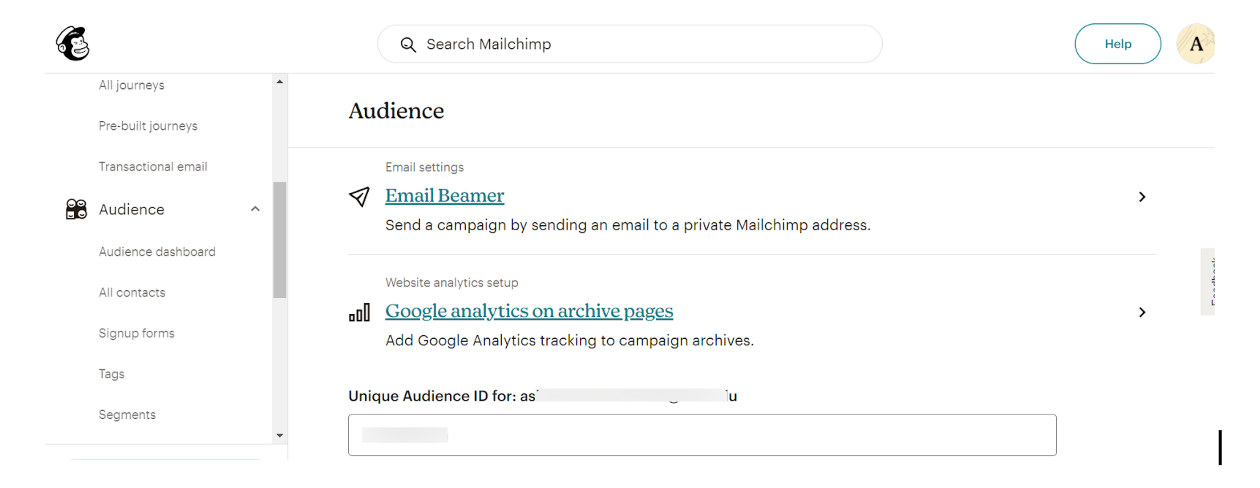
6. Now we will be using this Audience ID in our code to insert Salesforce contacts at this Audience.
7. Create a New Class and replace the default code with the provided special example code for Inserting contacts into Mailchimp.
8. Create a new Trigger on Contact on after insert and update event.
9. Now we will insert a contact into the salesforce.
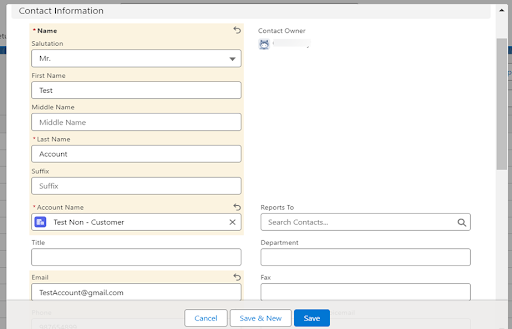
10. Now we will check our Mailchimp Account to verify that the contact is inserted.
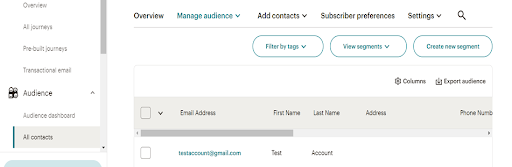
11. We can see that our contact has been inserted to our Mailchimp Account.
Stay tuned for more informative blogs!