




Data Loader is a simple and powerful solution for bulk import or export of data into Salesforce but it is not very effective. While you can use it to quickly and securely import, export, and delete unlimited amounts of data, you cannot map it to the records.
So, to bring a simple solution to the table, we created a custom button on the VisualForce page that allows you to import your CSV file and map it automatically. You can import one thousand records at a time and at every incomplete record it raises a notification to add more details of it. And if the same account or contact is already there in your Salesforce then you don’t have to overwrite to update it, you can simply skip it.
Here’s how you can do it.
STEP 1: Under the “Import Expense Report” page, choose the CSV file.
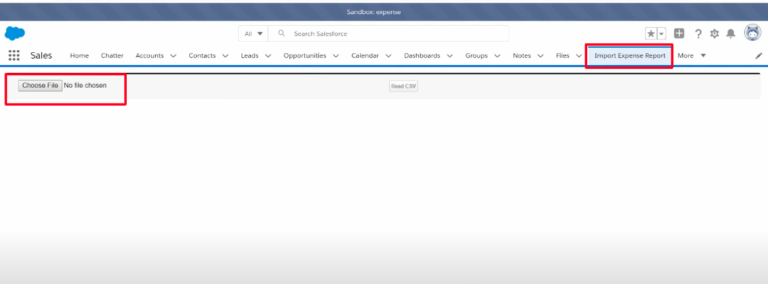
STEP 2: Only those Report ID will get imported to the Salesforce that is not already there
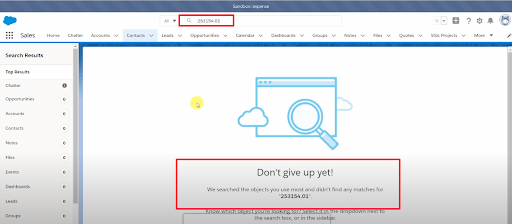
If I search for the first Report ID i.e – 253154.01 then it should not be existing in Salesforce.
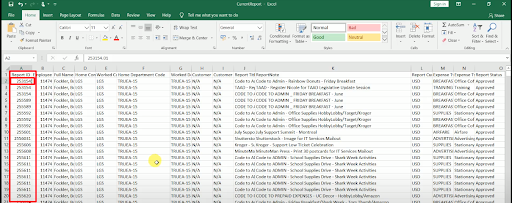
When Searched in Salesforce
STEP 3: Now save the file and upload it through the VF Page.
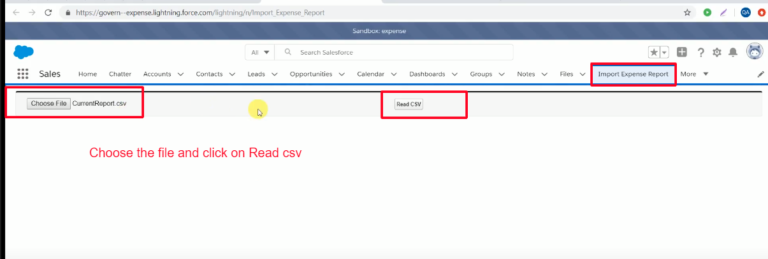
STEP 4: Click on “Read CSV” and the respected records that follow the above-mentioned condition will get uploaded.
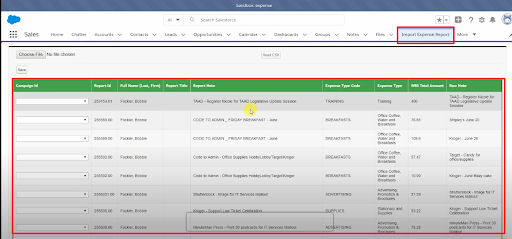
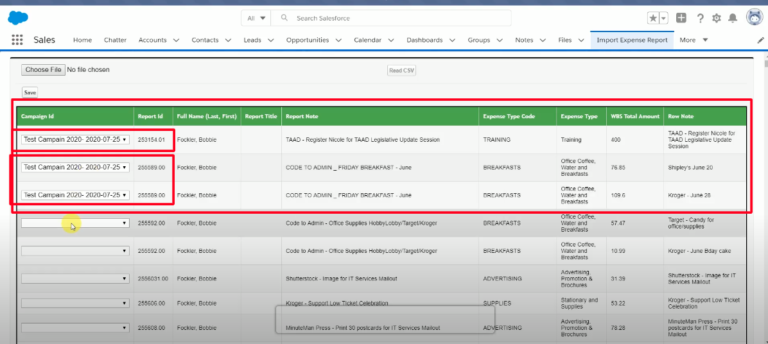
STEP 5: If Campaign ID was not available in the file then here you have the option to select the Campaign IDs. Along with these records the records for which you have already added, the “Campaign IDs” will also get inserted in salesforce as a Report.
Also, if we have more than one same “Report ID” then when we select “Campaign ID” for anyone of them then all of them will get updated with the same “Campaign ID”.
And only those records will get inserted in salesforce for which we have given “Campaign ID’s”.
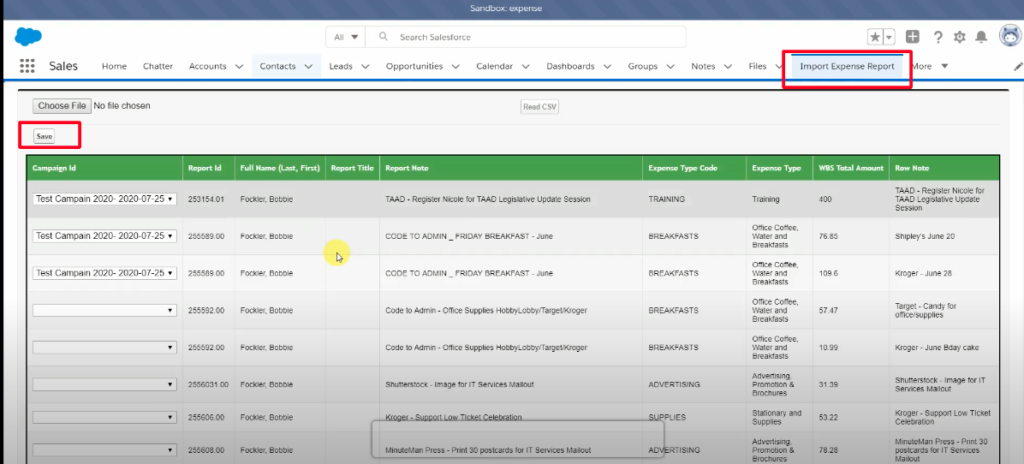
STEP 6: Use the “Save” button on the top and then the uploaded file records will get inserted.
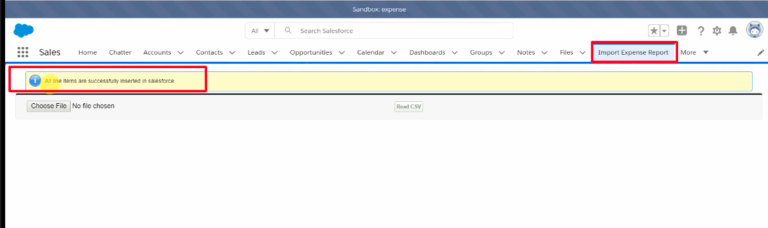
STEP 7: You will receive the message that the records got successfully inserted.
Code1: ImportCsvData
Code2: ImportCsvData)Ctrl
Code3: cavParser
Conclusion:
Some simple things can make your work so effective! And this custom button does just that. It offers you automation, streamlined workflow, and eliminates redundancy. Try it out and share your experience with us. Happy learning! 🙂





