Integrating Salesforce with QuickBooks Online can significantly streamline your business operations, improving data accuracy and efficiency. QB Sync Made Easy offers a seamless solution to synchronize customer and financial data between the two platforms. This expert
QuickBooks Online, on the other hand, is a leading accounting tool specifically developed for small and medium-sized businesses that require efficient financial management, invoicing, payroll, and financial reporting.
This guide will walk you through the process, ensuring you leverage all the benefits of integration. Whether you’re looking to automate workflows or improve reporting, this integration can elevate your business performance.
The Power of Integration: Overcoming Challenges with Salesforce and QuickBooks
Integration has been the key to several apps that help businesses in using various software platforms to manage operations effectively and efficiently. While Salesforce and QuickBooks both have great functions, their combination can significantly improve operational efficiency, improve customer service, and streamline reporting processes.
Businesses that run these systems in silos frequently face issues like data silos, duplicate data entry, and reporting inconsistencies.
Challenges of Using Salesforce and QuickBooks Separately
When Salesforce and QuickBooks operate separately, businesses face challenges like manual data entry, leading to time wastage and errors. Data inconsistencies can result in inaccurate reporting and poor decision-making. Without real-time updates, financial data may not sync with sales information, disrupting operations. Integration can help eliminate these issues and enhance efficiency.
Organizations using Salesforce and QuickBooks separately face several challenges.
Some of the challenges are as followed:
Manual Data Entry:
Employees often find themselves duplicating efforts by entering the same data in multiple systems, wasting valuable time and increasing the likelihood of errors.
Data Inconsistencies:
Discrepancies between data entries across systems can result in inaccurate reporting and hinder effective business analysis, complicating decision-making.
Lack of Real-Time Updates:
Without integration, QuickBooks financial data may not reflect real-time sales information from Salesforce, negatively affecting business operations.
Benefits of Integrating Salesforce with Quickbooks
Integrating Salesforce with QuickBooks offers several key benefits, including streamlined operations by reducing manual data entry and automating workflows. It centralizes customer and financial data, providing a unified view of business activities.
Additionally, it ensures accurate, up-to-date reporting, helping businesses make informed decisions efficiently. Integrating Salesforce with QuickBooks delivers a number of benefits:
Streamlined Operations:
Reduces manual data entries and automates workflows, which boosts productivity.
Centralized Data:
Offers a unified view of customer interactions and financial transactions.
Accurate Reporting:
Provides easier access to up-to-date financial and sales information, facilitating efficient reporting.
Key Features of QB Sync Made Easy
Businesses can easily leverage the capabilities of QB Sync Made Easy by integrating their Salesforce with QuickBooks. QB Sync Made Easy offers powerful features like Historic Sync, allowing businesses to transfer legacy data from QuickBooks to Salesforce. Real-Time Sync ensures automatic updates between systems, while Data Mapping Capabilities let users customize object and field alignments for a tailored integration experience.
Here are some of the standout features of QB Sync Made Easy:
Historic Sync:
Transfer all legacy data from QuickBooks to Salesforce in one go.
Real-Time Sync:
Automatically sync data whenever a user creates or updates a record in QuickBooks.
Data Mapping Capabilities:
Users can align QuickBooks and Salesforce objects and fields according to specific needs.

Step-by-Step Guide to Integrating Salesforce with QuickBooks Online through QB Sync Made Easy
Integrating Salesforce with QuickBooks Online through QB Sync Made Easy is simple and straightforward. Below are the steps in detail:
Step 1: Visit the Salesforce AppExchange.
Step 2: Type “QB Sync Made Easy” into the search bar.
Step 3: Click on “Get it Now.”
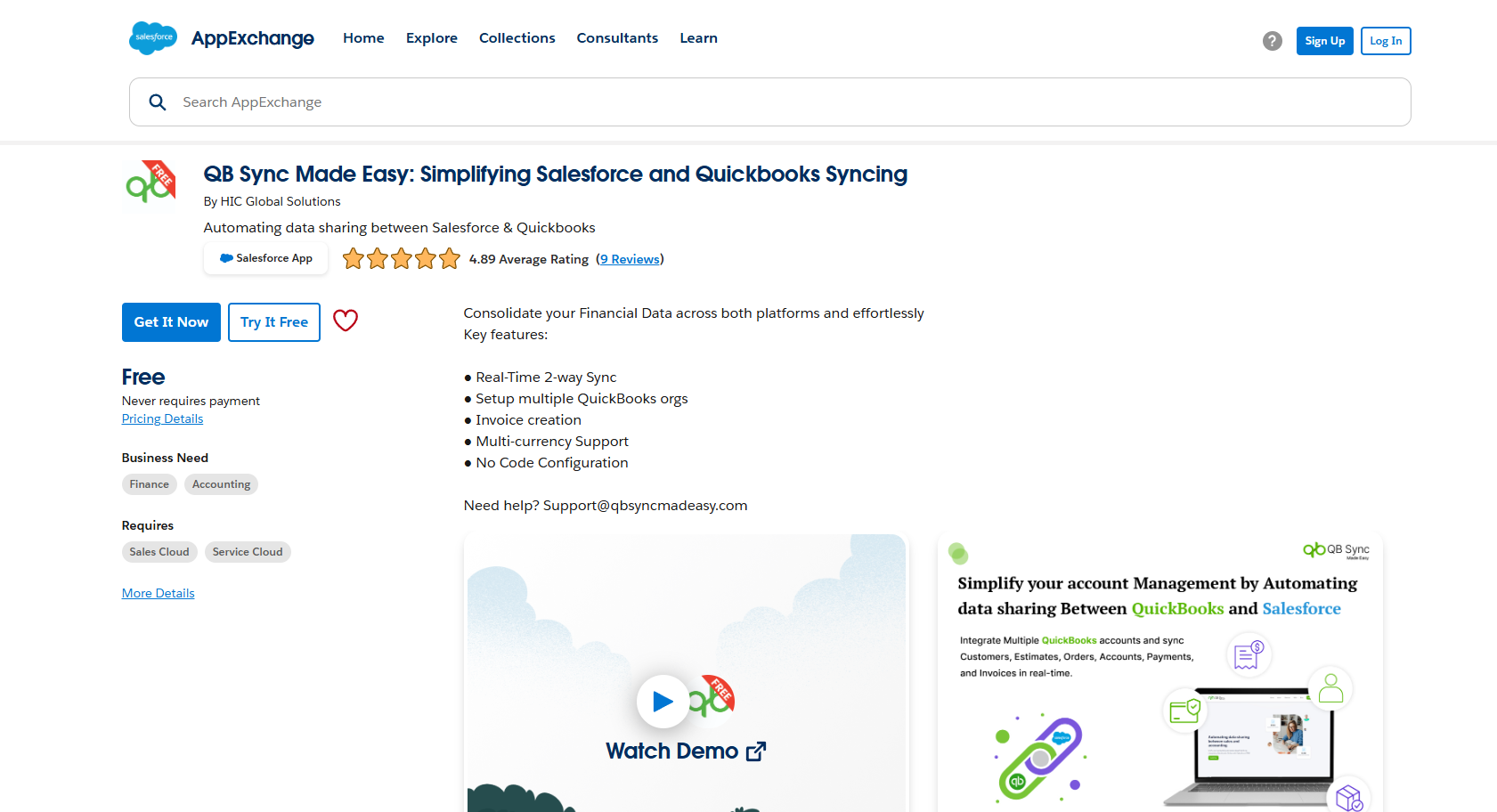
Step 4: Choose Your Installation Options:
Step 5: Install in Production: Live environment installation.
Step 6: Install in Sandbox: For initial testing (recommended if unsure).
Step 7: Click “Install.”
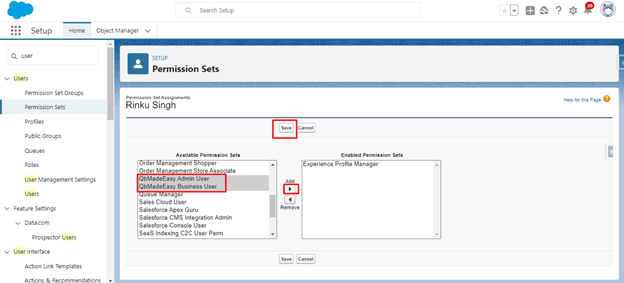
Step 8: Adjust User Permissions: Go to Users and set the necessary Permission Sets to connect your QuickBooks company with Salesforce.
Watch this video tutorial and master the integration of Salesforce with QuickBooks using QB Sync Made Easy.
https://youtu.be/ga1J3NvWNH8
Advantages of Integration with QB Sync Made Easy
Integrating Salesforce with QuickBooks Online using QB-Sync Made Easy offers numerous advantages that can significantly improve business efficiency:
Improved Data Accuracy:
Automatic syncing minimizes human error from manual data entry, leading to higher data integrity and accurate financial reporting.
Enhanced Business Insights:
Integration allows for holistic data analysis, combining sales and financial metrics to provide actionable insights for informed decision-making and strategic planning.
Time and Cost Savings:
Automating repetitive tasks like data entry and invoice generation saves time, allowing employees to focus on higher-value responsibilities rather than tedious administrative duties.
As businesses evolve, it is essential to prioritize efficient integrations between core systems. Investing in tools like QB Sync can greatly enhance operational workflows.
Are you ready to transform your business operations by integrating Salesforce with QuickBooks Online? Explore QB Sync Made Easy today and take the first step towards maximizing your business efficiency!