




As a business, you know that leads are your potential customers, and you need to serve their needs on time. Thus, You want to keep track of the amount of time taken to get back to the lead or the follow-up time. Hence, wouldn’t it be great if you could track the time taken to contact a lead in Salesforce? With our effective solution, You can now achieve this!
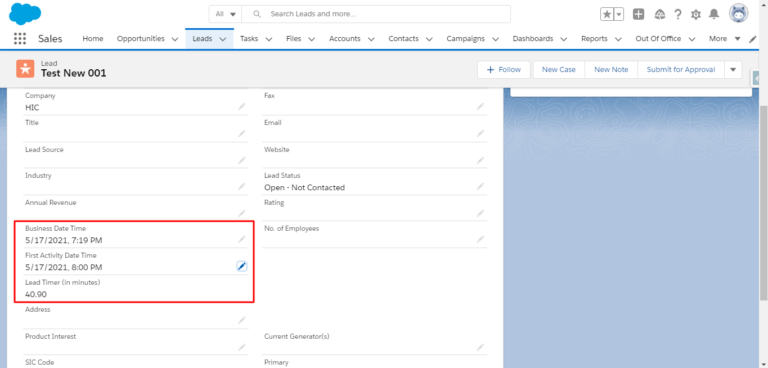
When you use our solution, the time duration will start only within the working hours of your organization. This way, you can keep a close eye on the exact time it takes to contact a lead. Also, with the help of this solution, you have your “Business Date Time,” which is the time from when the timer would start. And “First Activity Time,” which is the time when the Salesforce user contacts the lead for the first time.
Why should you use this solution?
To track the time taken: You don’t want your leads to get a response after a long time. Instead, you want your team to take quick actions. Thus, this allows you to monitor the amount of time the Salesforce user takes to contact the lead.
To monitor your team’s productivity: This solution allows you to see the amount of time your team takes to get back to the lead. Hence, it gives you an overall work report of each Salesforce user and their productivity.
Supporting Screenshots
We have created 3 fields on Lead
- Business Date/Time – to store the Start time when the Lead Timer will start based on Business hours from the same timezone who is creating the Lead.
- First Activity Date/Time – to store the Stop time when the Lead Timer will stop.
- Lead Timer (in minutes) – Time difference between First Activity Date/time and Business Date/Time.
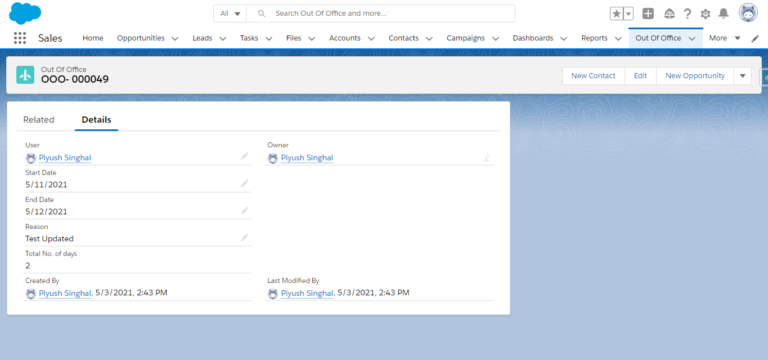
We have also created one custom object ‘Out of Office’ to store the User’s leave.
Task 1: To calculate Start time
Step 1: Create trigger on Lead – ListingApp_LeadTrigger
Step 2: Create Apex Class Handler – ListingApp_LeadHandlerClass
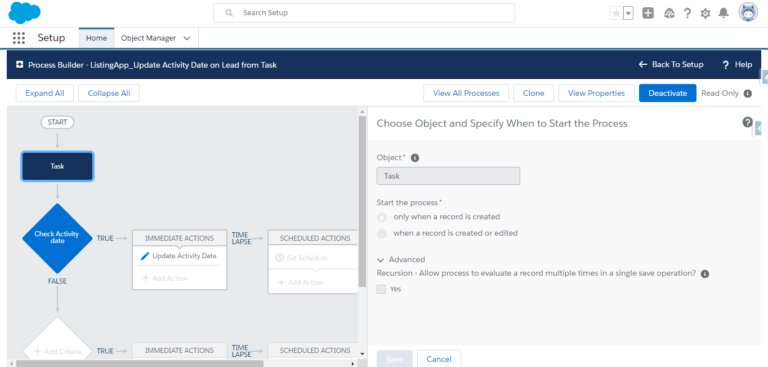
Task 2: To calculate the ‘First Activity Date/Time’ on Lead, which will work on Task or Event creation or whenever first email will be sent from particular lead.
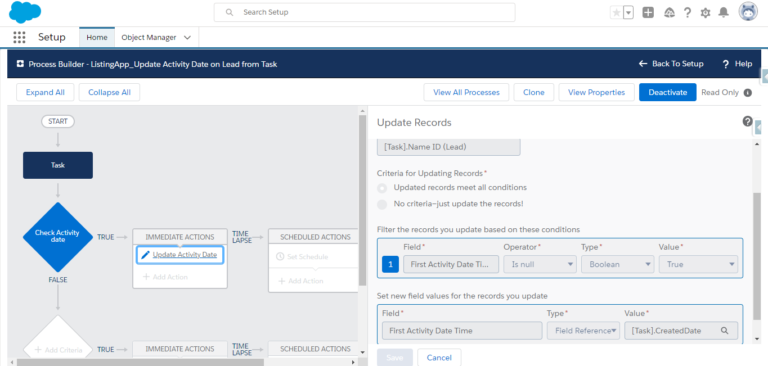
Step 1: Process builder on Task creation.
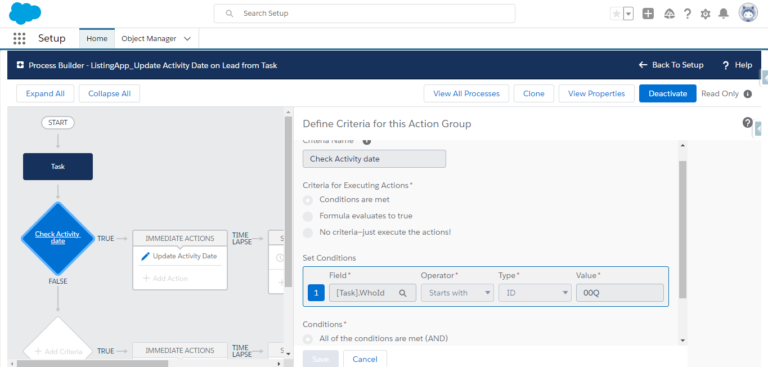
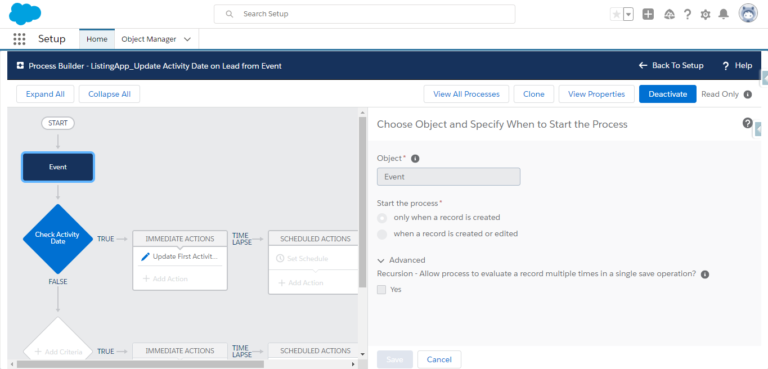
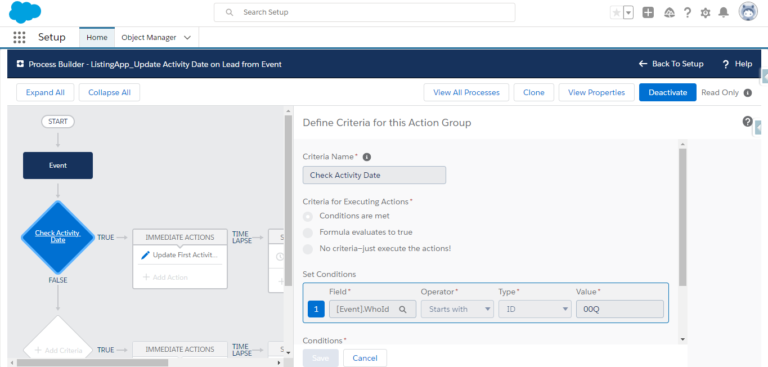
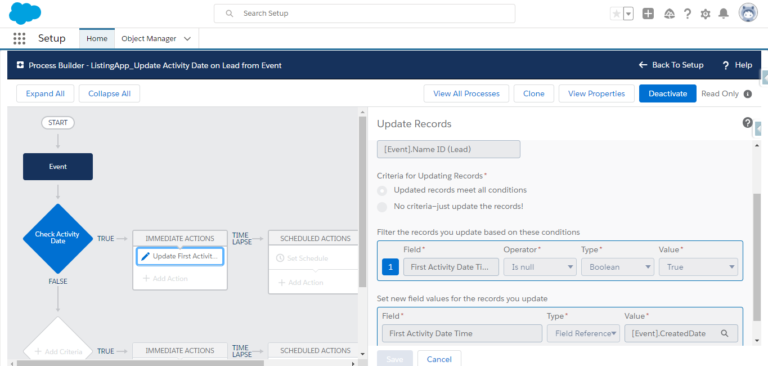
Step 2: Process builder on Event creation.
Step 3: Apex Trigger on Email Message – ListingApp_TriggerOnEmailMessage
Conclusion
With the help of this thoughtful solution, monitoring and capturing the time taken by your team to contact a lead in Salesforce is achievable. Don’t forget to check out our other technical blogs that might help you get the best out of Salesforce Implementation. If you try out our solution, then do share your experiences with us. Till then, Happy Learning! 🙂





