

Salesforce offers robust capabilities for managing and displaying data. However, creating reusable components can significantly improve efficiency and consistency across applications. One such component is a reusable related list DataTable.
This blog will guide you through the process of building a reusable related list DataTable in Salesforce using Lightning Web Components (LWC).
Why Use a Reusable Related List Datatable?
You can save plenty of time and ensure a consistent user experience by leveraging reusable components. Reusable related list DataTable is used across various objects and relationships, providing a flexible and efficient way to display related records.
What are the Key Benefits
- Consistency: Maintain a uniform look and feel across related lists.
- Efficiency: Reduce repetitive code and streamline development.
- Flexibility: Easily configure and reuse for different objects and relationships.
We are going to learn how to use LWC to create a reusable related Lightning Datatable. Instead of creating separate Datatables for each object, we can create a single Datatable and adjust the object name and other fields using Design attributes (target configs).
In the LWC component below, we’ve added properties such as Fields, Relationship, and Filter (if required), as well as calculating the total for any currency field of the related object.
Apex Controller Code
Create an LWC Component that takes input from the user and displays related data accordingly.
HTML Code
After completing the coding, deploy the same code to your Salesforce Org.
Also, add the component to your desired record page.
Here we are adding an Account page.
Step 1: Click on any Record > Gear Icon > Edit Page
Step 2: Drag the Component from Left Side to your required place
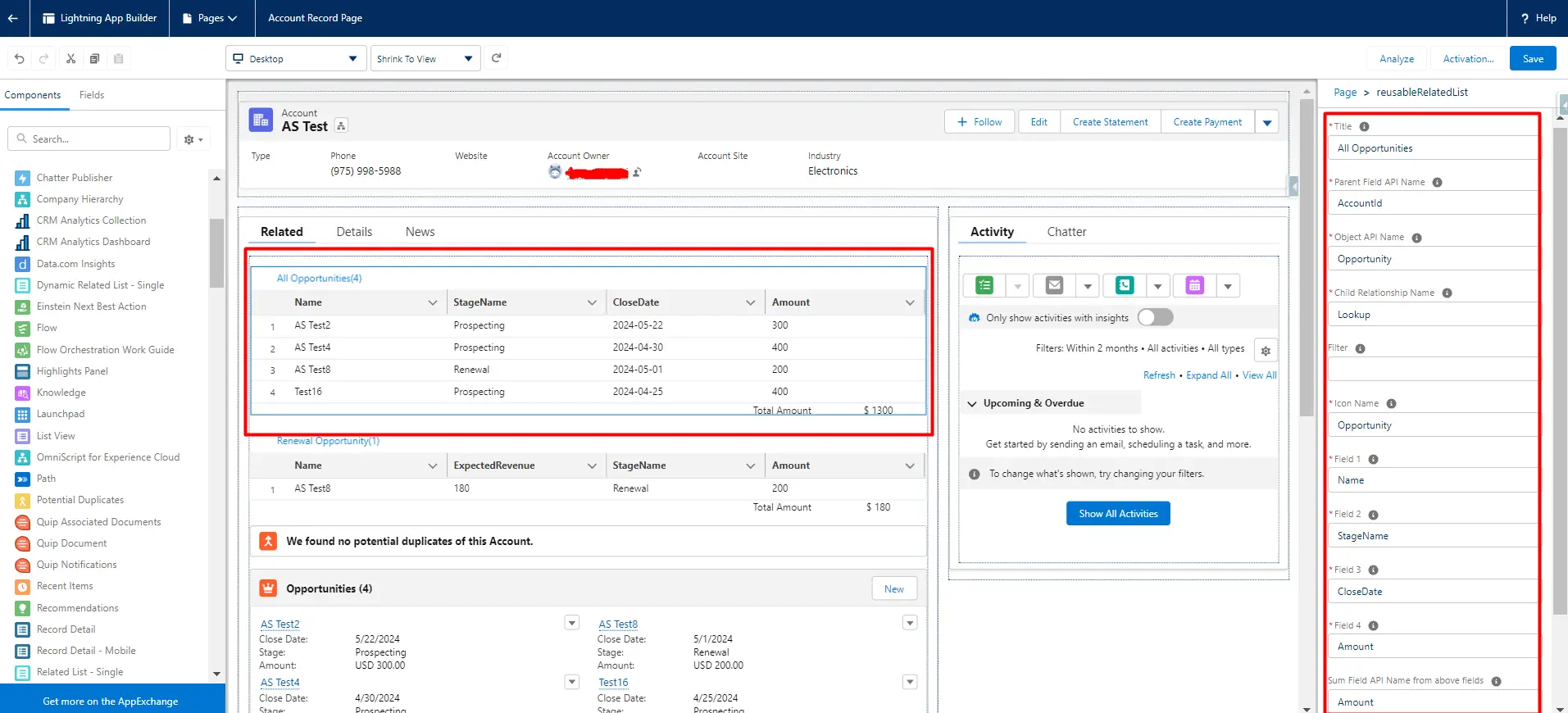
Step 3: Specify All the properties to display related records with fields.
Note: Here we are displaying all opportunities and for sum specifying Amount field of Opportunity. You can specify any related object, title, or field (API name) and sum up the field.
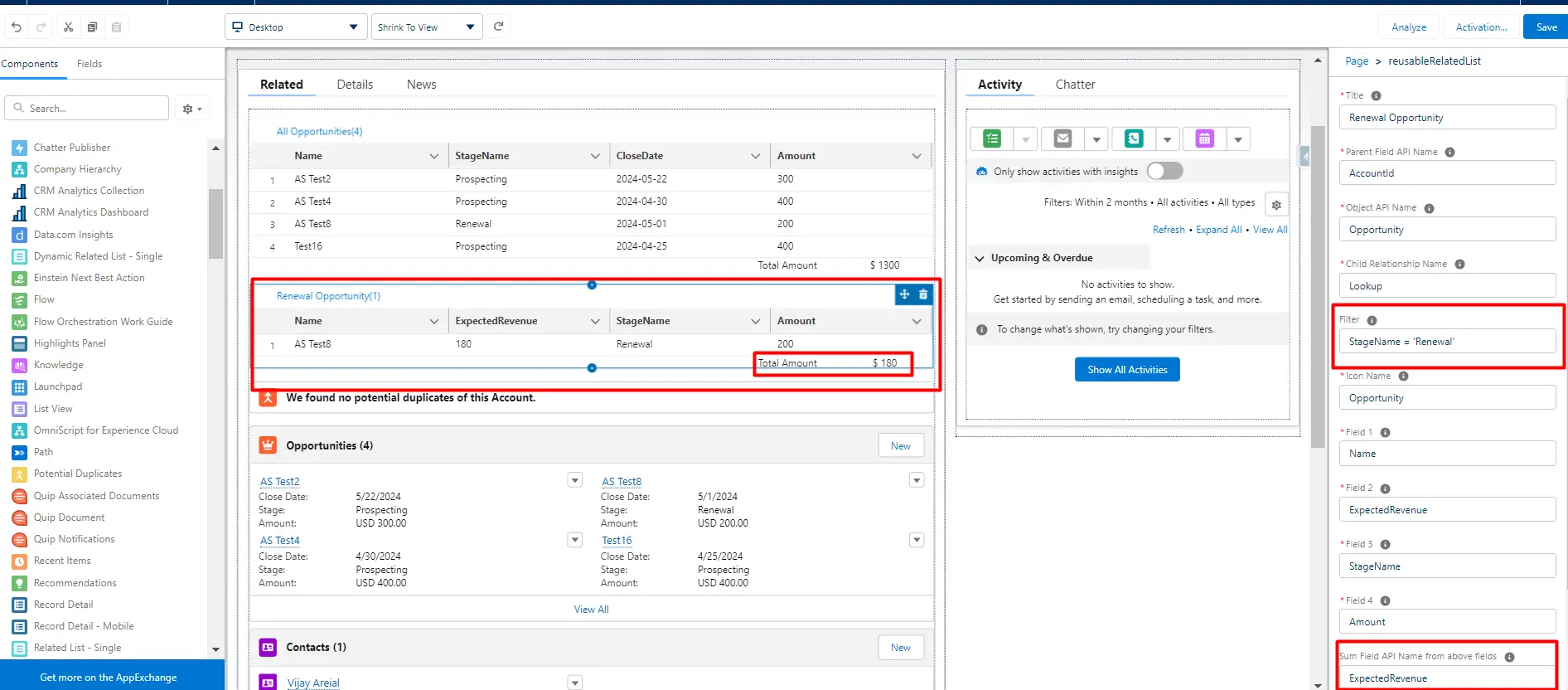
Below I have dragged the same LWC component and this time specified filter to display only Opportunity with Stage Renewal and Sum up Field is ExpectedRevenue of Opportunity.
Step 4: Once this is done, click on the Save Button on the top right > Back Icon on the top left of the window
Finally, your Related list is added to your record page.
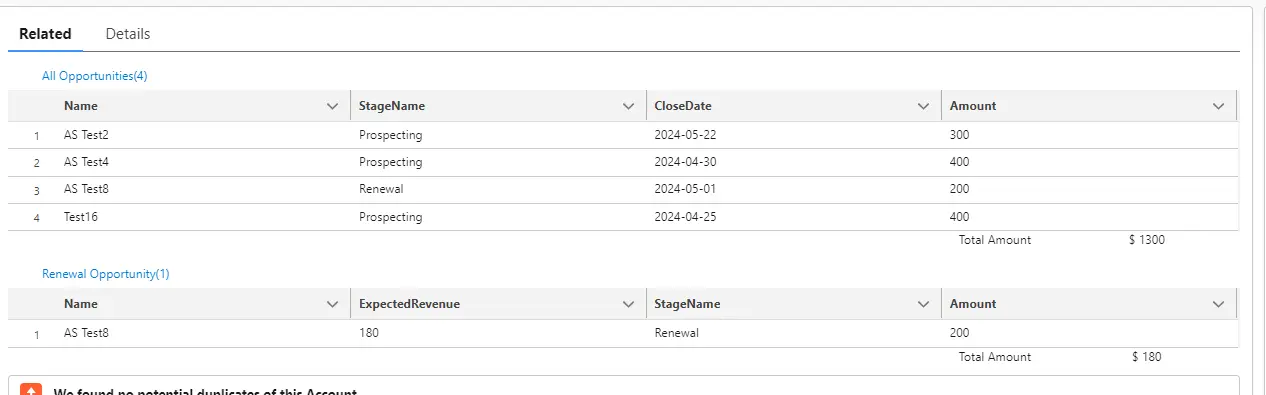
Hurray!! Your Dynamic Reusable Related List Datatable is ready.
Conclusion:
By following these steps, you’ve created a reusable related list DataTable component in Salesforce. This component can now be easily added to various record pages, providing a flexible and efficient way to display related records.
Customizing and extending this component further can help meet specific business requirements and enhance user experience. If you need assistance with the same, get in touch with our Salesforce experts. Happy coding!





