

Data skew in Salesforce typically refers to a situation where there is a significant imbalance in the number of child records related to a single-parent record.
This can occur when a parent record (Account) has an unusually large number of child records (Contacts) associated with it. A common limit used to identify data skew is when there are more than 10,000 child records related to a single-parent record. When this limit is reached, it can lead to performance issues and other challenges, making it important to address the data skew.
So, let’s move on to understand how to reduce the impact of data skew in Salesforce, but before let us have a look at the types of data skew in Salesforce. Let’s begin!
Types of Data Skew
In Salesforce, there are three types of data Skew. They are-
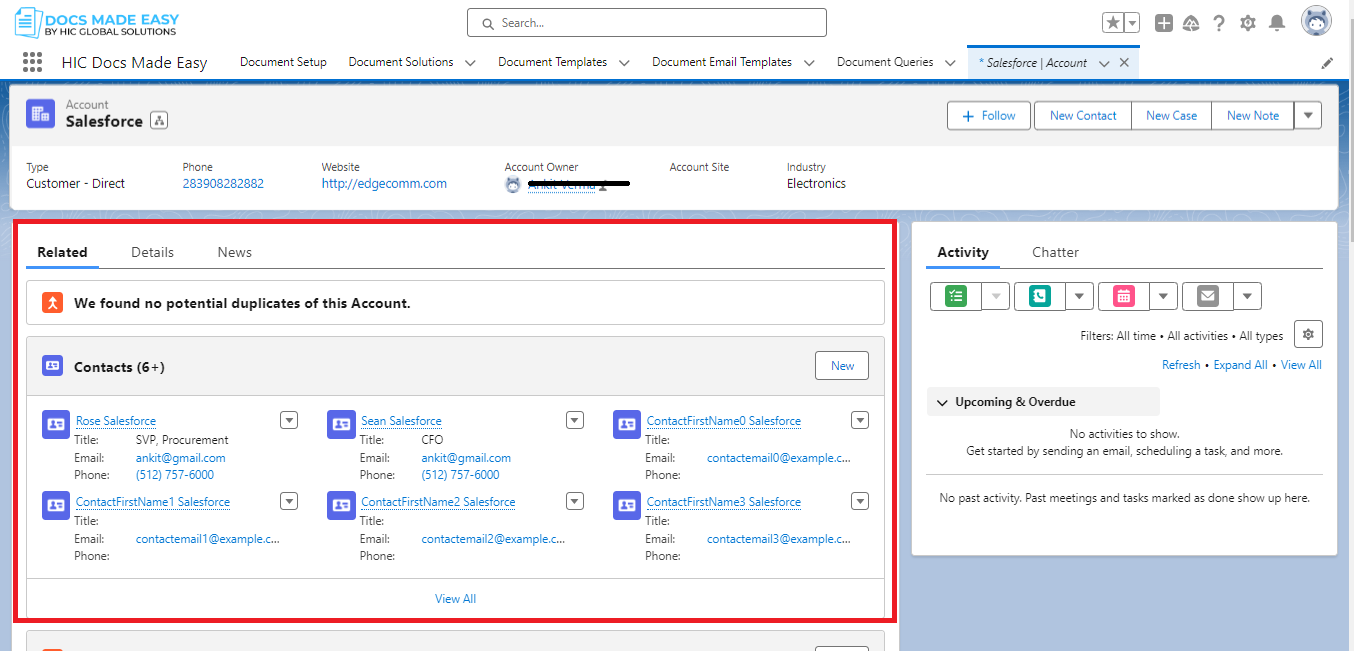
1. Account data skew
- When you update a related record like an Opportunity linked to an Account, Salesforce temporarily locks the Account. This ensures that while updates are happening, the data stays consistent and other processes like validation rules and automation can run smoothly. This is usually not noticeable in regular scenarios. However, if you’re updating a large number of records connected to the same parent Account, these locks can create issues, and updates might fail.
- You have set up a sharing model where Contacts are private, and you’ve established sharing rules to control who can access which Contacts. If you have a lot of Contacts (more than 10,000) tied to the same Account and you make changes to these sharing rules, Salesforce needs to recalculate everything.
- This recalculation can potentially slow down your system and cause performance problems for your users.
2. Lookup Data Skew
Lookup data skew is quite similar to Account data skew but is specifically related to many child records looking up to the same parent record.
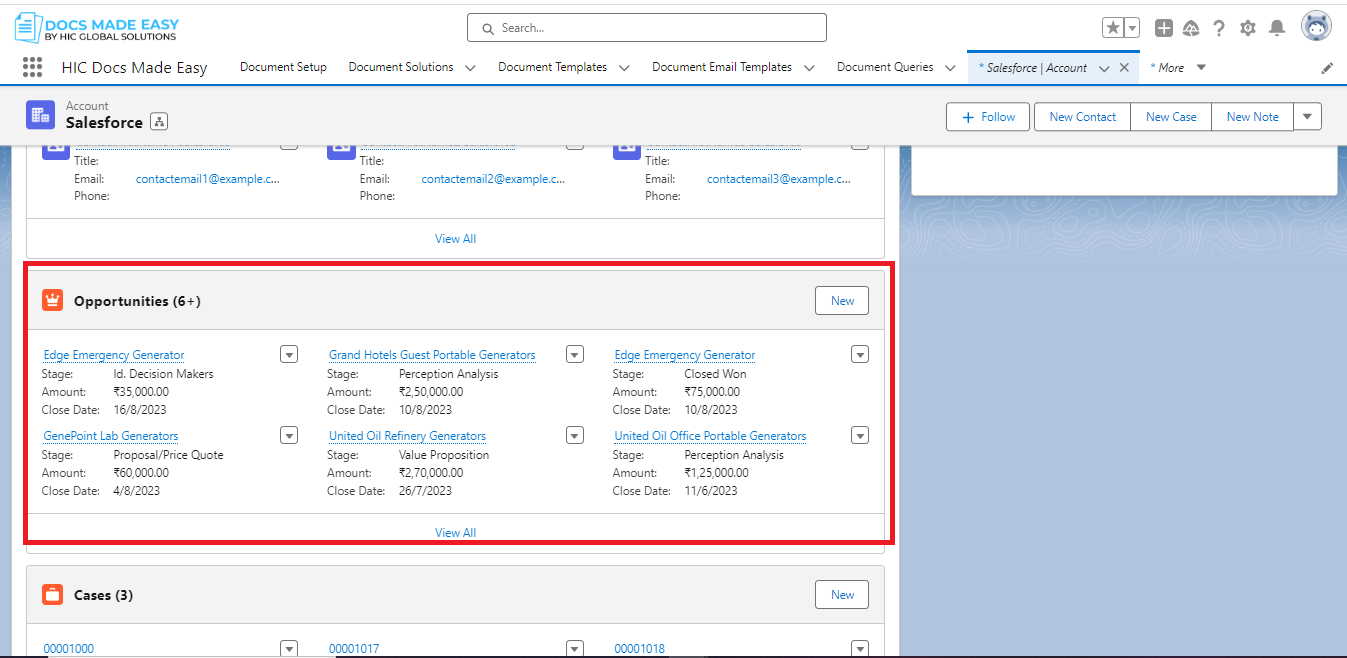
Now, what if they suddenly have more than 10,000 Opportunities linked to the same sales target?
Here’s what could happen:
Each time they update one of these Opportunities, it temporarily ‘locks’ the related sales target record. This locking ensures data consistency and allows other processes to run smoothly. However, when you have a large number of related Opportunities, these locks start to pile up during updates. As a result, the system’s performance might slow down, and sometimes, if you’re doing large-scale updates, they might even fail.
3. Ownership data skew
Ownership data skew in Salesforce refers to a situation where there is an imbalance in the ownership of records within a specific Salesforce object. This typically occurs when a single user or a small group of users own a significantly larger number of records compared to other users.
In a Salesforce object, such as Leads, Opportunities, or Custom Objects, records are typically assigned to individual users as their owners. Each record has an owner, and users have varying levels of access and responsibility based on their own records.
This skew in ownership can have a significant impact on system performance. When records owned by a single user are frequently accessed or updated, it can lead to contention for record locks. This contention can result in performance issues, longer response times, and even update failures, especially when dealing with large-scale data operations.
How to reduce Skew Data Impact?
Reducing the impact of data skew in Salesforce is essential for maintaining performance and scalability. Here are some points to help minimize the impact of data skew:
- Avoid assigning a large number of records to a single user. Distribute the records among different users to prevent data skew in Salesforce.
- Avoid the unnecessary automation and Apex code to reduce the data skew in Salesforce.
- Regularly review and refine sharing rules and sharing settings to minimize recalculations. Try criteria-based sharing rules to target specific records and avoid unnecessary recalculations.
- Regularly check the data. If you notice any issues where some users have too many records or certain records are causing problems, take action to fix them.
Conclusion
Data skew in Salesforce is a critical challenge that organizations must address to maintain the performance and integrity of their Salesforce instance.
Whether it’s ownership skew, lookup skew, or Account skew, data skew can lead to contention for record locks, performance issues, and delays in processes.
To mitigate these challenges, organizations should implement proactive strategies, including redistributing ownership, optimizing data models, and regularly monitoring data distribution patterns.
We hope you find the blog insightful. To get more updates on the latest Salesforce development solutions, stay tuned our salesforce tutorials !! Until the next blog, keep learning!





