

In a digitally-advanced world, where every business is giving a competitive advantage, it is important to provide personalized recommendations to customers. It results in increased user productivity and enhanced customer satisfaction.
That being said, one of the effective ways to achieve this is through Einstein’s Next Best Action (NBA). It is a powerful tool for providing personalized recommendations based on various business requirements.
This blog will walk you through the significant steps to configure and optimize NBA for effective recommendations.
Steps You Must Follow to Optimize User Engagement with Einstein Next Best Action
You must follow the steps below to display recommendations on any particular object records.
STEP 1:
To begin with the configuration and optimization part, select the object on which you would like to display recommendations.
STEP 2:
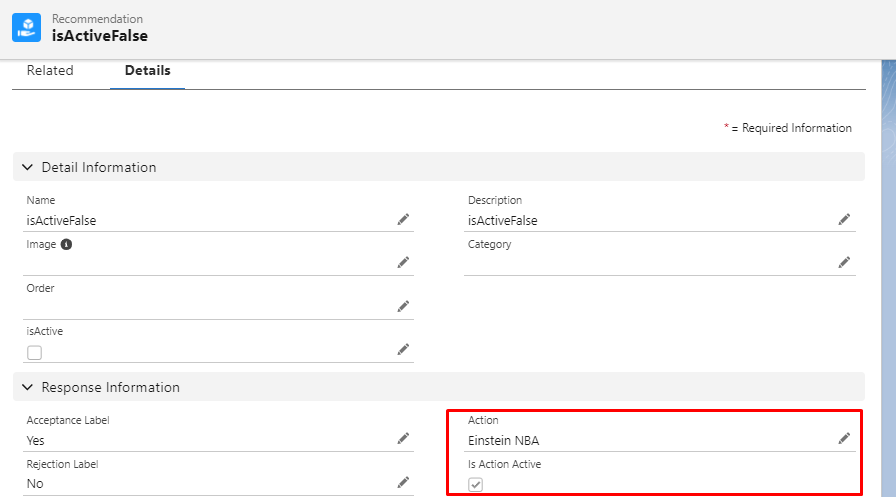
We need to create recommendation records tailored to our business scenario. Salesforce provides a standard object called recommendation for this purpose.
Each recommendation record must have a name, description, Acceptance Label, Rejection label, and Action.
- The name specifies the recommendation’s name.
- The description represents the recommendation.
- The acceptance label is the acceptance button’s label.
- The rejection label is the label of the rejection button
- Action is the flow that is launched when the acceptance button is clicked.
STEP 3:
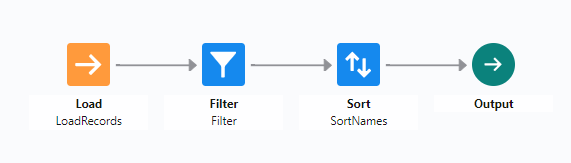
In the third step, create strategies using the strategy builder. Strategy Builder is similar to Flow Builder in Salesforce.
Once recommendations are created, utilize the Strategy Builder in Salesforce to define the logic for fetching records from an object and filtering them based on specific criteria.
The Strategy Builder empowers us to:
- Define Business Logic: Configure criteria to select records eligible for recommendations based on various attributes, such as record fields or related data.
- Filter Object Records: Apply filters to narrow down the list of recommendations, ensuring relevance and effectiveness.
- Sort Recommendations: Arrange recommendation records in a specified order to prioritize the most relevant ones for users.
- Map Recommendations: Map fields of recommendation to different values.
STEP 4:
In this step, create an action that gets fired when a recommendation is accepted. You need to ensure that the flow is active. If it is, select “Is Action Active”, or else it should remain unchecked.
If the flow is inactive then the recommendation will not be visible on the record page. That means, that only recommendations with active flows are visible on the record page. The supported flow types are screen flows and auto-launched flows.
How to Add Einstein Recommendation on a Record Page
To add Einstein recommendation on the record page, edit the record page and add the standard element Einstein Next Best Action on the record page. 👇
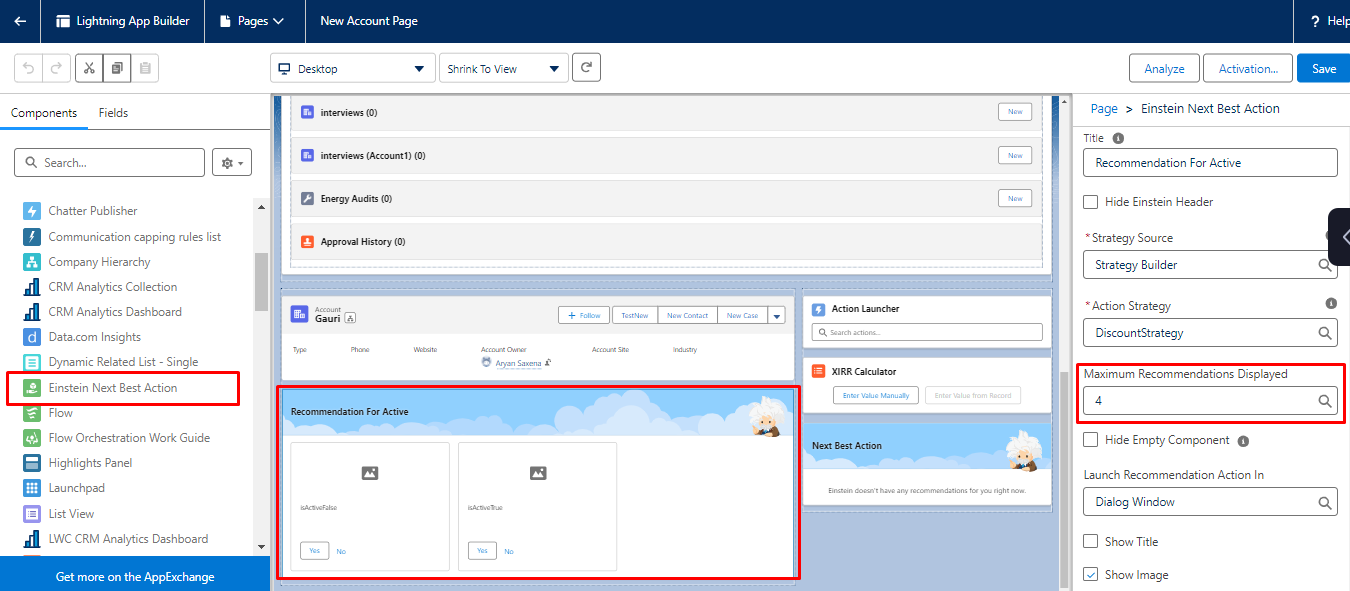
Also, the maximum recommendation displayed on the page can be adjusted.
How to Provide Recommendation ID and Record ID to Flow
To provide a recommendation ID to the flow that the recommendation record is calling, we have to create a variable in the flow with the API name of the recommendation ID.
NOTE: To check available for input checkbox
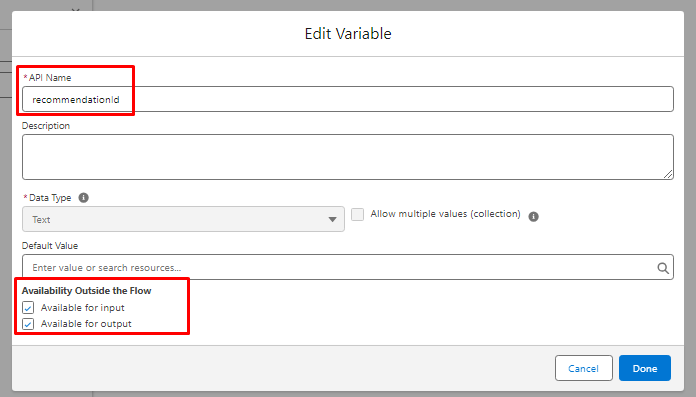
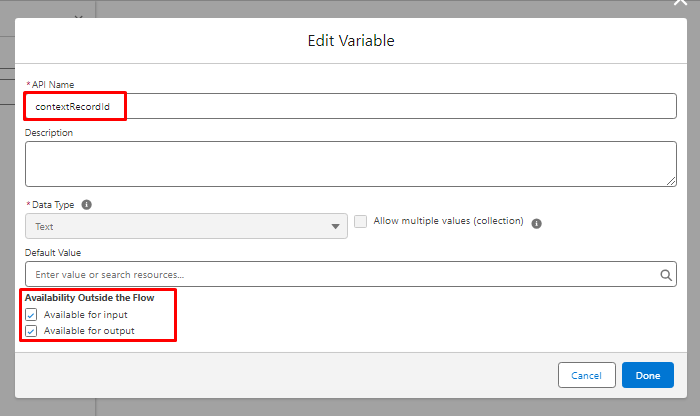
To provide the ID of the record on which the recommendation is availed, we have to create a variable in the flow with the API name contextRecordId.
NOTE: To check available for input checkbox
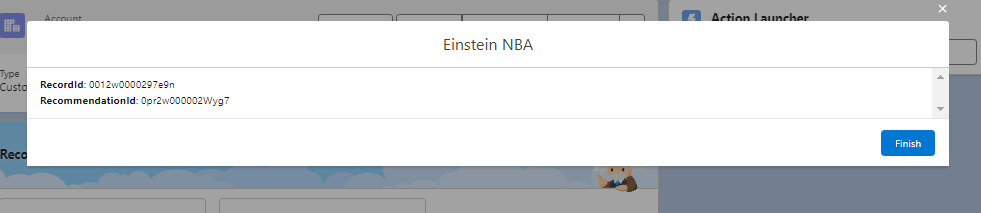
Result: Both IDs are visible in the Flow Display Text Component.
Concluding Words
In a nutshell, if you want to deliver personalized recommendations to improve your business’s productivity along with customer satisfaction, embrace Einstein’s Next Best Action (NBA). You can follow the steps mentioned above for a successful configuration and optimization.
To gain more valuable insights, check out our blog section.





