

When we integrate the Salesforce Einstein ChatBot with Rest HTTP callouts, the bot can interact with external systems or services to fetch data or perform actions, enabling data retrieval from the external system.
Here’s a summary of the benefits and key points:
Dynamic Data Fetching: You can fetch real-time data from external APIs or systems by leveraging Apex callouts within the chatbot’s dialogue flow. This enables the chatbot to provide up-to-date information to users without manual intervention.
Enhanced User Experience: Integrating Apex callouts allows the chatbot to respond intelligently to user queries by retrieving relevant data from external sources. This enhances the user experience by providing accurate and personalized responses.
You can build a robust and scalable integration between the Einstein bot and external systems via HTTP callouts. Continue reading to find out how!
Prerequisite of Einstein chatbot
- Enable Chat in org. In Quick find box>Search>Chat setting>enable chat.
- Create a Chat with the Customer.
Steps to Integrate Salesforce Einstein chatbot with REST HTTP Callouts.
Step 1: Create an Apex HTPP callout with Invocable Method.
Note: Add this”https://th-apex-http-callout.herokuapp.com/animals” endpoint into the Salesforce remote site setting.
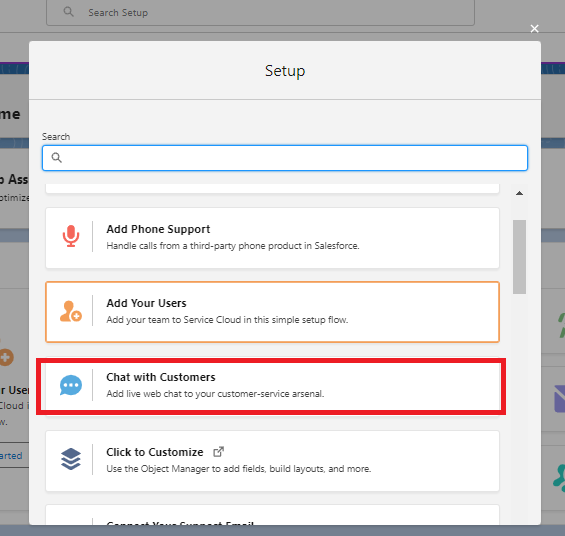
Step 2: In Salesforce org create a “Chat with Customer” in service setup.
Click on “Service setup” click on “View all” and select “Chat with Customer”. For reference check the below screenshot.
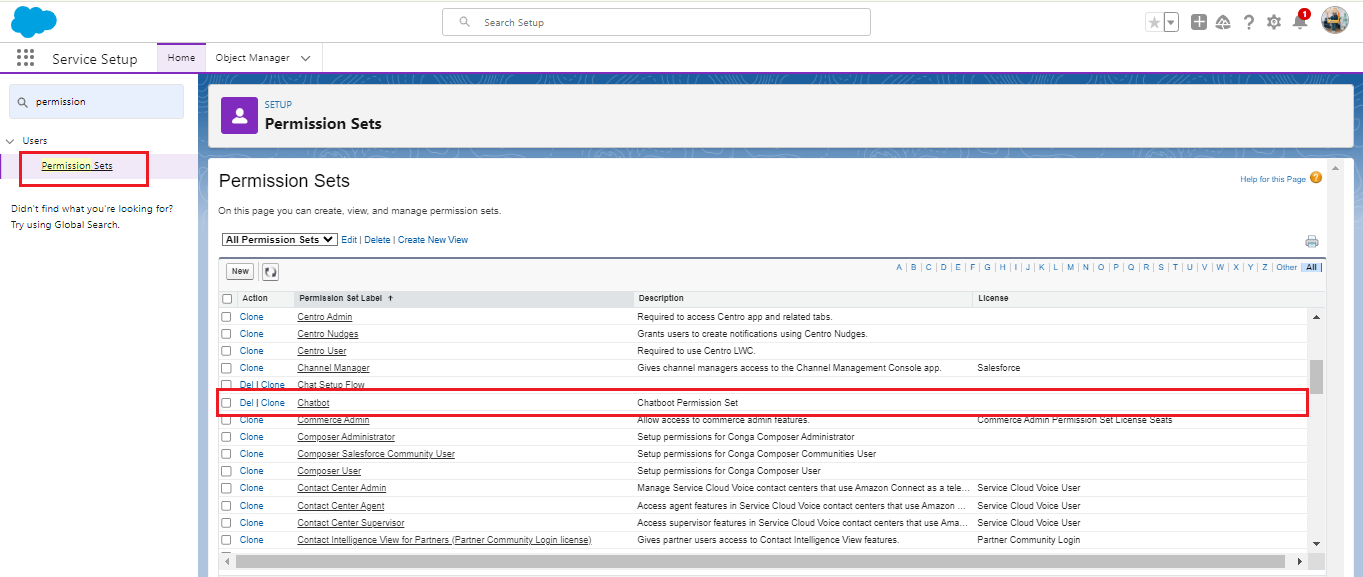
Step 3: Assign Permissions
In the Quick Find box, search for “Permission Set” and assign permissions to the “Botcallout” Apex class that was created in the first step, enabling the chatbot to access it.
Note: First enable the chatbot, then assign chatbot permissions.
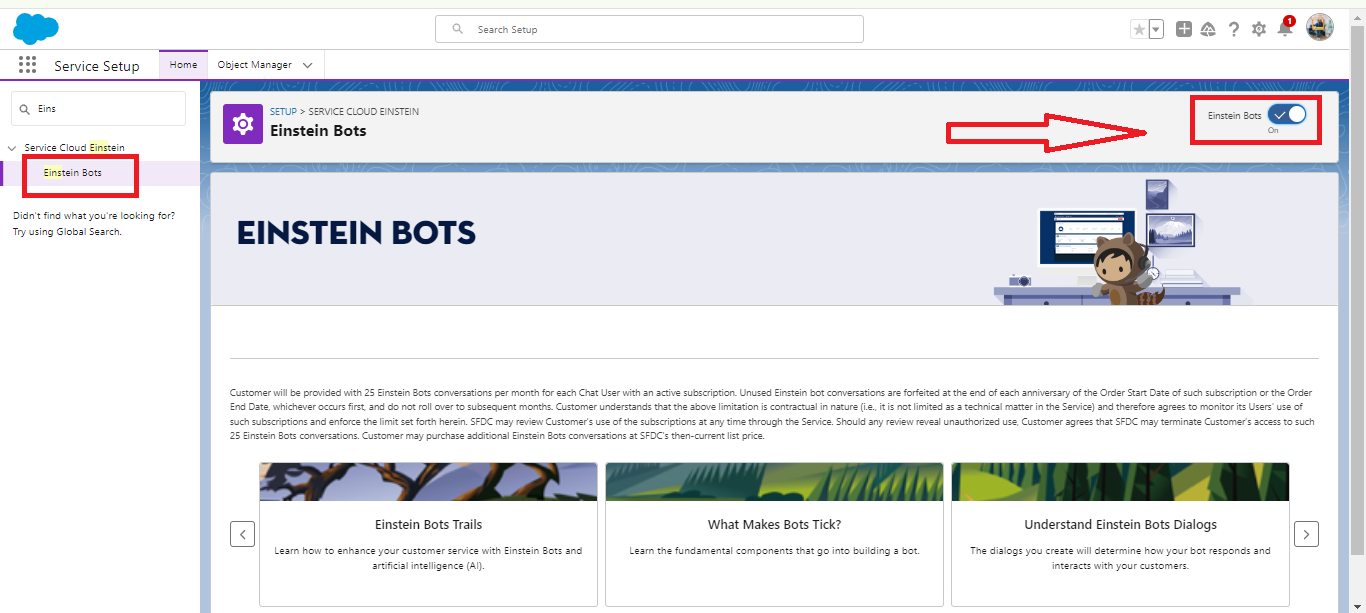
Step 4: Now Enable Chatbot.
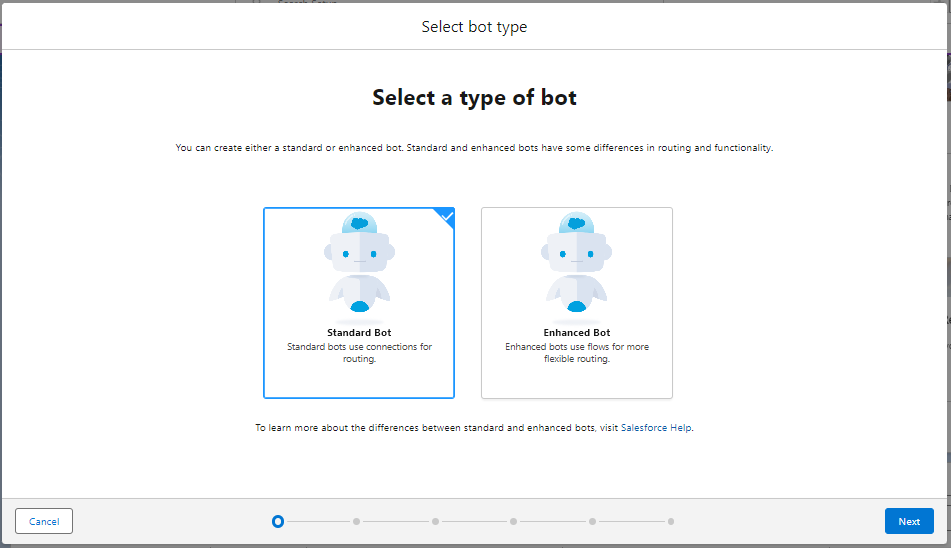
In the Quick find box>Search>Einstein bots>Enable Chatbot on the top right corner. And create a new chatbot. for reference check the below screenshot.
Step 5: Create A New Dailogue in the ChatBot
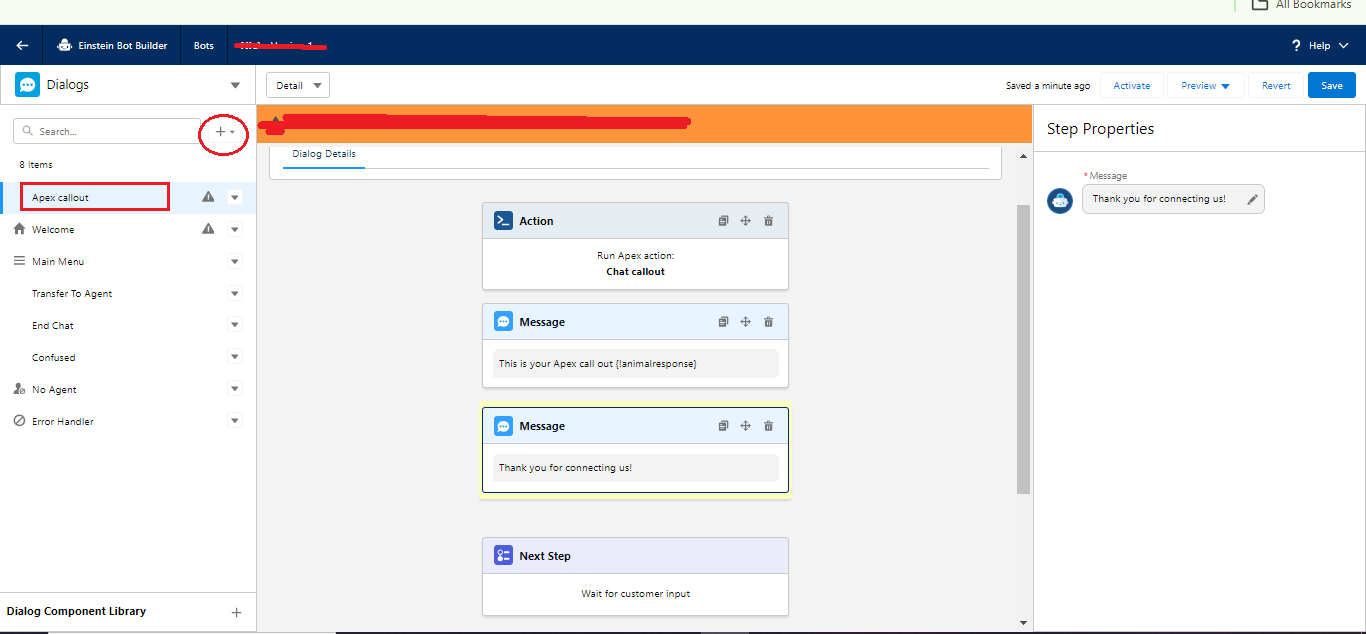
To create a new dialogue box in the chatbot, click on the (+) icon in the top left corner and select “New Dialogue” from the menu. For reference Check the below screenshot.
In the screenshot above, we have created a new dialogue box and added the Apex action created in the first step.
Step 6: Now, activate the chatbot and run it.
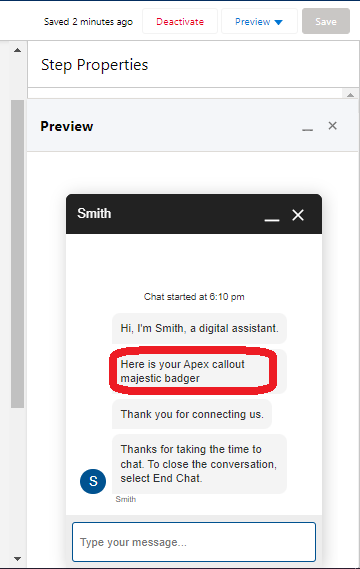
After running the chatbot, the Apex action will initiate an HTTP callout within the bot. For reference, please check the screenshot below.

Conclusion:
Integrating a Salesforce Einstein chatbot with Rest HTTP callouts enables seamless interaction between the bot and external systems, allowing for dynamic data retrieval and processing within the conversation flow. Feel free to try out the solution and share your thoughts with us. And for more such interesting Salesforce development solutions, stay hooked for the next blog!





