




Did you know that you can connect with 500% more leads and close more deals if you integrate a sales dialer
with your CRM? Kixie is the ultimate platform for Salesforce dialer and voice platform for your sales team. It is an enterprise cloud phone service that has a powerful Salesforce dialer and seamless CRM integration.
With Kixie, you can do the following things;
- Call your prospective leads with one-click dialing from Salesforce.
- Increase your call-connect rate with local presence dialing.
- Leave pre-recorded voicemails for outbound calls with one-click.
- Send text messages through your direct business number from Salesforce.
Steps to integrate Sales dialer Kixie with Salesforce;
Step1
- Download the Kixie extension from Google & Install it.

Step 2:
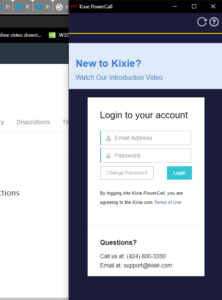
- Login using your Kixie account credentials.
Step 3:
- Now, click on the three lines on the right-hand corner of the extension for Settings.
Step 4:
- In settings, search for the option of CRM. Now, select Salesforce and enter your Salesforce credentials.

Step 5:
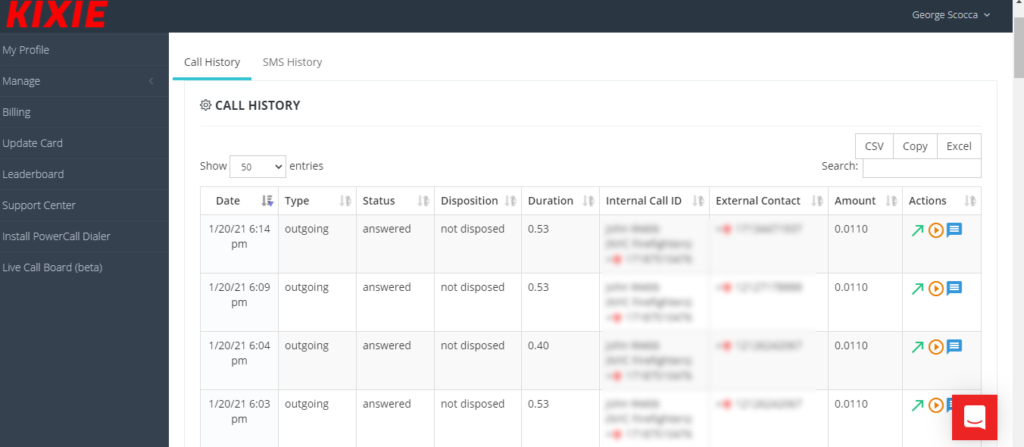
- Finally, log in to your Salesforce account & you will find a red-colored dialer in front of the contact numbers of the Leads or Contacts.
Conclusion:
So, with this simple solution, you can integrate Sales dialer Kixie with your Salesforce account easily. We hope that you liked this blog and it was helpful for you. Don’t forget to try out this solution for your business and see how it helps. Also, do share your experiences with us. Till then, happy learning! 🙂





