




In Salesforce, opportunities are the standard object. By adding opportunities, you are adding deals, building a pipeline, tracking those deals, and analyzing your growth. Alternatively, products are the items that your company sells. An Opportunity Product on the other hand is the specific product or service that you have sold to a customer of a certain opportunity. Also, a price book in Salesforce is a list of products and services with their prices and track the prices of the sold items.
Now that you got familiar with the terminologies, let’s dive into the code that can help you add opportunity line items based on the product family and current logged user.
This simple piece of code allows you to
- add opportunity line items in each product family,
- create credentials for each user to access the opportunity products,
- uploads the data into the price books with the respective record types,
- unifies the old and new data in the Salesforce price books, and
- gives access to product families based on the logged-in user.
Apex class to Insert Opportunity Line Items
Lightning Component to Add OpportunityLineItems
Javascript Controller:
Helper Class:
CSS
Output:
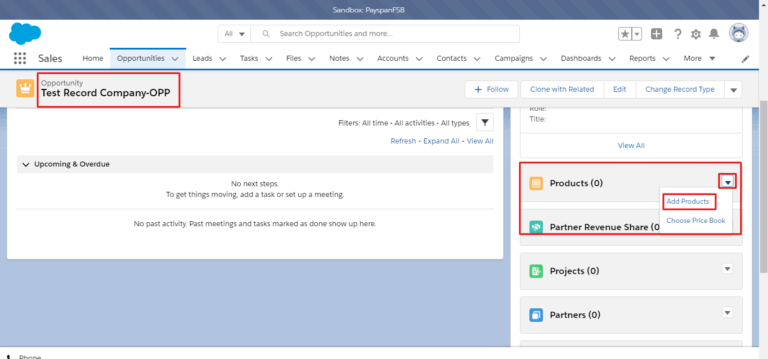
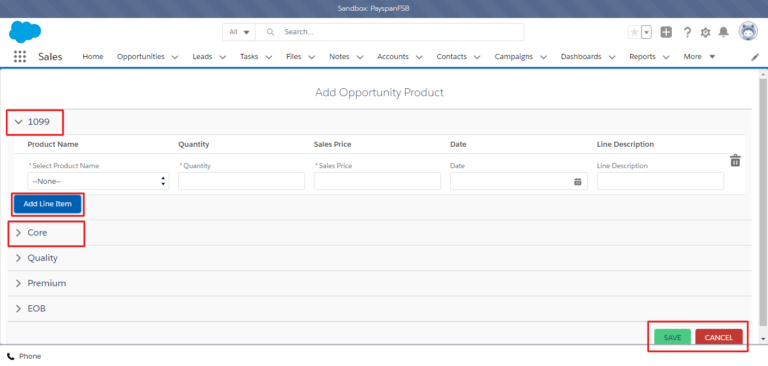
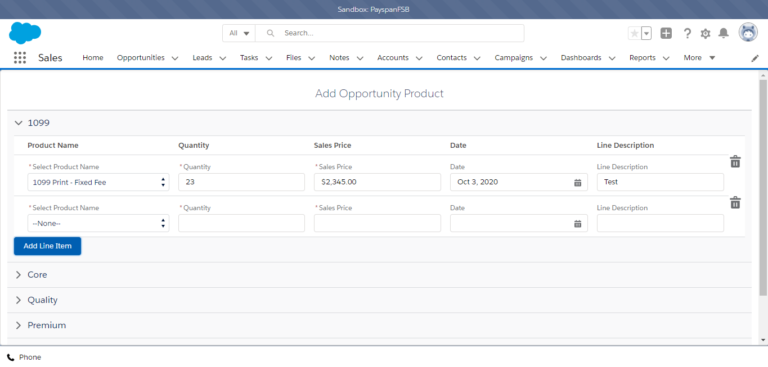
Conclusion:
Inserting and updating the opportunity line items in the Salesforce Lightning component based on the product family has never been easier. Try this out and share your experience with us. Happy learning! 🙂





