

GridBuddy is a Salesforce application that provides users with a simplified and customizable interface for managing records. At its core, GridBuddy transforms complex Salesforce data into user-friendly grids, enabling users to view, edit, and manipulate records effortlessly. With a consolidated view of related records, users can enhance Salesforce productivity with GridBuddy by minimizing the need to navigate multiple tabs and screens, accelerating the data management process.
Gridbuddy streamlines and improves data entry into Salesforce by providing a spreadsheet-like workspace to manage everything on one screen. Ensuring the CRM data is always updated, GridBuddy improves productivity, saves time, and enhances Salesforce usability by customer service agents, sales reps, and project managers.
Here’s How GridBuddy Works:
- Customizable Grids: Users create tailored grids with specific fields, filters, and sorting criteria for instant access to relevant data.
- Cross-Object Relationships: Display related records from multiple objects in one grid, streamlining data viewing without navigating between tabs.
- Inline Editing: Update records directly within the grid interface, simplifying data management and reducing time spent on individual record pages.
- Drag-and-Drop Functionality: Rearrange columns and resize fields with simple gestures to customize grid layouts and workflows.
Leveraging Mass Update Capabilities:
GridBuddy’s standout feature is its ability to perform bulk updates on multiple records at once. Here’s how it works:
- Filtering Records: Filter records based on specific criteria for targeted mass updates, such as record type, status, or ownership.
- Batch Processing: Process updates in batches to minimize system impact, monitor progress in real-time, and track any errors or exceptions.
- Customizable Update Actions: Define custom update actions to tailor mass updates according to unique business requirements and workflows.
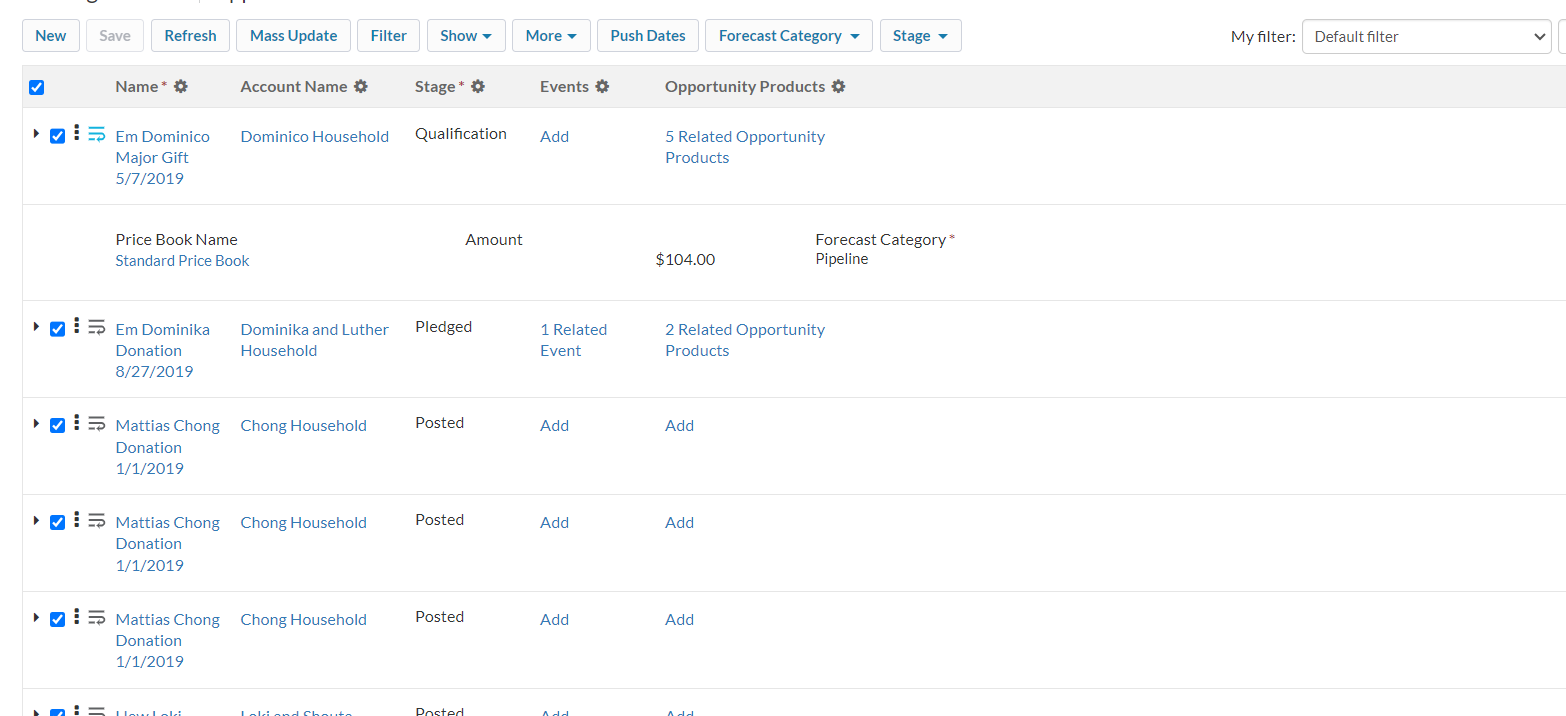
Here is the example to mass update the opportunity amount field:
- Open grid > Select the records you want to update > Click Mass Update Button
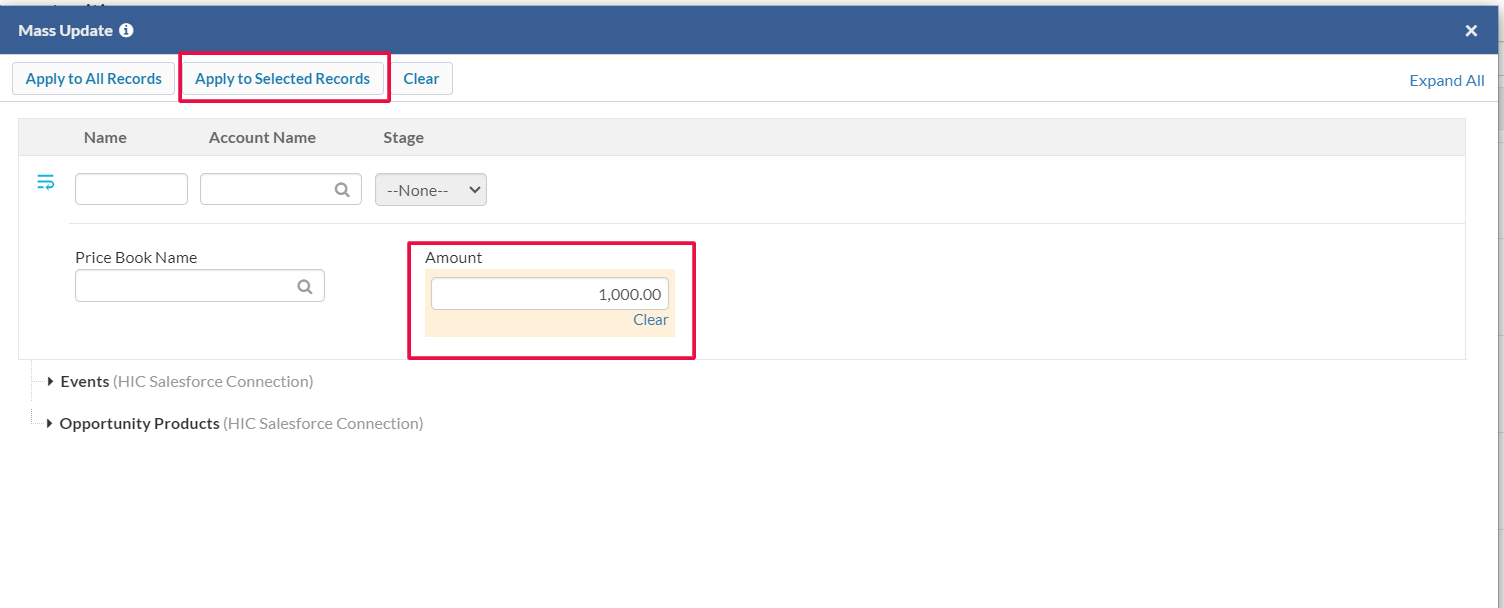
2. Specify the amount > Click Apply to selected Records.
Note: If you want to update all records you just need to click Mass Update > Update value of field > Click Apply to All Records
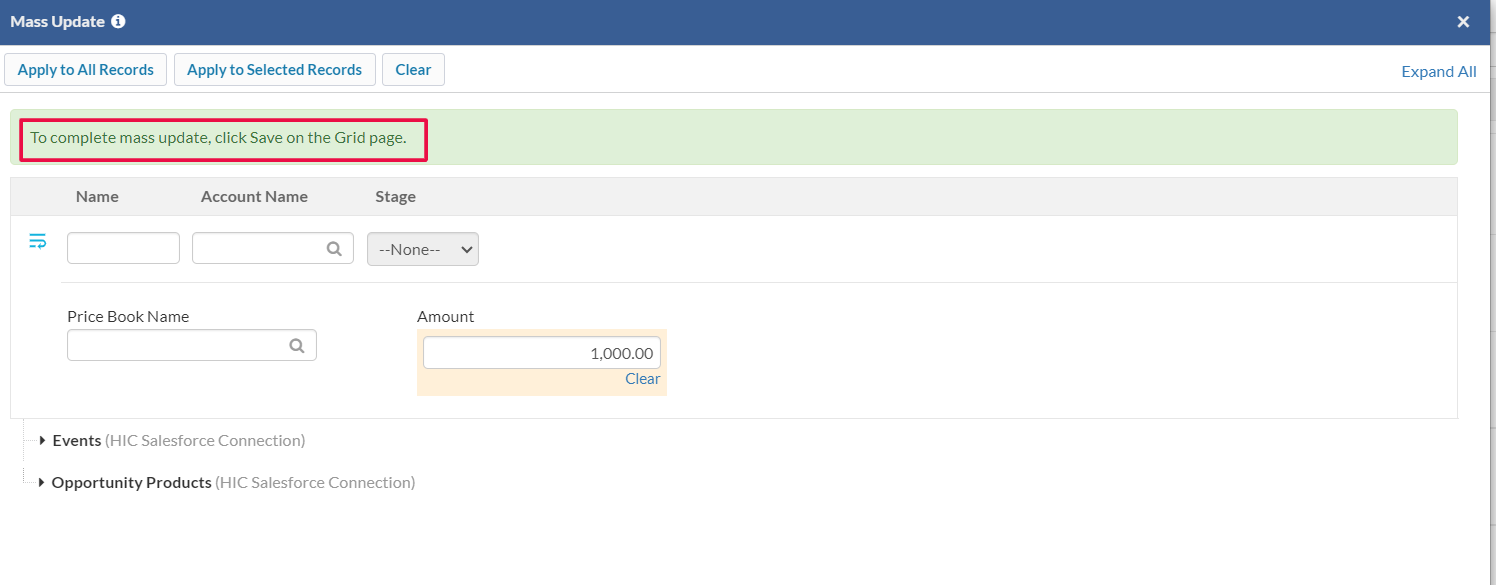
3. Close the window of Mass Update > Click Save Button to apply changes.
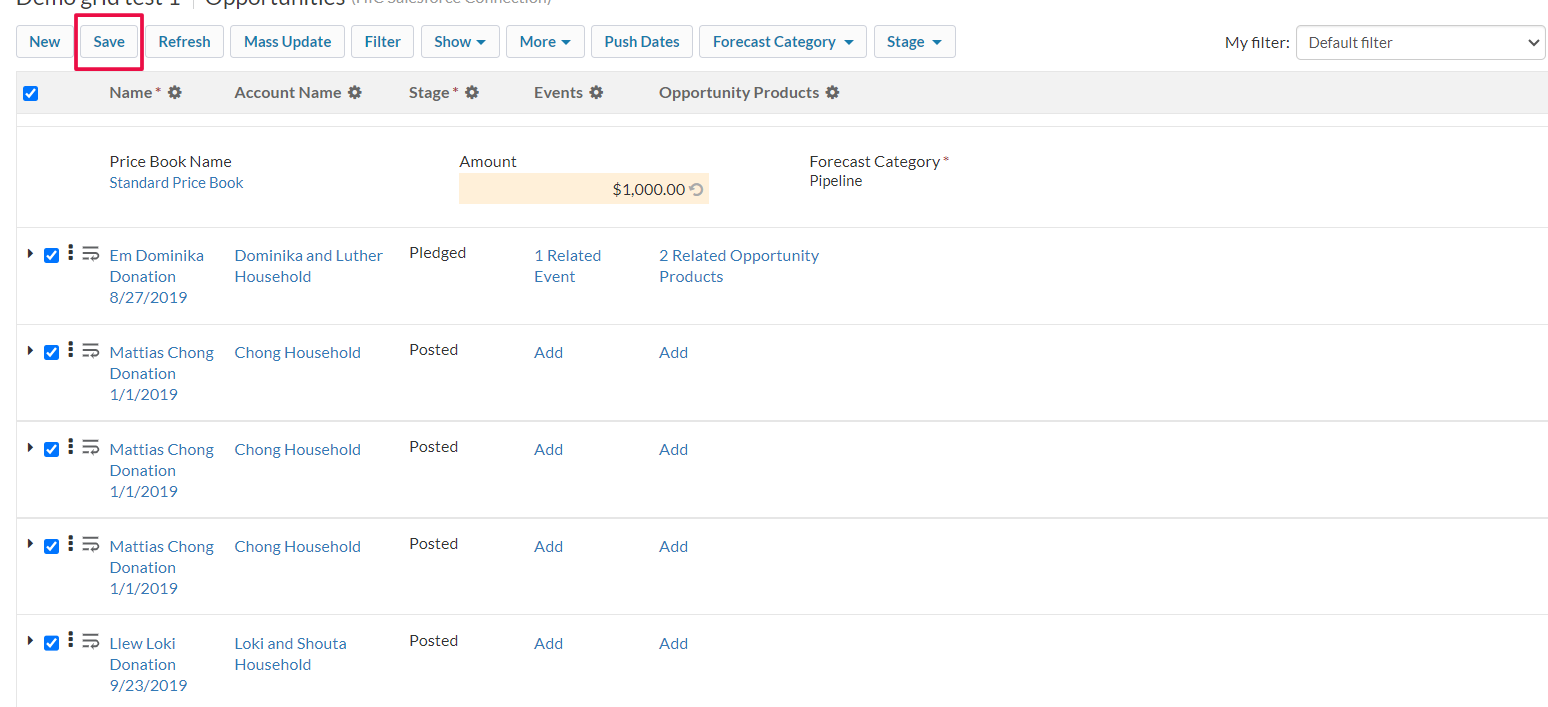
4. All selected records are updated with the specific amount at once.
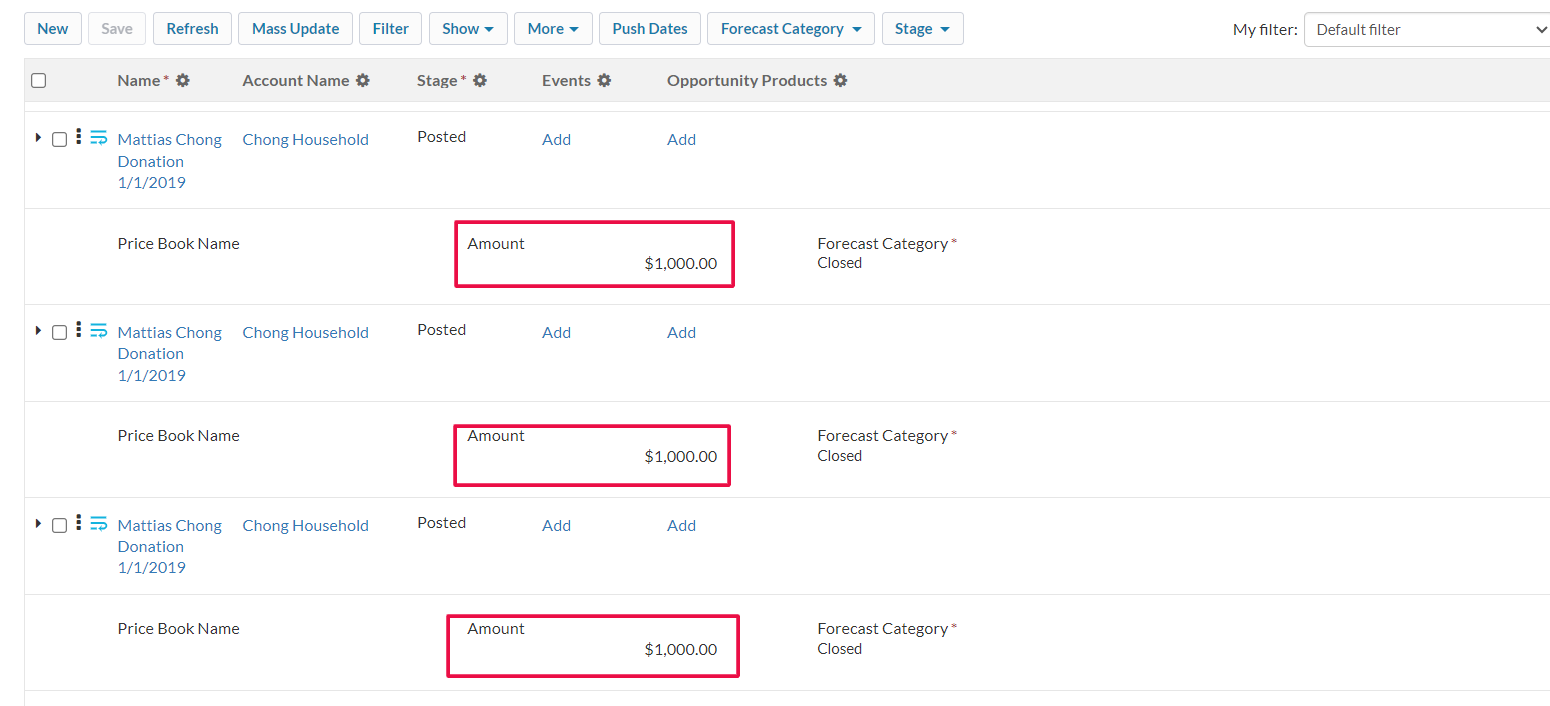
Now it’s time to try this functionality and save you time. You can apply Mass Update in parent records as well as in child records at the same time which saves lots of effort and time.
Adding Grid to Record Page
- Go to record page > Gear Icon > Edit Page
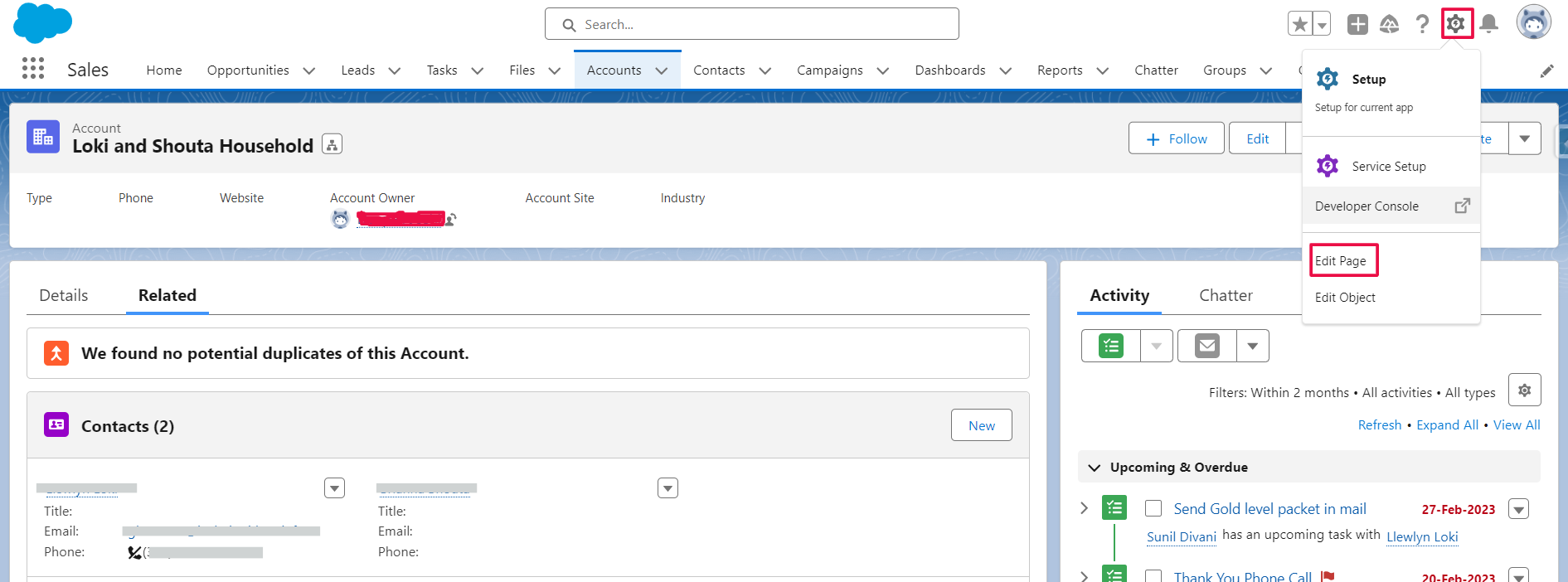
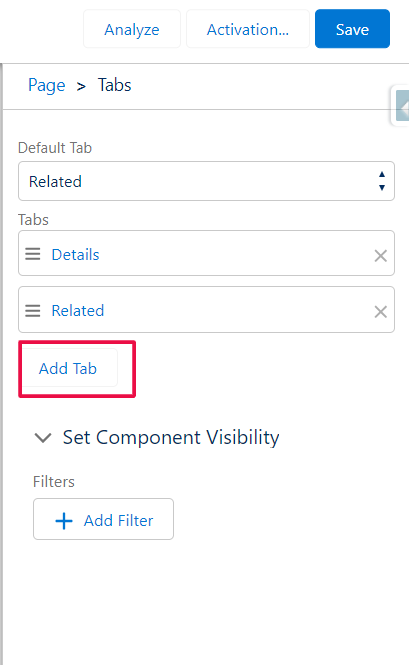
2. Click on Tab > Add Tab
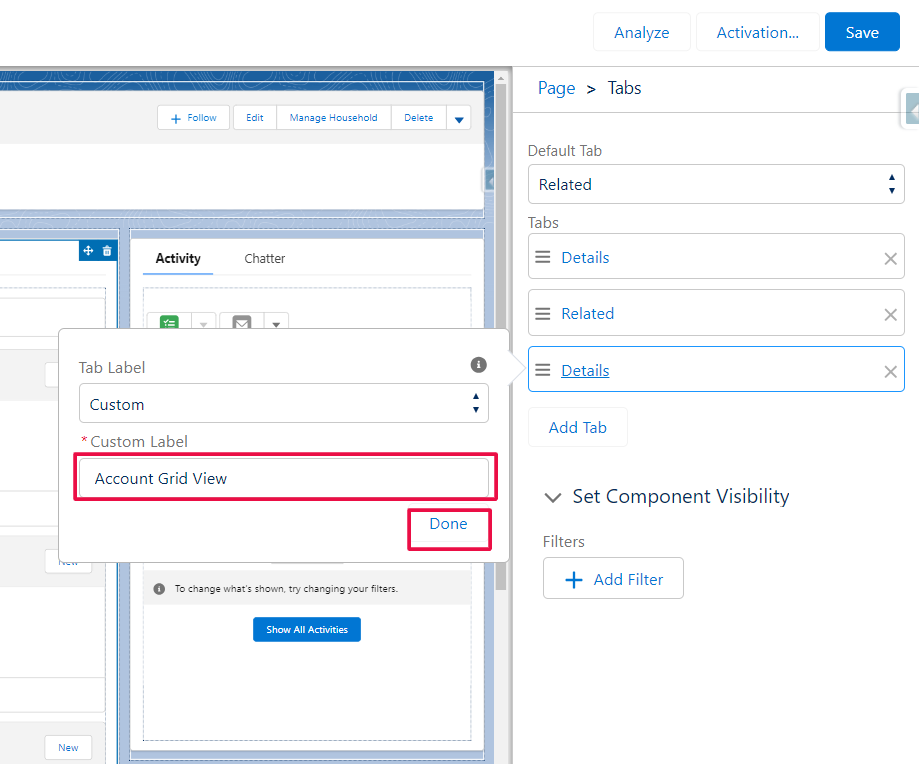
3. Select Custom and provide a custom name for your tab > Done
4. A tab will created > Search Gridbuddy connect lightning component from custom component > Drag to new tab
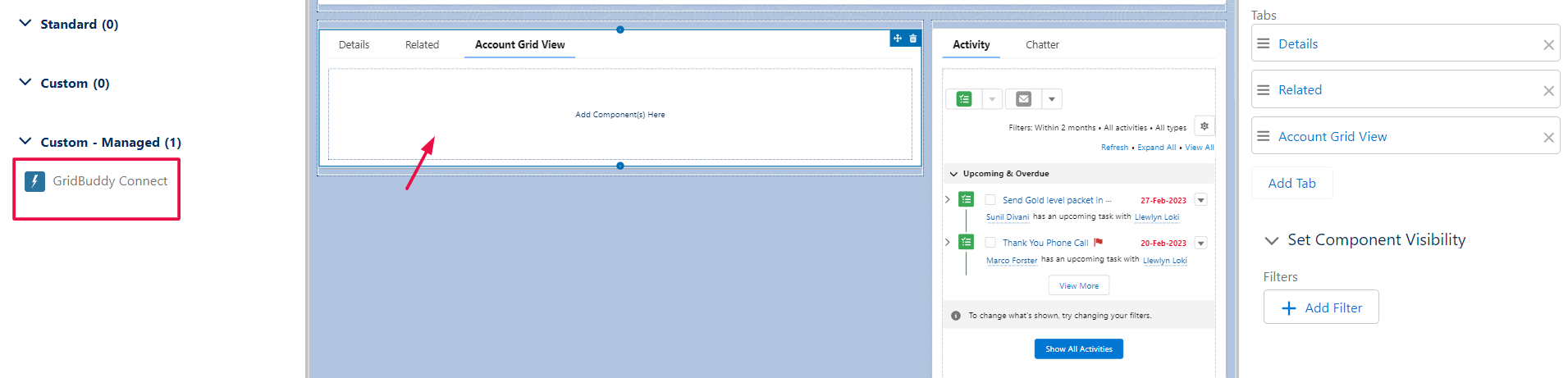
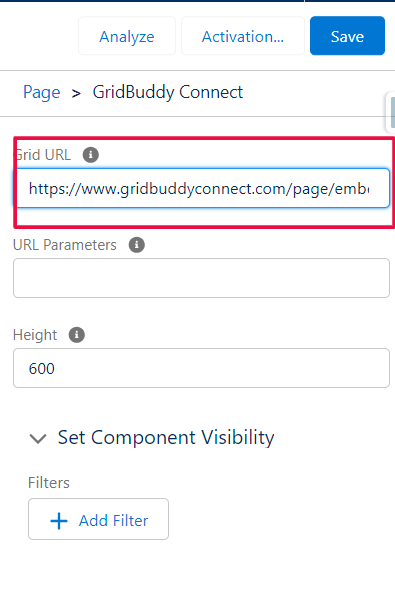
5. In the property section add the Embedded URL of the grid (you can adjust the height and add other URL parameters) > Save > Back Button
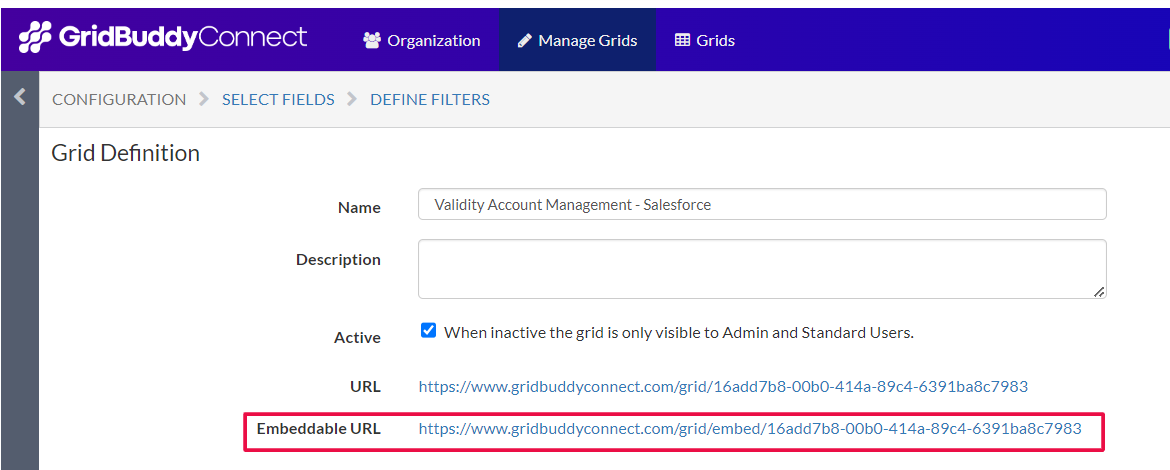
Note: To get the URL of the grid, go to Manage Grid > Specific grid > Configuration > Embeddable URL
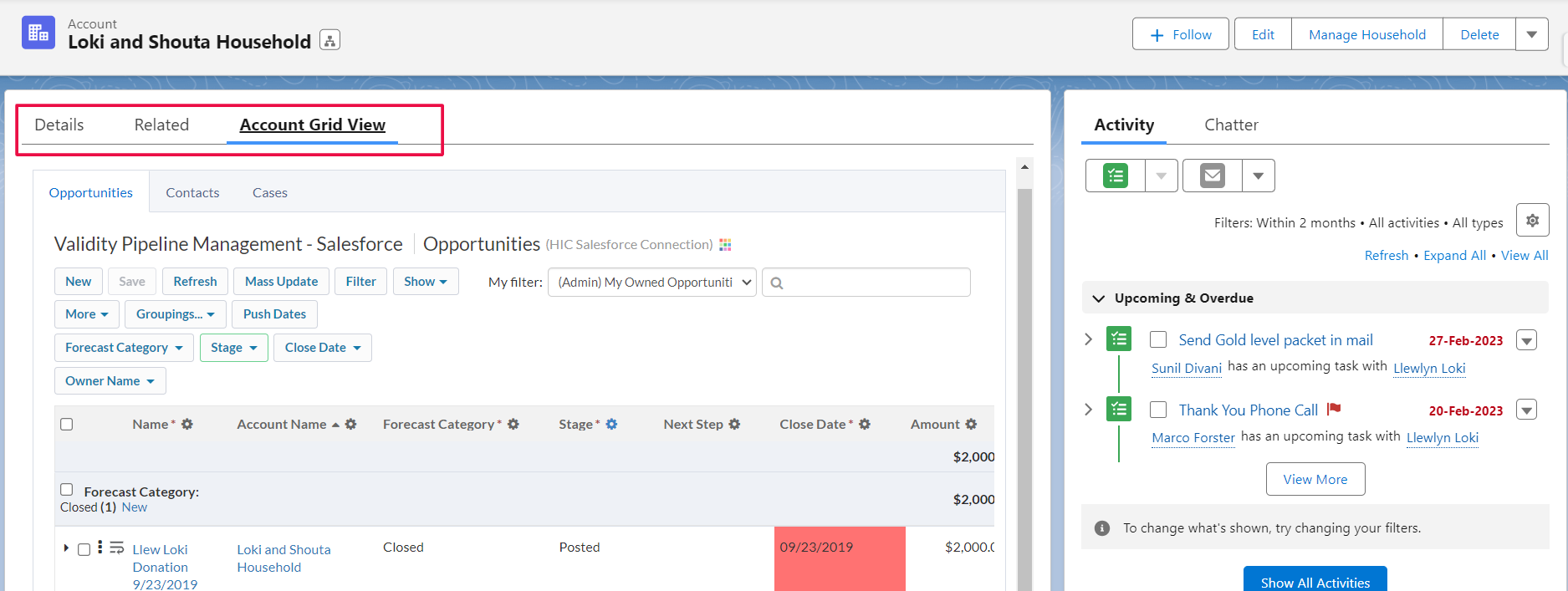
6. Check your record page here a new custom tab will added with a grid view
Note: You can also add the URL of the Tab Page for that: Manage Tabbed Page > Create new or existing > Configuration > Embeddable URL
Hurray!! You have successfully added your grid view to a record page.
Enhancing Salesforce Productivity With GridBuddy
By leveraging GridBuddy’s intuitive interface, mass update capabilities, and record view features, organizations can significantly enhance their Salesforce productivity in several ways:
- Streamlined Data Management: GridBuddy simplifies the process of viewing, editing, and updating Salesforce records, reducing the time and effort required to manage data effectively.
- Improved Data Visibility: GridBuddy provides users with a consolidated view of their Salesforce data, enabling them to gain insights and make informed decisions more efficiently.
- Increased User Adoption: GridBuddy’s user-friendly interface and customizable features encourage greater user adoption within organizations, driving productivity and maximizing the value of the Salesforce platform.
Demo Video of Mass Update Records with GridBuddy: Here is the link 👇🏻
https://go.screenpal.com/watch/cZe2IEV7Idp

Conclusion
Summing up, following the steps and the demo video in the guide, you can enhance Salesforce productivity with GridBuddy. Feel free to share your experience and reach out to us, in case you need help implementing the solution! And more blogs. Stay tuned!





