
Salesforce CPQ software offers robust features for managing pricing, product configurations, and quotations. The capacity to effectively modify and renew contracts is essential for businesses managing intricate agreements and long-term partnerships.
In this guide, we’ll walk you through the details of contract amendment and renewal processes in Salesforce CPQ.
About Salesforce CPQ Contract Amendments
Modifications made to an existing contract are commonly referred to as contract amendments. This could include adjusting pricing terms, introducing new items, or eliminating products from the agreement.
Salesforce CPQ Offers an efficient method for managing these modifications, guaranteeing that modifications are appropriately reported without causing disparities between sales and legal teams.
Important Contract Amendment/Renewal Features:
- Seamless Process: Salesforce CPQ permits changes without interfering with the terms of the existing agreement. Small modifications to a contract can be easily made by firms without requiring them to start from scratch.
- Synchronization with Subscription Products: Contract modifications guarantee that new products or price adjustments are in line with the subscription’s lifecycle if your company deals in subscriptions.
- Consistent Pricing: There are a few different approaches to handling renewal pricing, ranging from sticking with the initial amount to implementing new pricing schemes based on client usage or industry developments.
Things to Consider:
- Price modifications are prohibited by amendments.
- Prices will not change if current products are modified. Prices from the current subscription line are still the same.
- Any further savings from the initial price are locked in and kept.
- You can freely discount new quotation lines.
Steps to Amend a Contract in CPQ
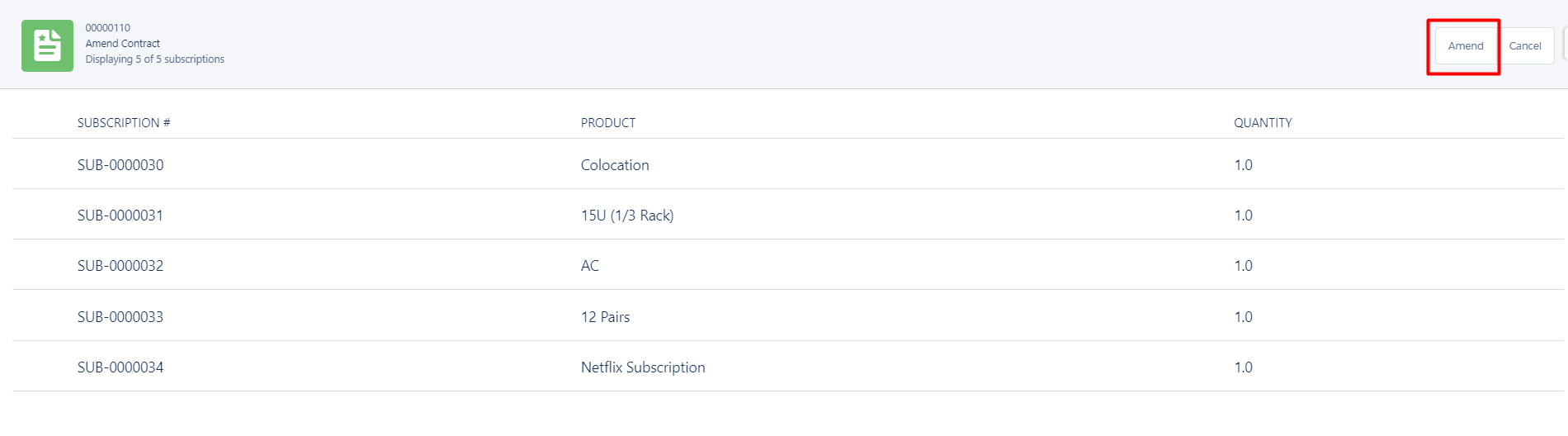
Step 1: Click on Contract record need to amend —> Amend Button

Step 2: Amend the product as per client request (Add, remove, or update products) —> Save
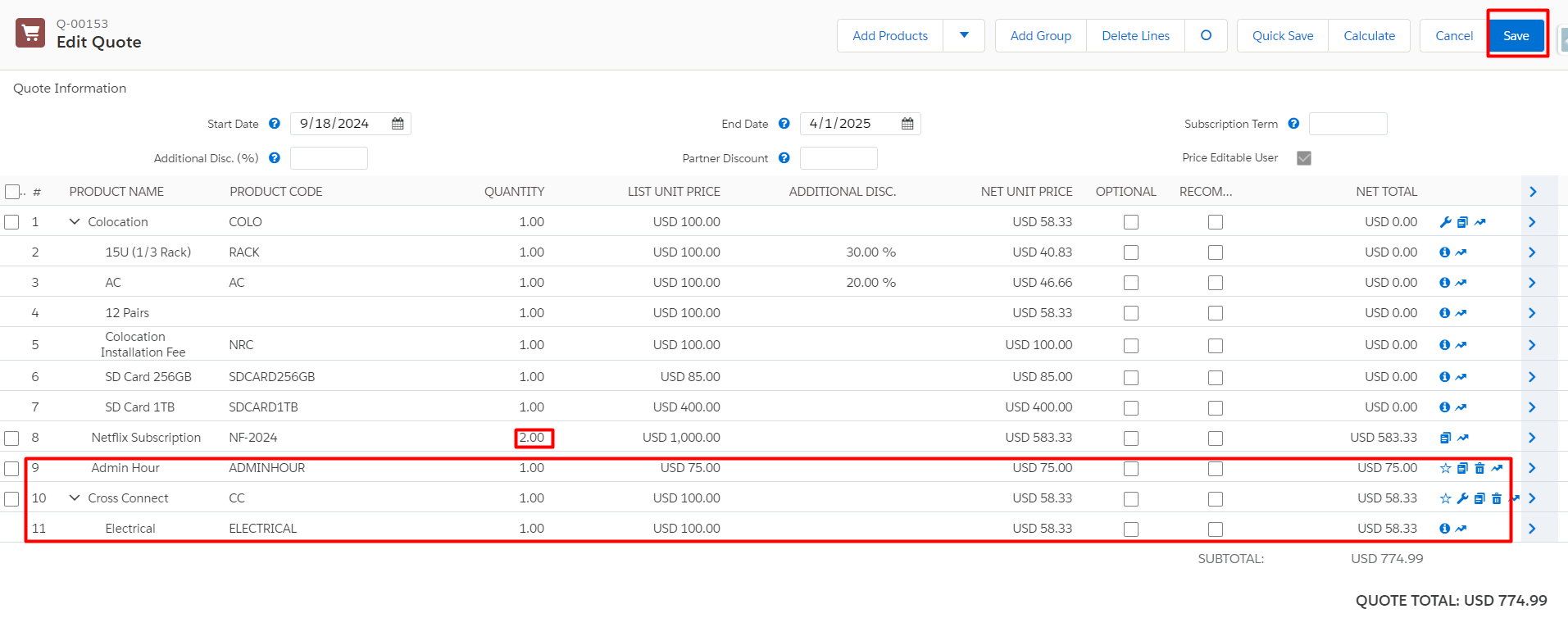
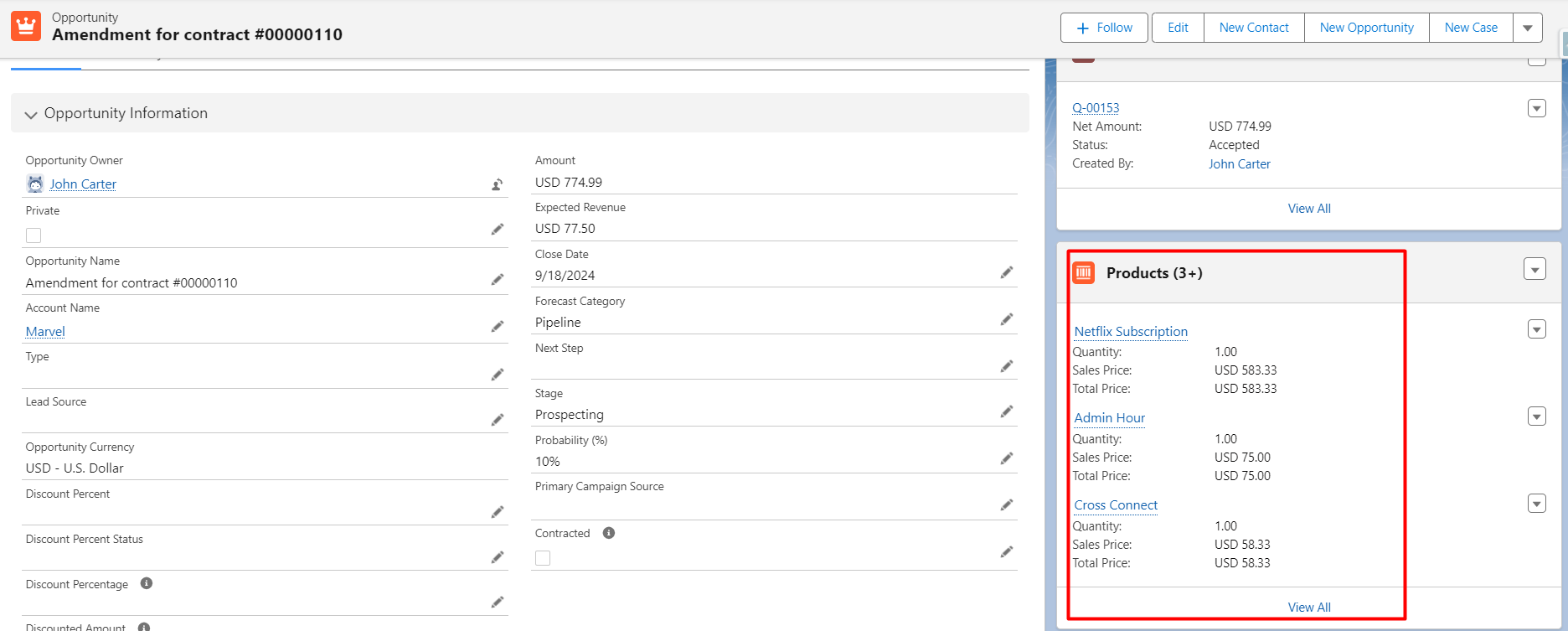
When a contract is amended an amendment opportunity and amendment quote get created.
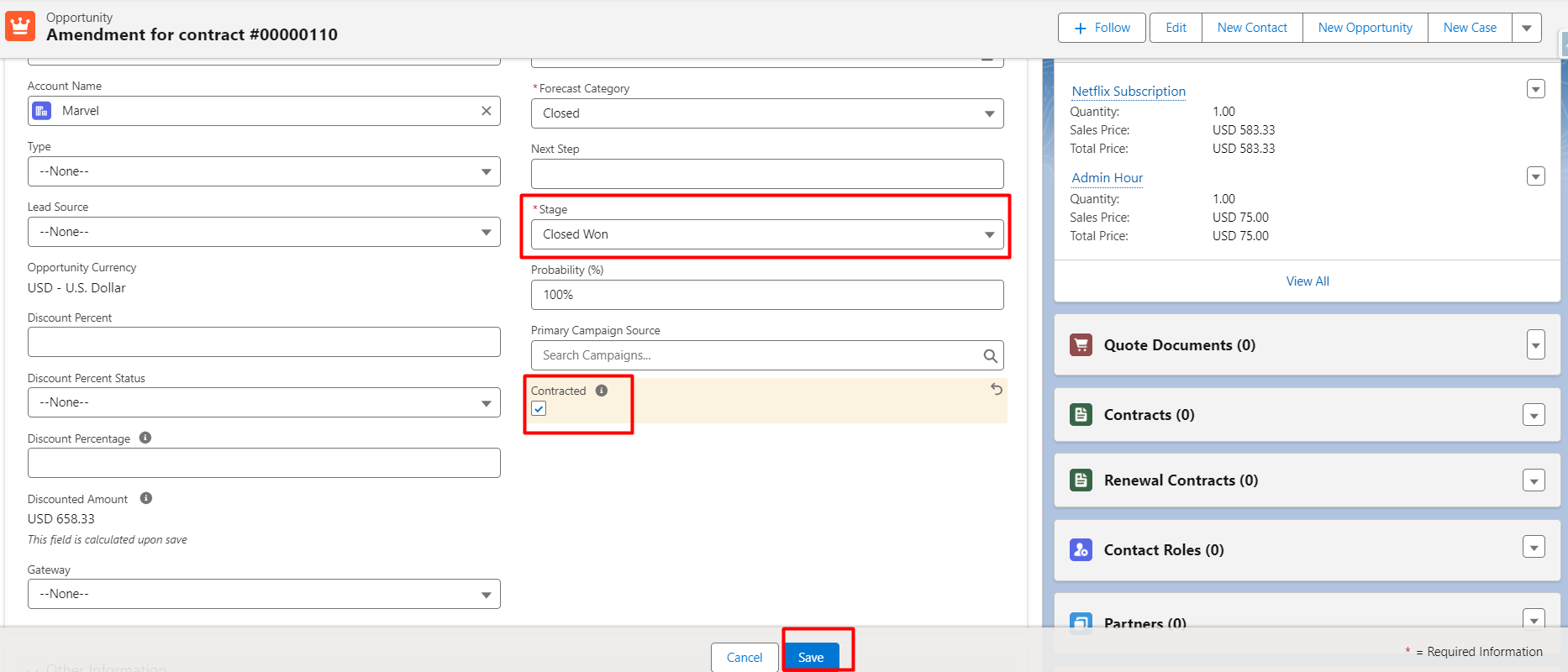
Step 3: Click on the Contracted checkbox of amended opportunity for a contract that will automatically convert assets and subscriptions.
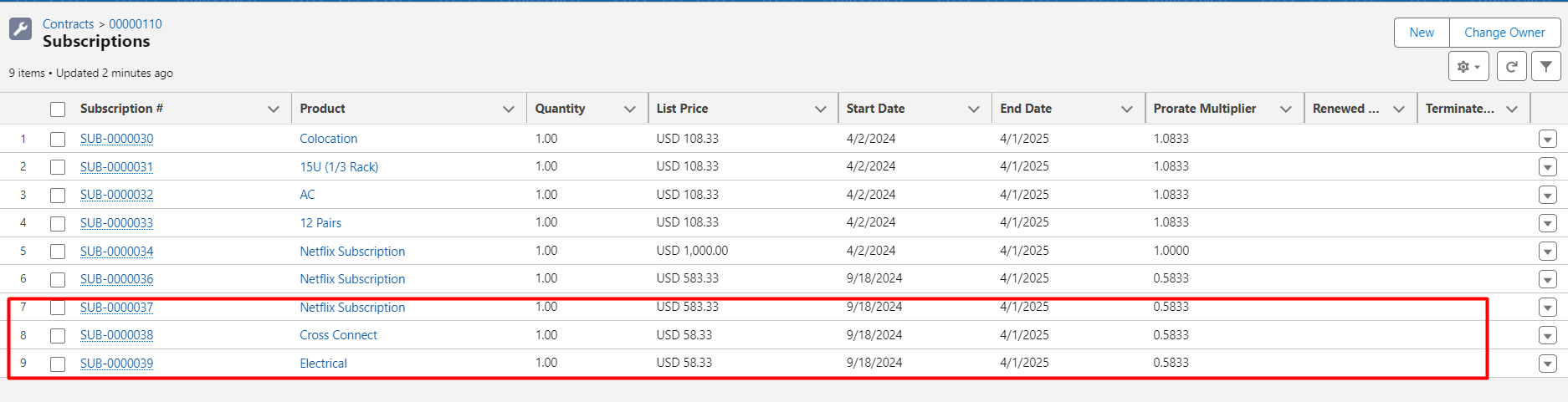
Some of these procedures can be further automated by using Flow; the following are some examples:
by selecting the “Ordered” and “Contracted” checkboxes, immediately generating a new order and amending the existing contract
If no further permissions are required, the amendment opportunity stage will instantly be updated to “Closed Won.”
Using Flow to change Amendment Opportunities’ names to something more appropriate is a great idea because they follow a consistent naming scheme.
CPQ Renewal Management
Renewing contracts is essential to preserving long-term client connections and revenue sources. Salesforce CPQ lowers the possibility of lost revenue from overlooked renewal chances by assisting companies in managing the renewal process with precision and efficiency.
Steps to Renew a Contract in Salesforce CPQ
Step 1: To extend a contract that is about to expire, click on it. Two checkboxes can be found under the CPQ Renewal Information portion of the detail page:
Renewal Forecast: If accurate, this will only generate opportunities for renewals rather than quotes.
Renewal Quoted: Will generate a renewal quote if verified.
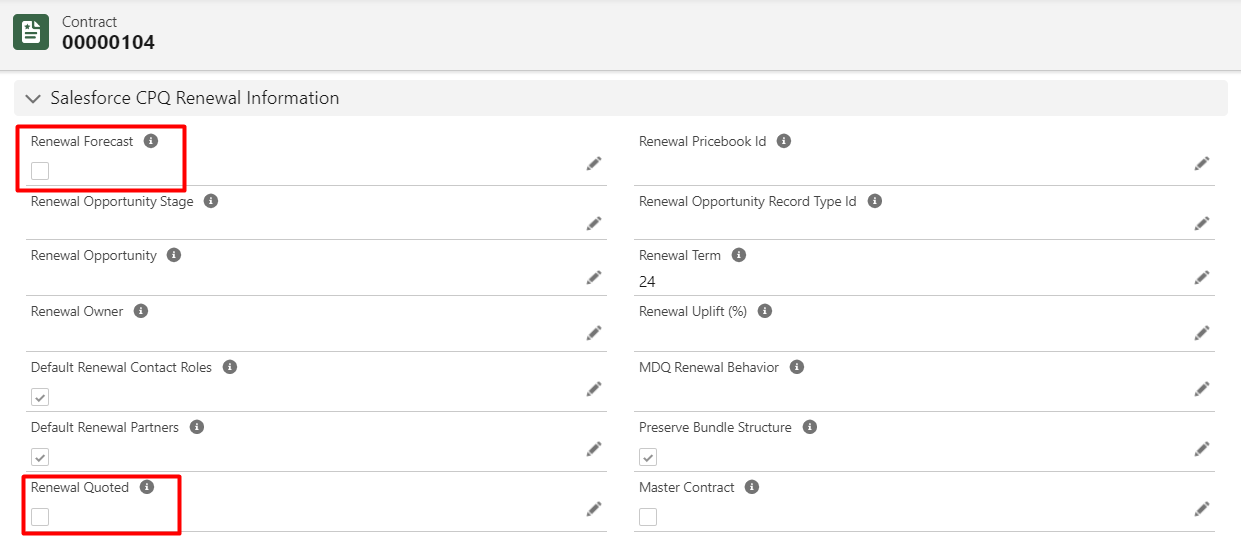
Mark both checkboxes true if you wish to establish a renewal opportunity with a renewal quote. If not, simply select “Renewal Forecast” to generate a renewal opportunity automatically.
Step 2: Click the Renewal Forecast and Renewal Quoted checkbox —> Save
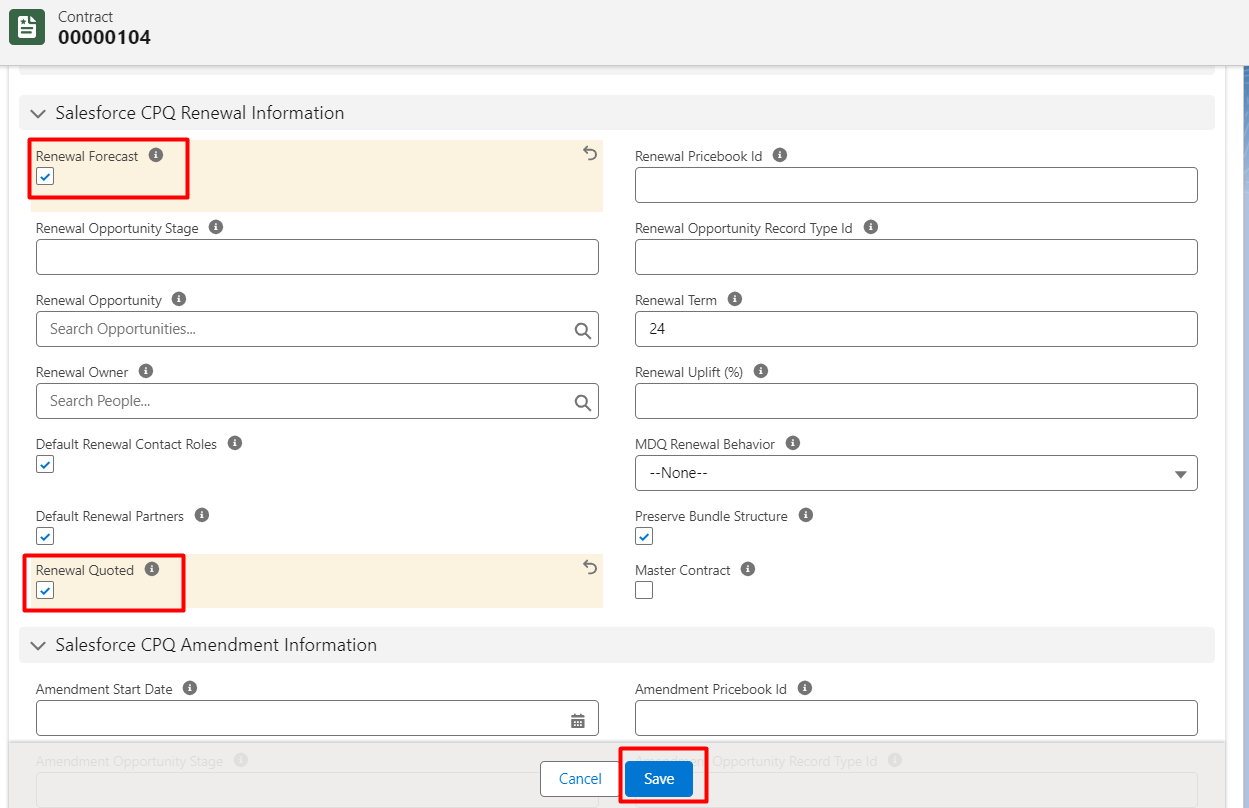
Step 3: A new renewal Opportunity with a Renewal Quote and All active subscription products from the contract get pulled into the renewal opportunity for renewal.
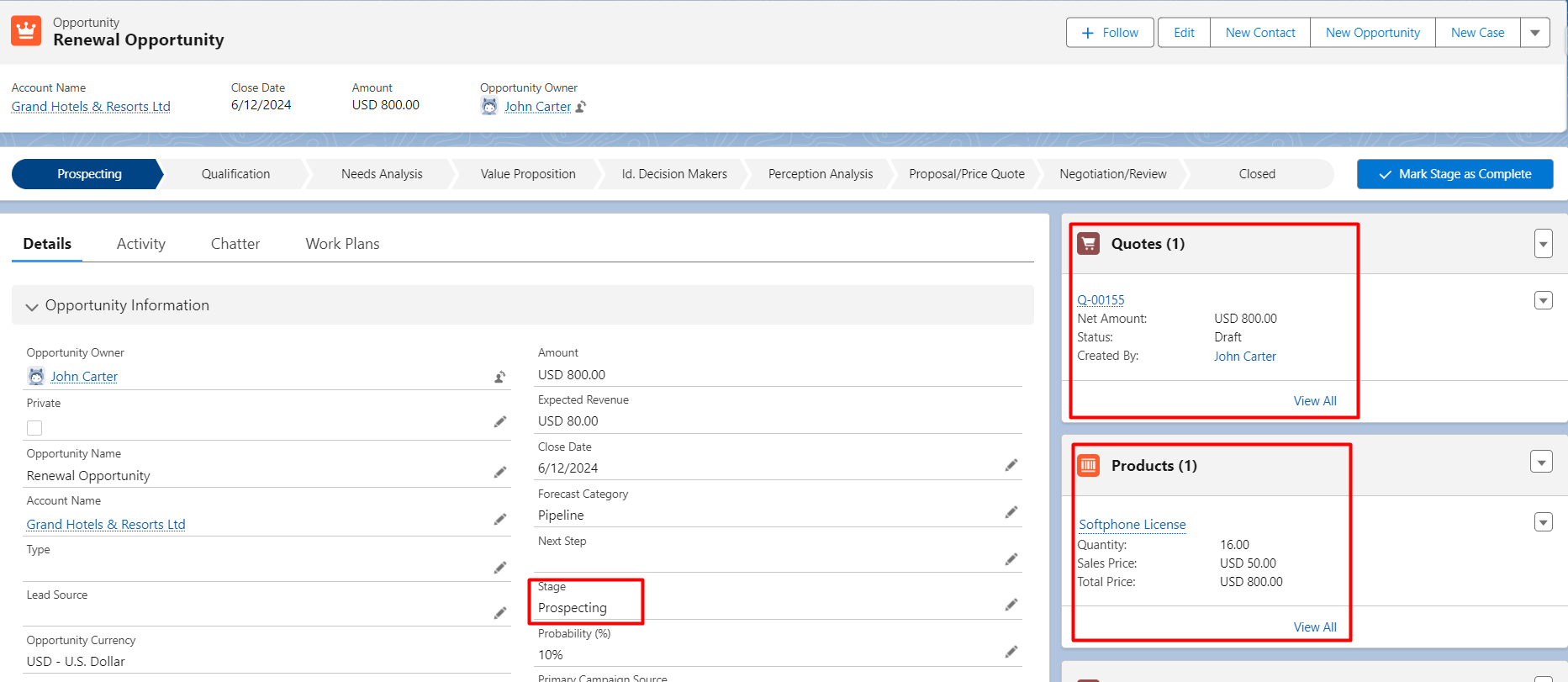
Step 4: Send the renewal quote to the customer for approval. This step ensures that the customer is aware of the renewal terms and can negotiate if necessary.
Step 5: Once approved, and Renewal Opportunity is closed click the Contracted checkbox of opportunity.
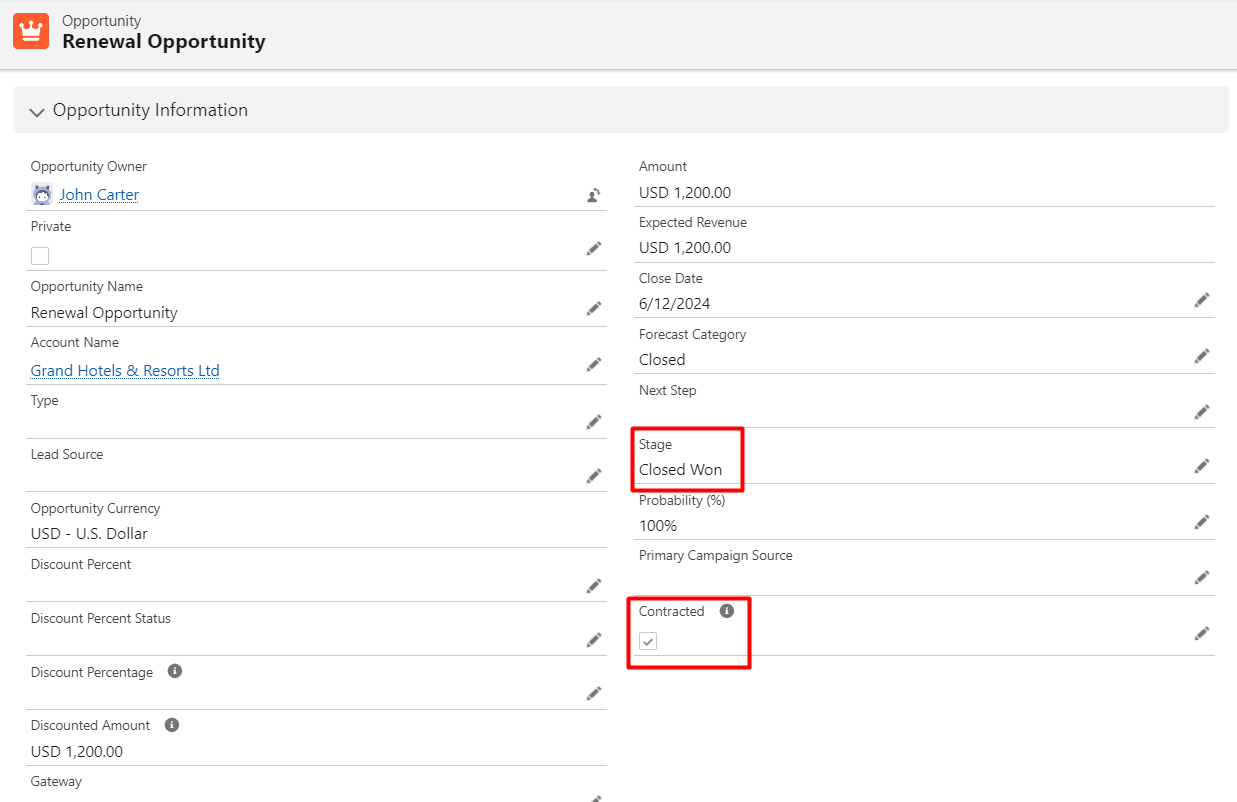
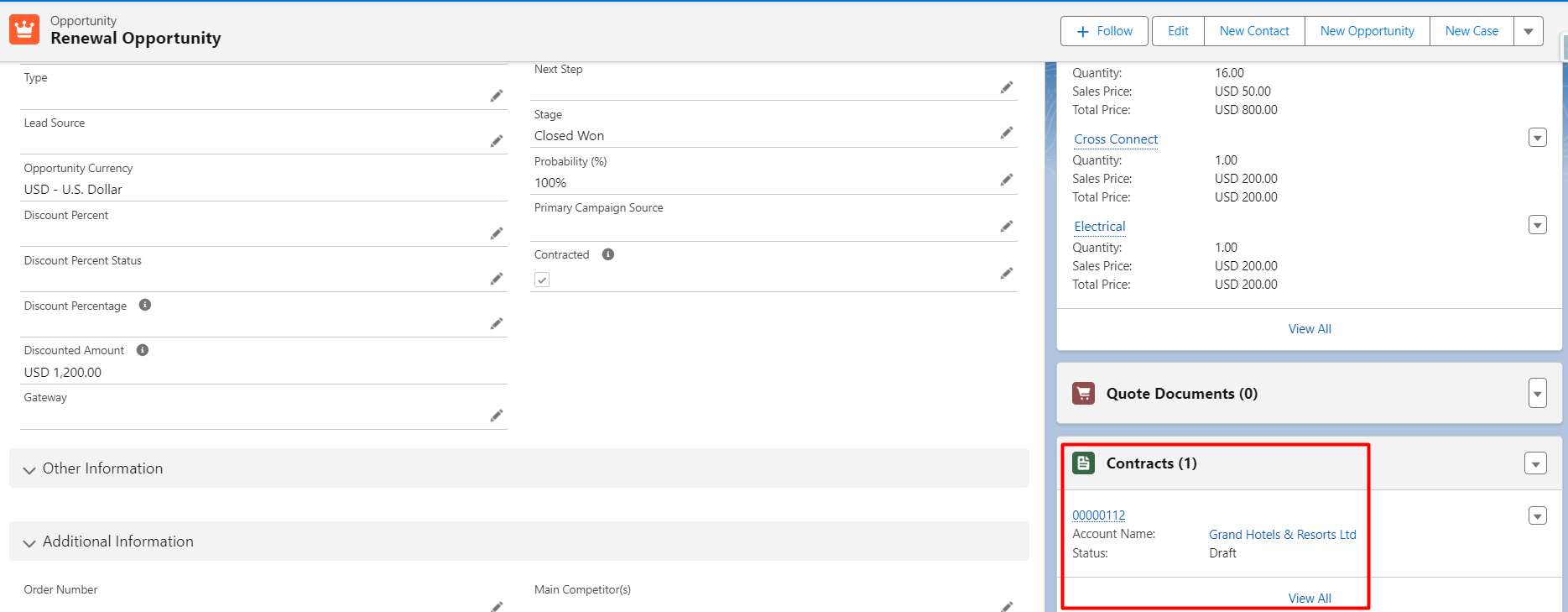
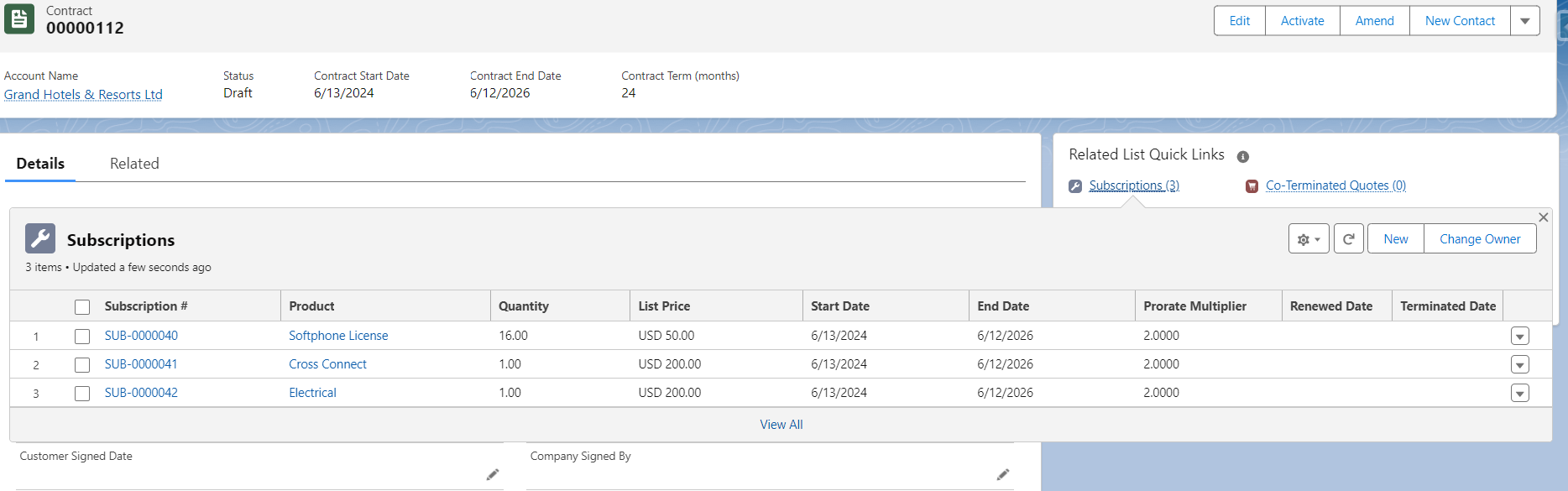
A contract will be generated for renewal opportunities having subscriptions.
Best Practices for Managing Amendments and Renewals for CPQ
- Use Automation: Salesforce CPQ provides strong automation capabilities that can facilitate the process of managing contracts more efficiently. Utilize pricing updates and automated renewal chances to increase efficiency and decrease manual error rates.
- Track Customer Usage: Keep an eye on customer usage trends by utilizing Salesforce’s reporting and analytics features. This will increase the possibility that the customer would renew by enabling you to provide customized renewal packages that correspond with their current demands.
- Maintain Clear Communication: Make sure that internal teams and customers are informed of all changes made during amendments or renewals. To preserve long-term client relationships and lower the likelihood of disagreements, transparency is essential.
Conclusion
Upholding solid client connections and generating recurrent income depends on contract modifications and renewals. Businesses can effectively manage these procedures using Salesforce CPQ, guaranteeing precision, coherence, and departmental alignment.
By employing automation and version control features, firms may reduce manual work, boost customer satisfaction, and ultimately drive more revenue through efficient contract lifecycle management.
You can maximize the capabilities of Salesforce CPQ and make sure your company remains customer-focused and flexible by putting the above-mentioned best practices into effect.